

How to adjust the brightness on the REDMI Pad SE 8.7 automatically?
The REDMI Pad SE 8.7 supports adjusting the brightness automatically, which optimizes screen brightness based on ambient light conditions, ensuring better visibility in various environments. By adjusting brightness, it helps reduce eye strain in low-light situations and minimizes glare in bright settings. It can save battery life by lowering brightness when it's not needed, helping extend device usage time.
To adjust the brightness automatically on your tablet, please refer to the following methods:
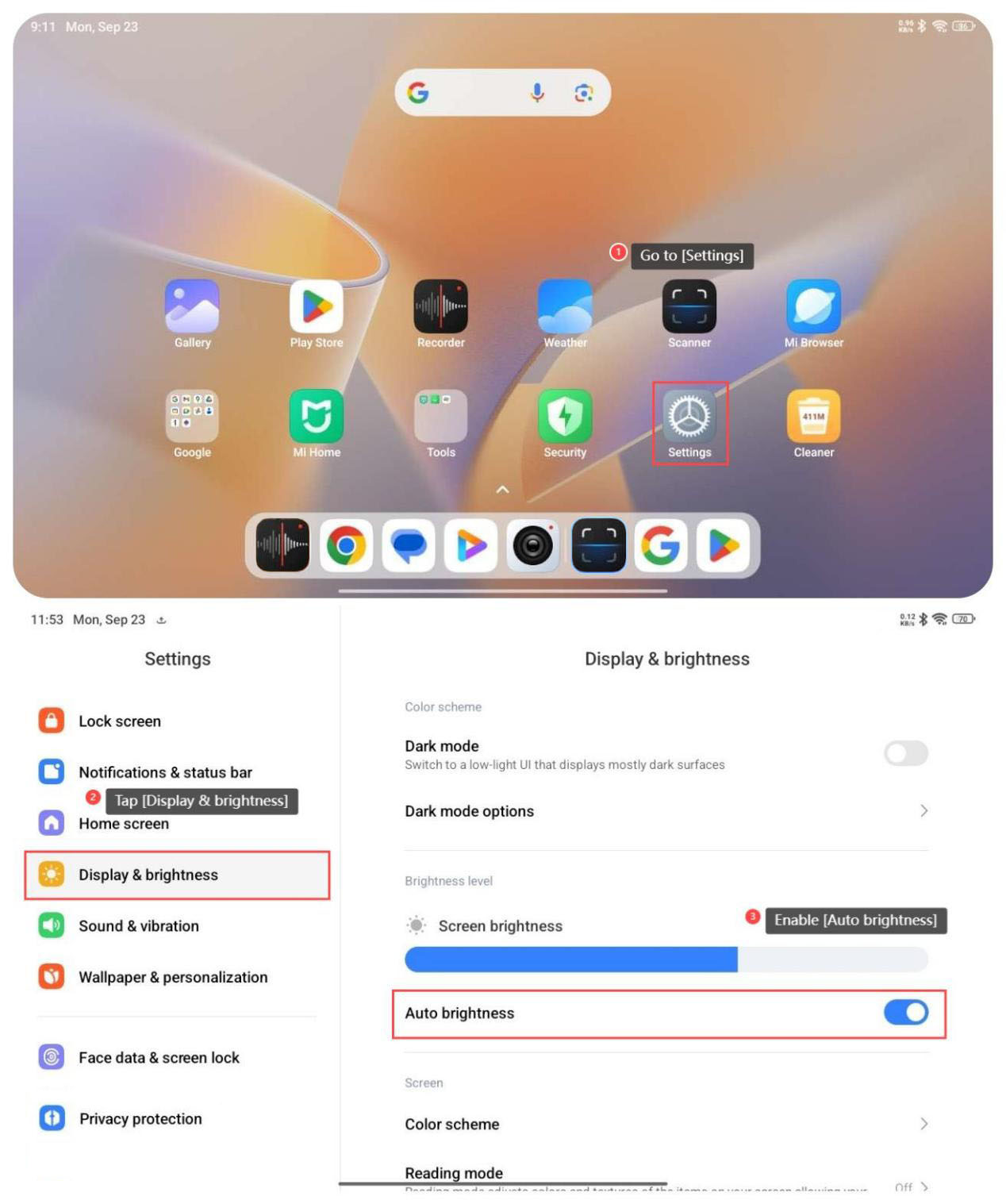
Method 1:
1. Go to [Settings];
2. Tap [Display & brightness];
3. Enable [Auto brightness].
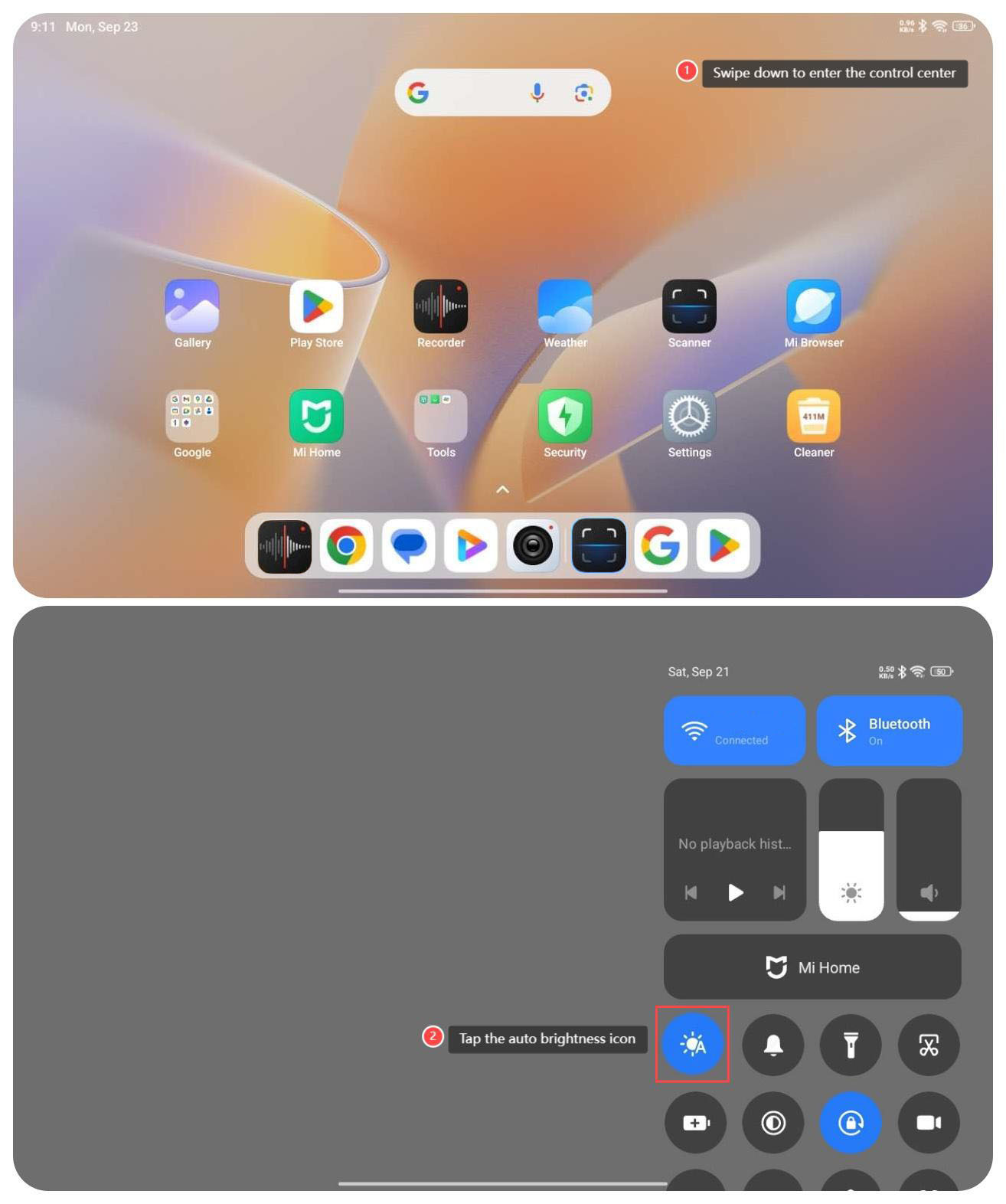
Method 2:
1. Swipe down from the right top of the screen to enter the control center;
2. Tap the auto brightness icon.
To adjust the brightness automatically on your tablet, please refer to the following methods:
Method 1:
1. Go to [Settings];
2. Tap [Display & brightness];
3. Enable [Auto brightness].
Method 2:
1. Swipe down from the right top of the screen to enter the control center;
2. Tap the auto brightness icon.
Does it help?
Yes
No