

How to turn on the Reading mode on the POCO F6?
Reading mode on the POCO F6 is a feature designed to reduce eye strain and improve sleep quality by adjusting the color temperature of the screen.
To turn on the Reading mode, please refer to the following methods:
Method 1:
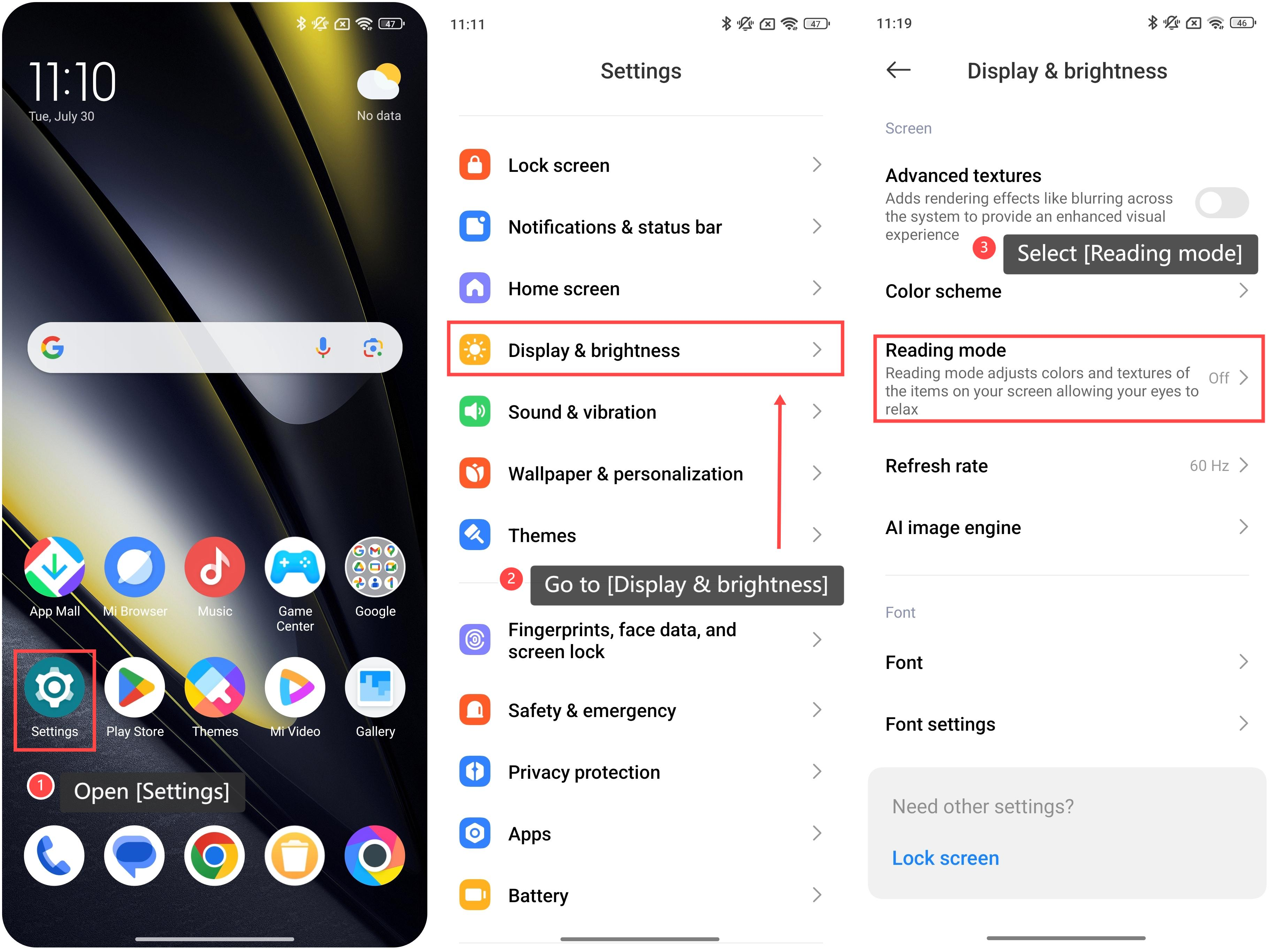
1. Open [Settings];
2. Go to [Display & brightness];
3. Swipe down and select [Reading mode];
To turn on the Reading mode, please refer to the following methods:
Method 1:
1. Open [Settings];
2. Go to [Display & brightness];
3. Swipe down and select [Reading mode];
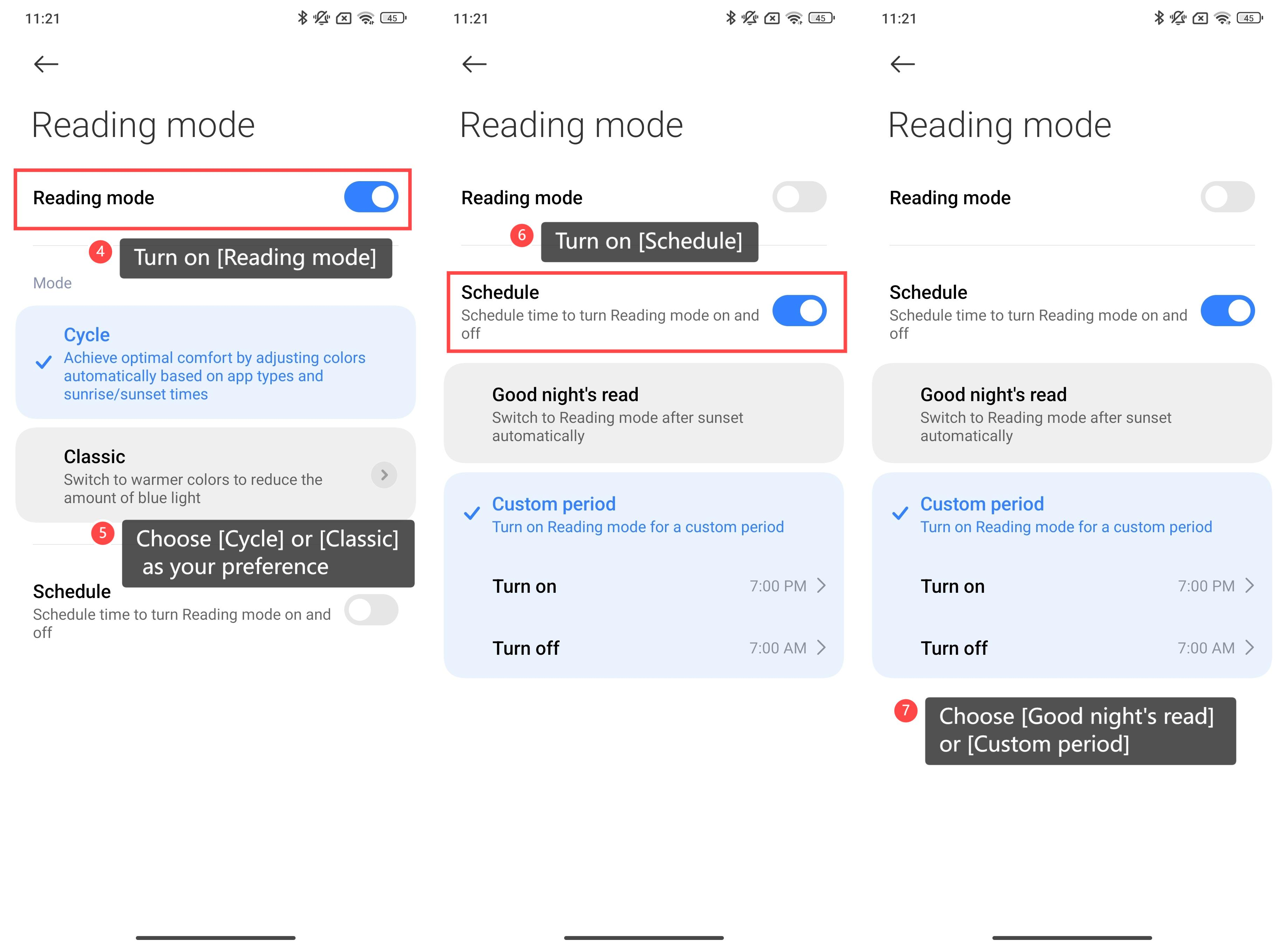
4. Turn on the [Reading mode] toggle;
5. You can choose the specific mode as your preference, including [Cycle] or [Classic];
6. Additionally, you can turn on [Schedule];
7. Choose [Good night’s read] or [Custom period] to schedule time to turn the Reading mode on or off.
5. You can choose the specific mode as your preference, including [Cycle] or [Classic];
6. Additionally, you can turn on [Schedule];
7. Choose [Good night’s read] or [Custom period] to schedule time to turn the Reading mode on or off.
Method 2:
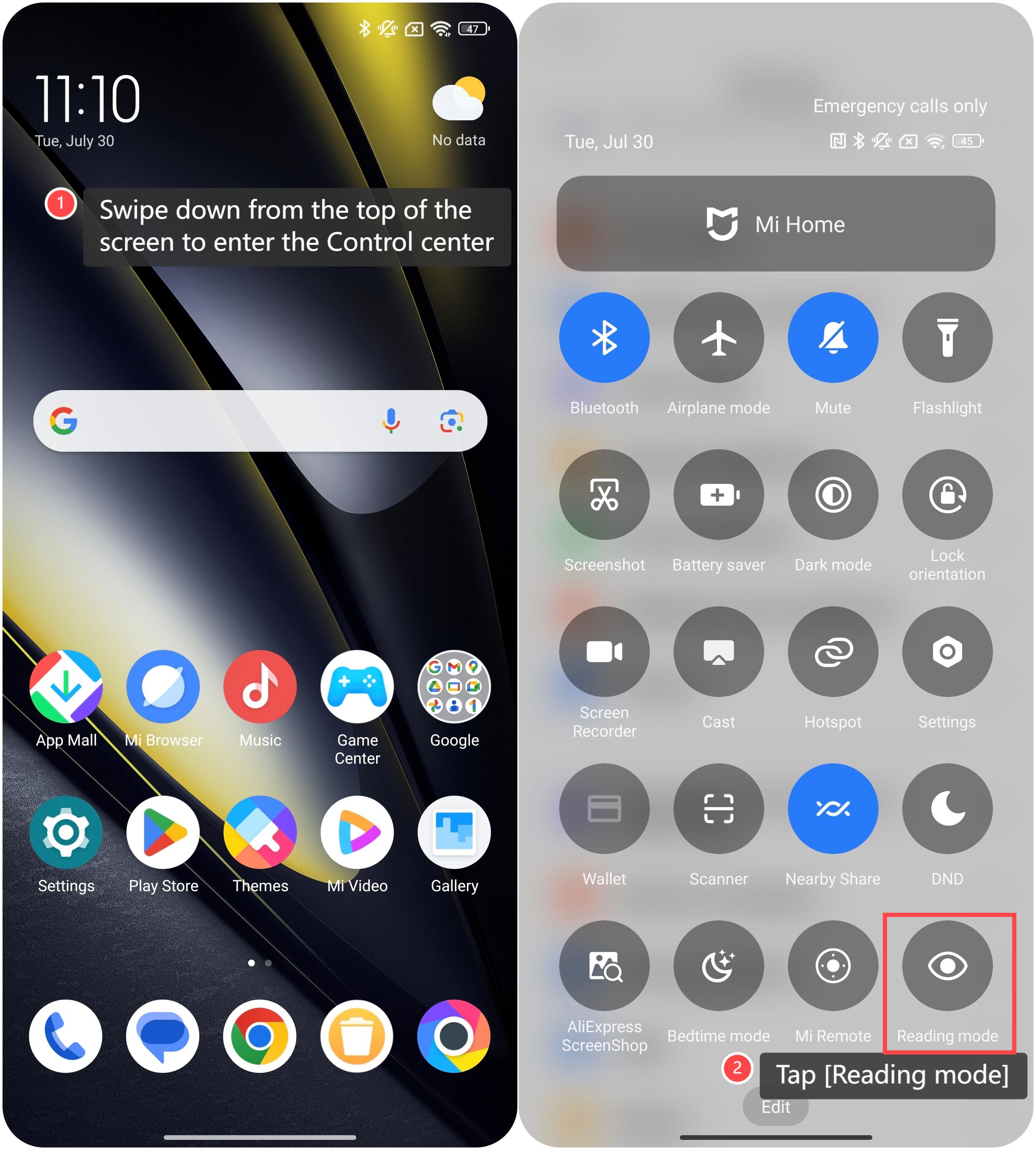
1. Swipe down from the top of the screen to enter the Control center;
2. Tap the [Reading mode] icon to enable it, represented as an eye shape.
1. Swipe down from the top of the screen to enter the Control center;
2. Tap the [Reading mode] icon to enable it, represented as an eye shape.
Friendly tips:
1. Cycle mode can help you to achieve optimal comfort by adjusting colors automatically based on APP types and sunrise/sunset times;
2. Classic mode can switch the interface to warmer colors to reduce the amount of blue light. You can further customize the color temperature, texture and colors by tapping the arrow icon on the right of this mode.
1. Cycle mode can help you to achieve optimal comfort by adjusting colors automatically based on APP types and sunrise/sunset times;
2. Classic mode can switch the interface to warmer colors to reduce the amount of blue light. You can further customize the color temperature, texture and colors by tapping the arrow icon on the right of this mode.
Does it help?
Yes
No