

Location sharing on the REDMI Note 12 Pro 5G allows a device to share its current geographic location information within an application or service. This allows some applications to provide relevant information, services, or features based on your location. Location sharing is widely used in many mobile applications, including map navigation, social media, weather forecasting, shopping apps, and more.
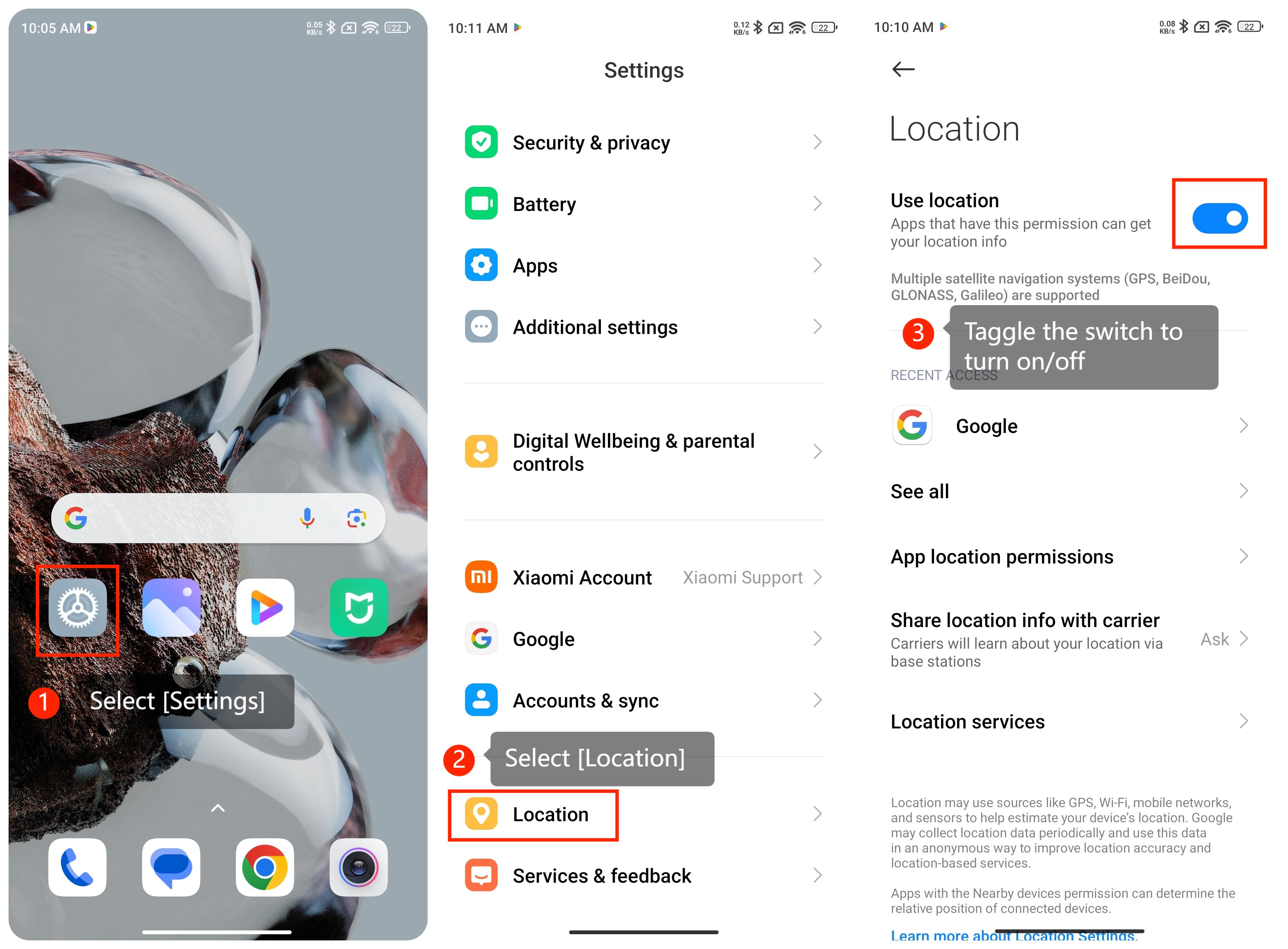
If you want to turn location sharing on or off, please refer to the following steps:
(1). Open the [Settings] on your phone, scroll down and select [Location];
(2). Then you can toggle the switch to enable (or disable) location services.
Note:
Some applications may require access to your location information to provide specific features or services. Before turning off location sharing, make sure that it does not interfere with the normal operation of these applications.
If you want to turn location sharing on or off, please refer to the following steps:
(1). Open the [Settings] on your phone, scroll down and select [Location];
(2). Then you can toggle the switch to enable (or disable) location services.
Note:
Some applications may require access to your location information to provide specific features or services. Before turning off location sharing, make sure that it does not interfere with the normal operation of these applications.