

The local image storage space on the REDMI Note 12 refers to the amount of internal storage capacity dedicated to storing image files locally on the smartphone. This storage space is used to keep photos taken with the smartphone's camera, saved images from the internet, screenshots, and images received through messaging apps.
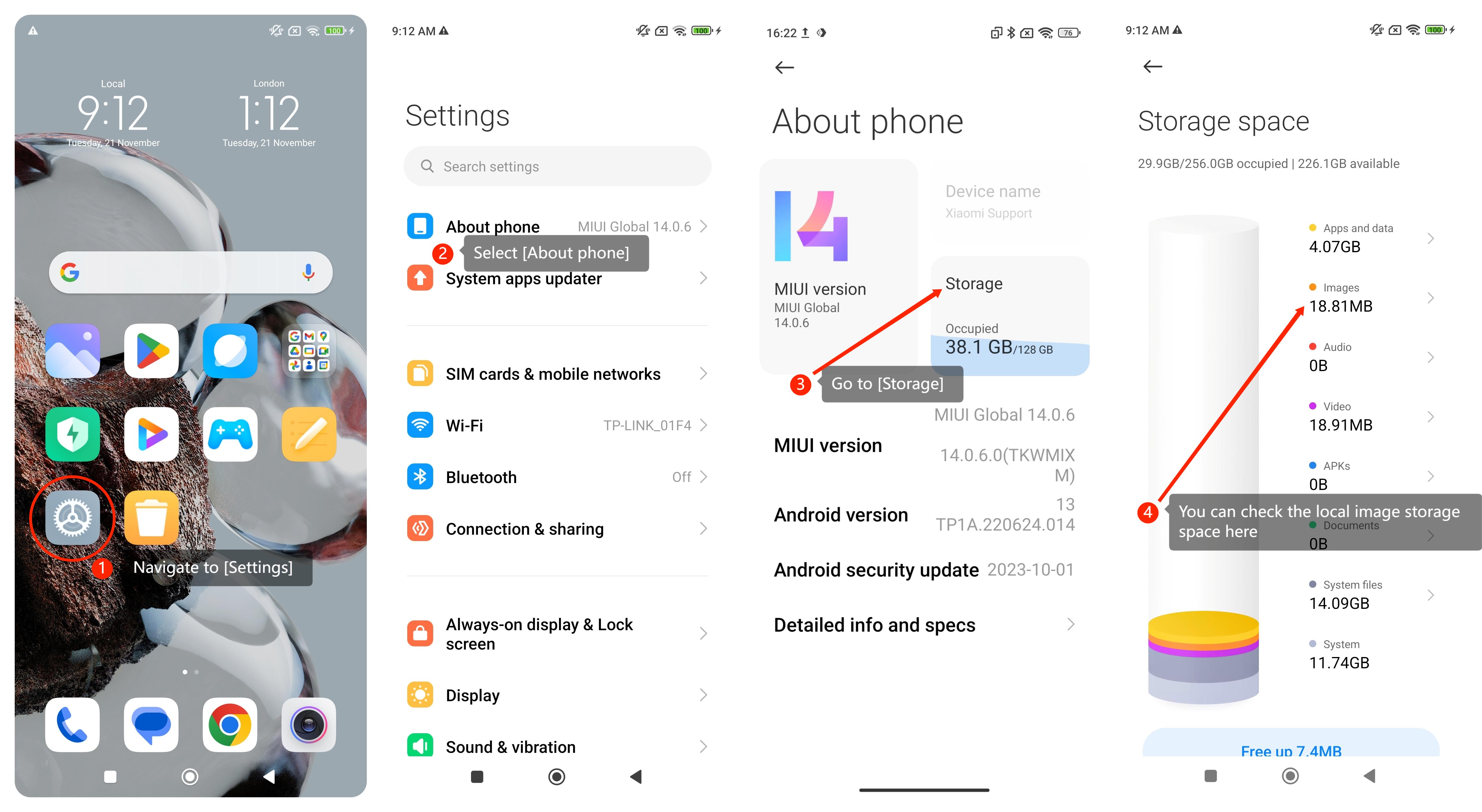
To check the local image storage space on the smartphone, please refer to the following steps:
1. Navigate to [Settings] on your smartphone. You can find it on your home screen;
2. In the [Settings] menu, look for and select an option called [About phone];
3. Within the [About phone] menu, you can find and go to the [Storage] option;
4. When you go to the [Storage] option, you can look for an option called [Images];
5. This way you can check the local image storage space here.
Friendly tip:
The amount of local image storage space available on the smartphone depends on the total internal storage capacity of the device. Please manage this space, especially if the device has limited storage, to avoid running out of space, which can impact the device's performance and functionality.
To check the local image storage space on the smartphone, please refer to the following steps:
1. Navigate to [Settings] on your smartphone. You can find it on your home screen;
2. In the [Settings] menu, look for and select an option called [About phone];
3. Within the [About phone] menu, you can find and go to the [Storage] option;
4. When you go to the [Storage] option, you can look for an option called [Images];
5. This way you can check the local image storage space here.
Friendly tip:
The amount of local image storage space available on the smartphone depends on the total internal storage capacity of the device. Please manage this space, especially if the device has limited storage, to avoid running out of space, which can impact the device's performance and functionality.