

The two watches automatically add each other to their contacts and can make calls to each other, send voice chats and view their friends' pedometer rankings.
Steps to add a friend:
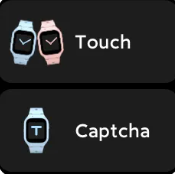
Method 1: Swipe left on the watch displays screen (clock screen), go to Phone/Voice→make friends→Touch, turn on the "Touch" function on both watches, bring the two watches close together and wait a few moments before adding them automatically.
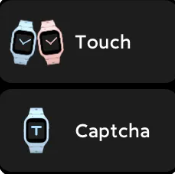

Method 2: Swipe left on the watch displays screen (clock screen), go to Phone/Voice→make friends→Captcha, watch holder A select invite friends, tell watch holder B the verification code, holder B select "accept invitation", enter the verification code of holder A, confirm after entering, both parties will be automatically added.

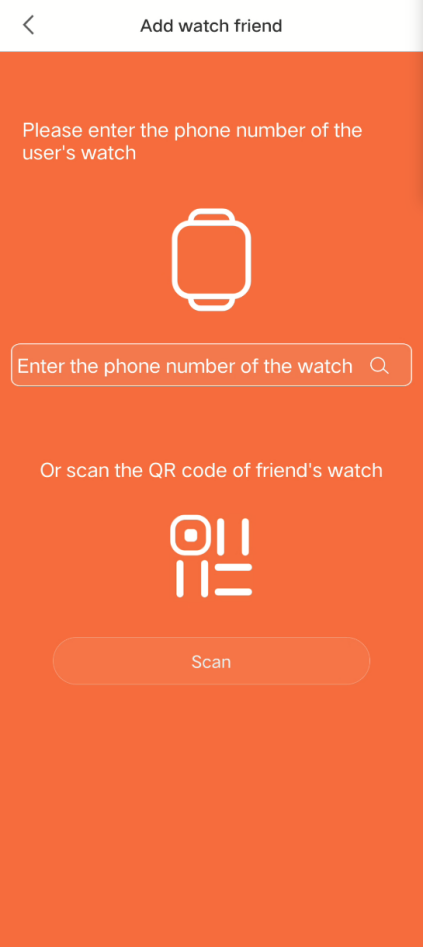
Method 3: Xiaomi Kids app→My→Address Book→Add contacts→Select "Add watch friend"→Enter the watch number of the other person or scan the QR code of the other person's watch (swipe up at the bottom of the watch displays screen (clock screen) → QR code) to complete the friendship.
Steps to add a friend:
Method 1: Swipe left on the watch displays screen (clock screen), go to Phone/Voice→make friends→Touch, turn on the "Touch" function on both watches, bring the two watches close together and wait a few moments before adding them automatically.
Method 2: Swipe left on the watch displays screen (clock screen), go to Phone/Voice→make friends→Captcha, watch holder A select invite friends, tell watch holder B the verification code, holder B select "accept invitation", enter the verification code of holder A, confirm after entering, both parties will be automatically added.
Method 3: Xiaomi Kids app→My→Address Book→Add contacts→Select "Add watch friend"→Enter the watch number of the other person or scan the QR code of the other person's watch (swipe up at the bottom of the watch displays screen (clock screen) → QR code) to complete the friendship.

Remove from watch friend: Xiaomi Kids app→My→Address book→Watch friend→Remove from watch friends