

You can check the view all incoming calls, outgoing calls, and missed calls.
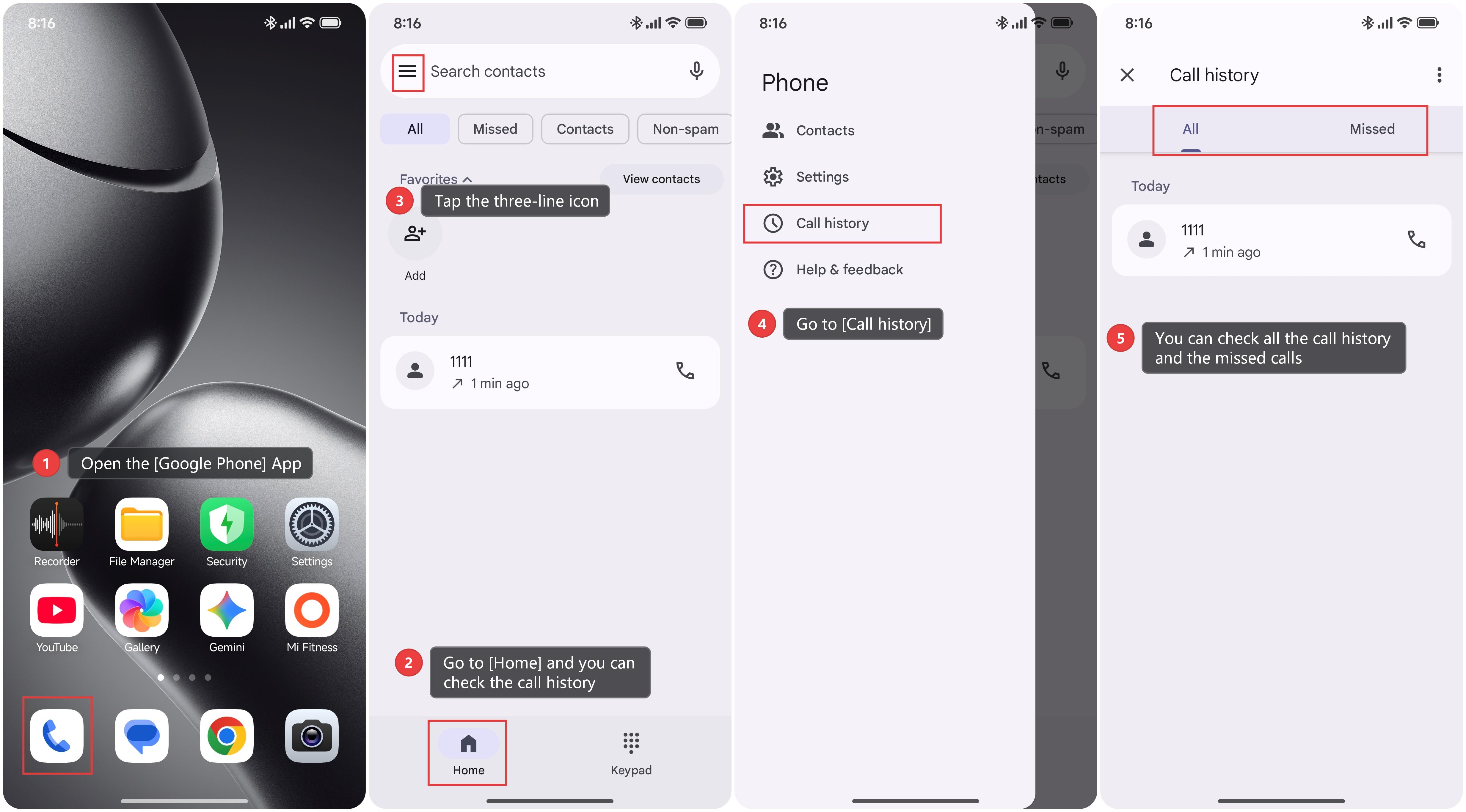
To view call history on the Xiaomi smartphone, please refer to the following steps:
1. Open the [Google Phone] App.
2. Go to [Home] and you can check the call history.
3. Tap the three-line icon in the upper left corner.
4. Go to [Call history].
5. You can check all the call history and the missed calls.
Note:
The above method only applies to the Google Phone App, not the Xiaomi Phone App.