App notification badges are small indicators displayed on app icons to show unread notifications or pending alerts. Allow app notification numbers to show on the badges. A notification badge is a red circle with a number in it. The number shows how many notifications you have. They help you quickly identify which apps require attention without opening each app individually. Enabling notification badges makes it easier to keep track of new messages, missed calls, and other important updates, improving notification visibility and overall convenience.
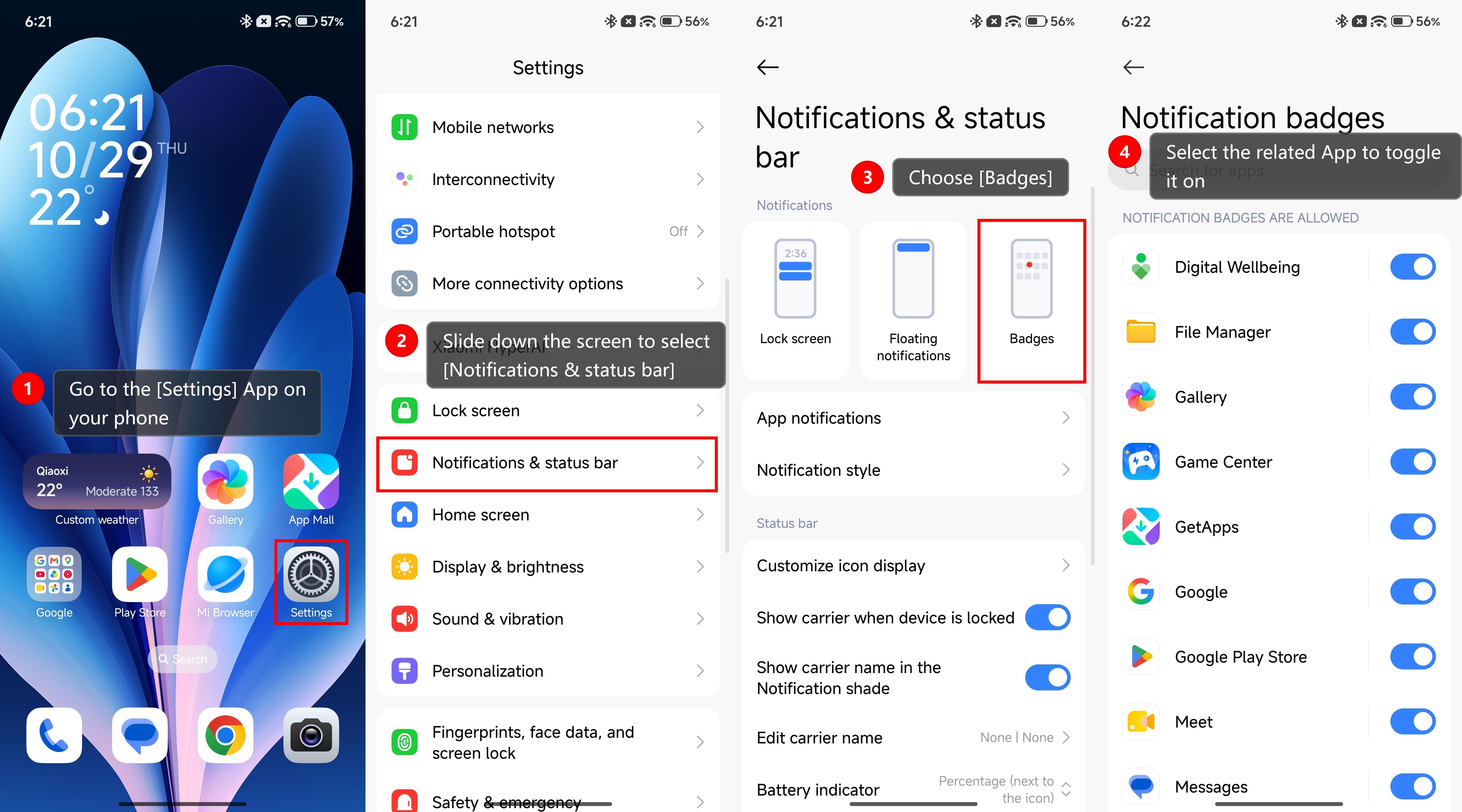
To enable App notification badges on Xiaomi phones, please refer to the following steps:
1. Go to the [Settings] App on your phone.
2. Slide down the screen to select [Notifications & status bar].
3. Choose [Badges].
4. Select the related App to toggle it on.