

To set the Lock screen clock format on a MIUI 14 phone, please refer to the following steps:
1. Go to Settings App.
2. Tap [Lock screen].
3. Select [Lock screen clock format].
4. Choose a Lock screen clock layout.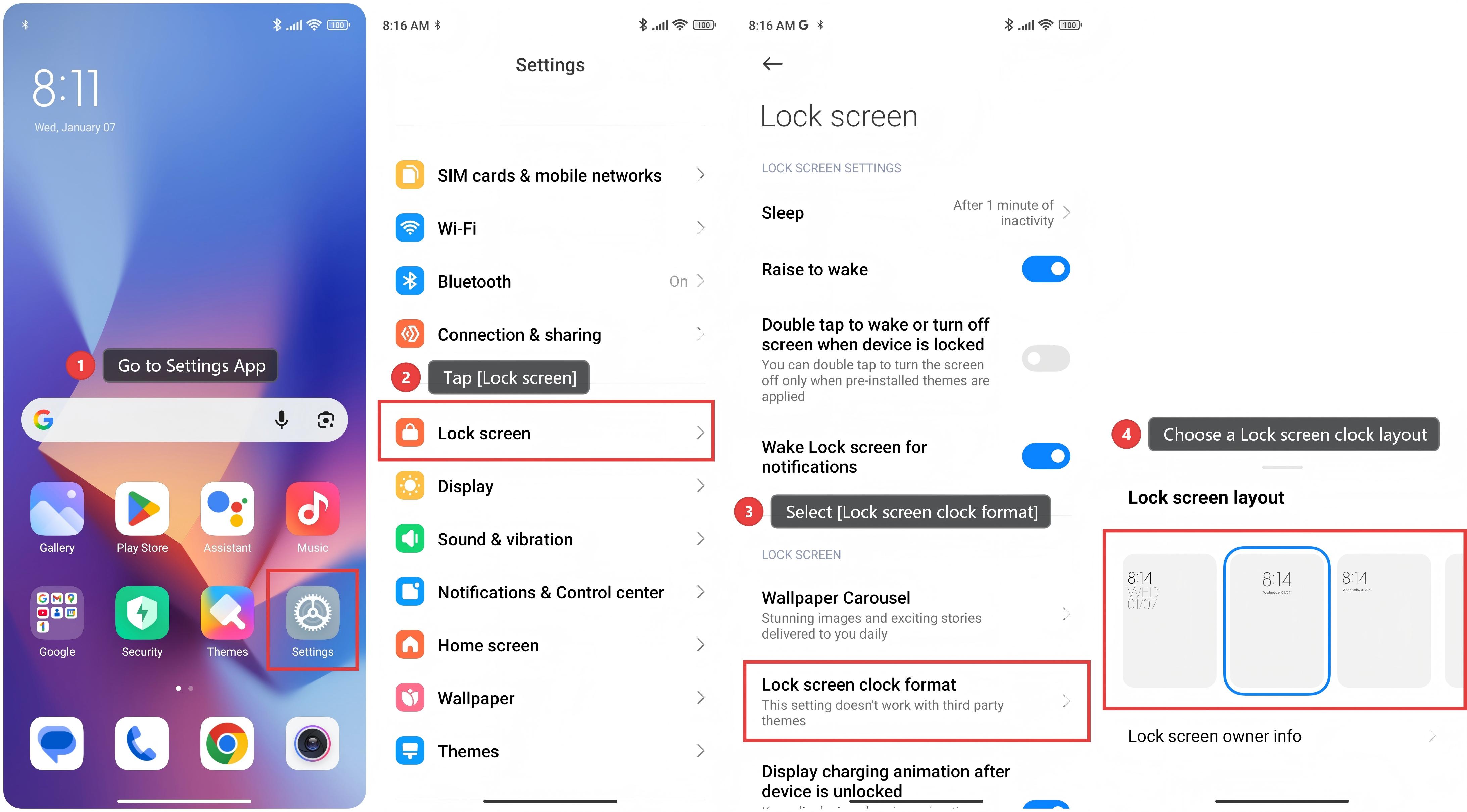
Note:
1. You cannot change the format when the Dual clock is on.
2. You cannot change the Lock screen layout for third-party themes.
2. You cannot change the Lock screen layout for third-party themes.