Function Introduction:
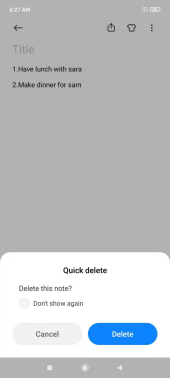
"Delete this note?" will pop up after swiping up the note, and then can choose "Don't show again" . If ticking the "Don’t show again" option, the subsequent shortcut operation will directly delete the note.
If losing a note, it is suggested to check whether the note is deleted by mistake through this operation, and to go to the Mi Cloud service to check whether there is a corresponding note.