

How to delete the Mijia Air Conditioner from the Xiaomi Home App?
You can delete your Mijia Air Conditioner from the Xiaomi Home App if you no longer wish to control it through the app. Removing the device will disconnect it from your account and erase all settings and automation linked to it.
To delete the Mijia Air Conditioner from the Xiaomi Home App, please refer to the following methods:
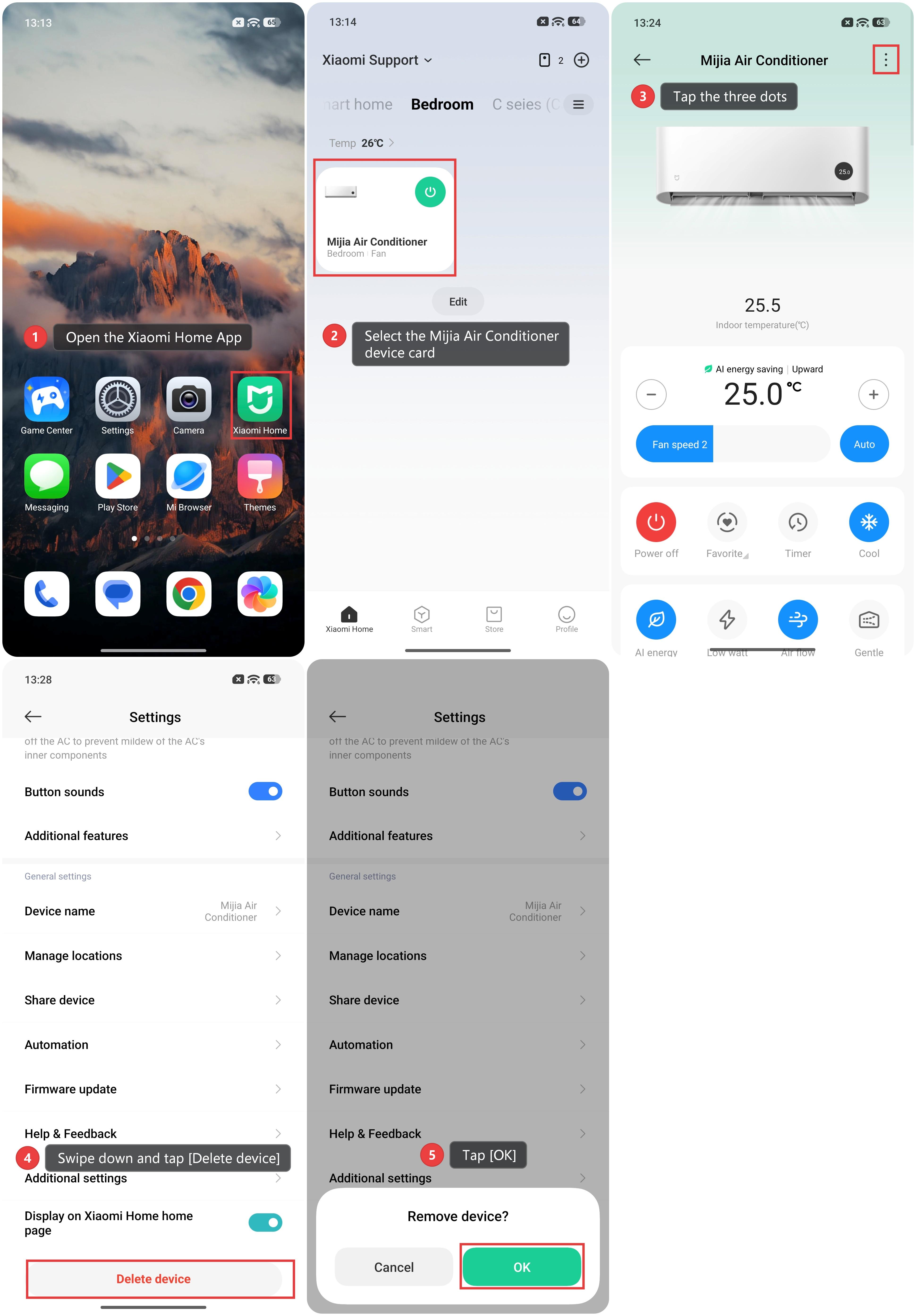
Method 1:
1. Open the Xiaomi Home App on your phone.
2. Select the Mijia Air Conditioner device card.
3. Tap the three dots in the top-right corner.
4. Swipe down and tap [Delete device].
5. Tap [OK].
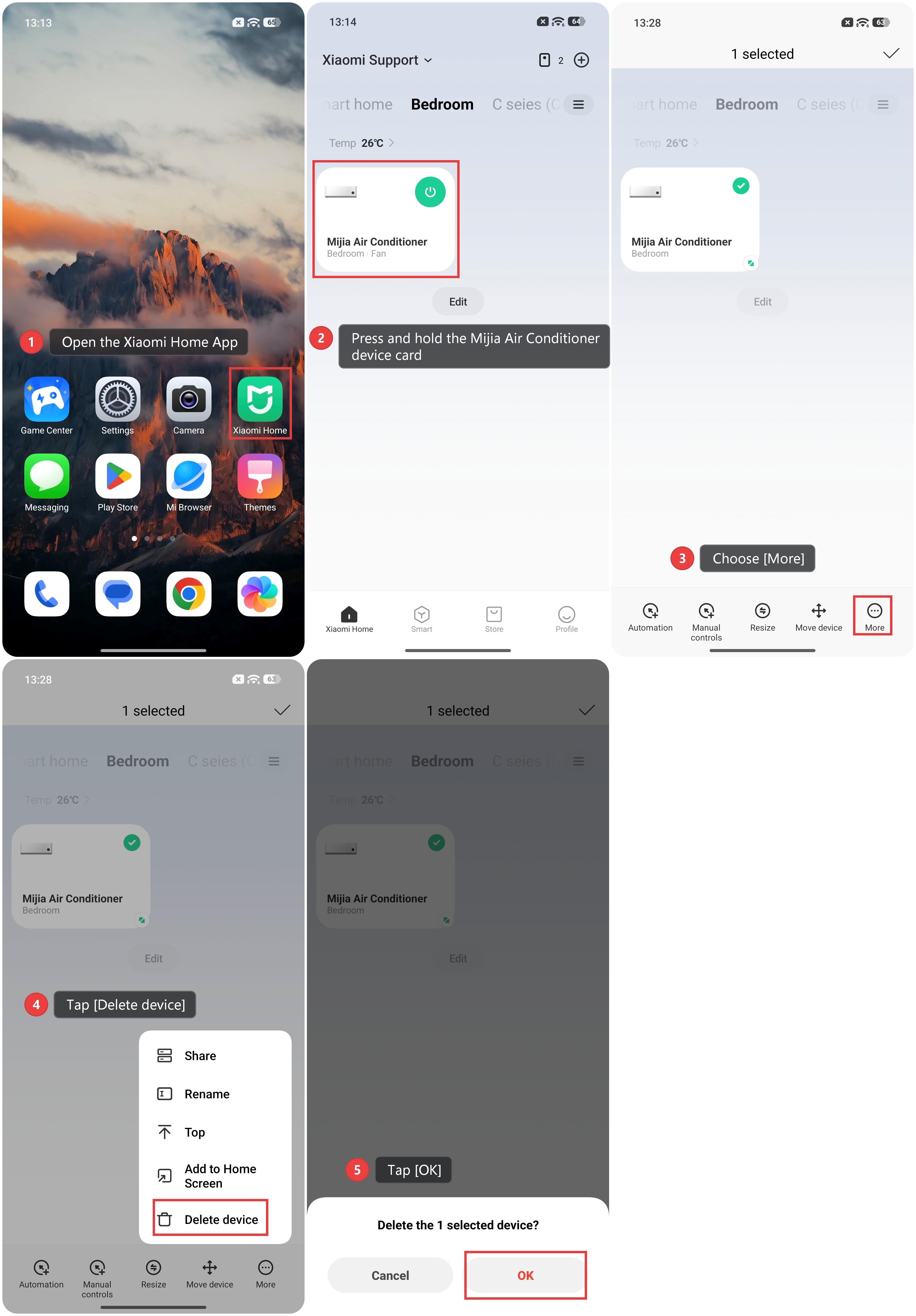
Method 2:
1. Open the Xiaomi Home App on your phone.
2. Press and hold the Mijia Air Conditioner device card.
3. Choose [More].
4. Tap [Delete device].
5. Tap [OK].
Does it help?
Yes
No