

How to set a password for the Mijia Air Conditioner in the Xiaomi Home App?
You can set a password for the Mijia Air Conditioner through the Xiaomi Home App to enhance security and prevent unauthorized operation. After this feature is enabled, the device cannot be directly controlled from the home page or room list. Instead, the password must be entered before accessing controls, ensuring safer and more controlled device management.
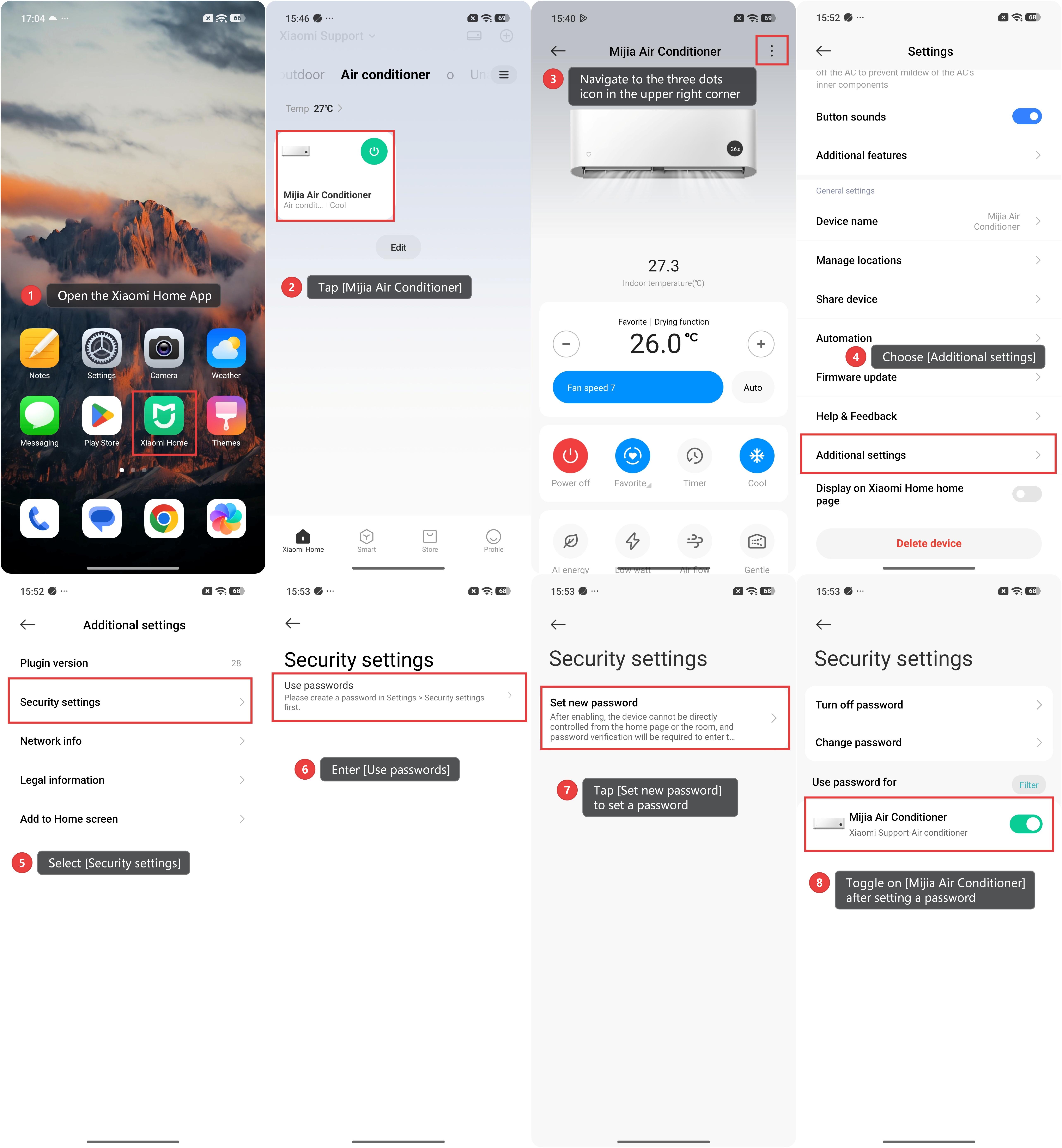
To set a password for the Mijia Air Conditioner in the Xiaomi Home App, please refer to the following methods:
Method 1:
1. Open the Xiaomi Home App.
2. Tap [Mijia Air Conditioner].
3. Navigate to the three dots icon in the upper right corner.
4. Choose [Additional settings].
5. Select [Security settings].
6. Enter [Use passwords].
7. Tap [Set new password] to set a password.
8. Toggle on [Mijia Air Conditioner] after setting a password.
Method 2:
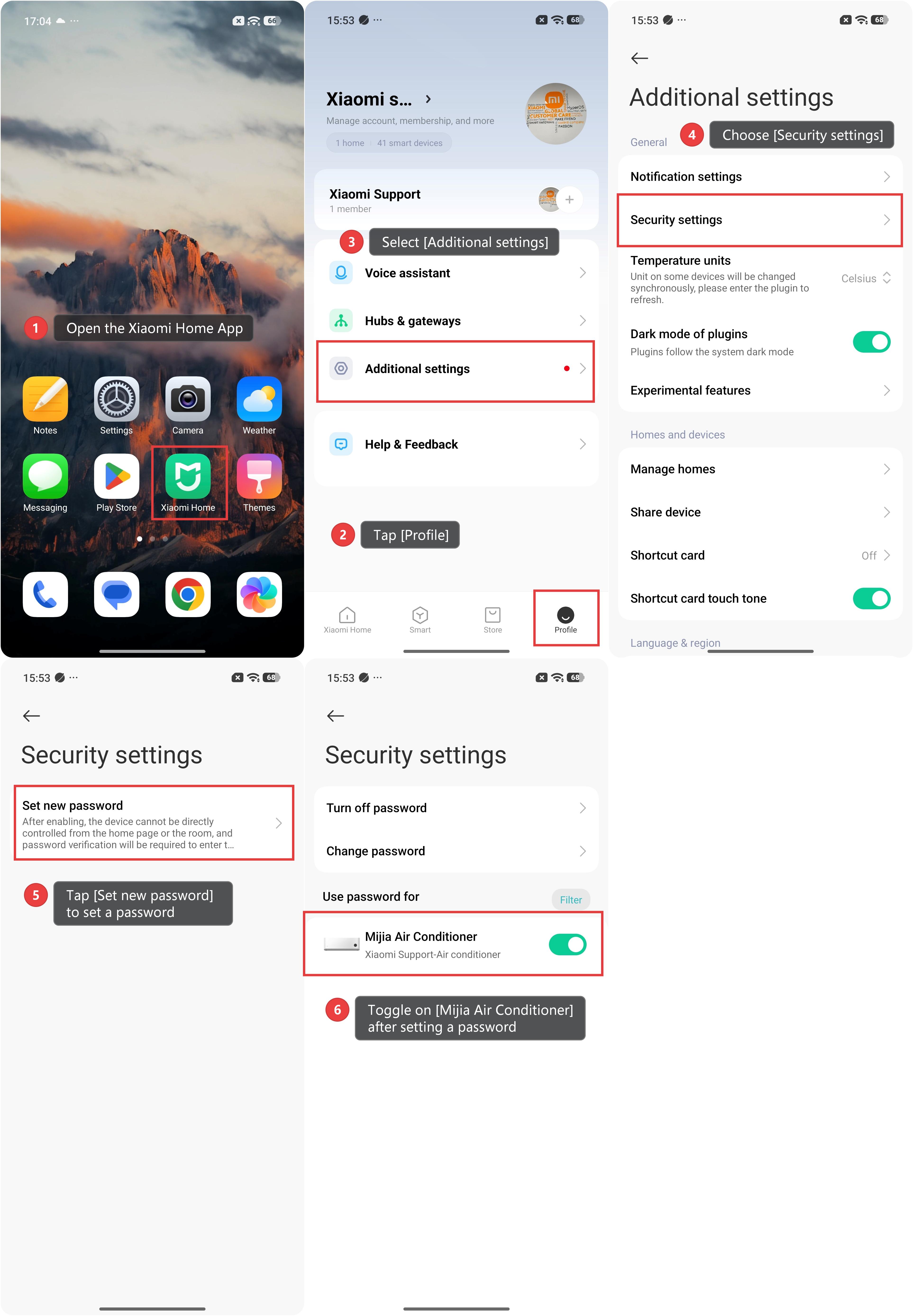
1. Open the Xiaomi Home App.
2. Tap [Profile].
3. Select [Additional settings].
4. Choose [Security settings].
5. Tap [Set new password] to set a password.
6. Toggle on [Mijia Air Conditioner] after setting a password.
Does it help?
Yes
No