

How to set a smart scene for the Mijia Air Conditioner in the Xiaomi Home App?
You can set up a smart scene for your Mijia Air Conditioner in the Xiaomi Home App to automate its operation based on specific conditions or schedules. Smart scenes allow you to control the air conditioner automatically, such as turning it on or off, adjusting temperature, or switching modes according to time, environment, or other device triggers, providing a more convenient and personalized home experience.
To set a smart scene for the Mijia Air Conditioner in the Xiaomi Home App, please refer to the following methods:
Method 1:
1. Open the Xiaomi Home App on your phone.
2. Select the [Mijia Air Conditioner] device card.
3. Tap the three dots in the top-right corner.
4. Select [Automation].
5. Tap the [+] icon in the upper-right corner.
6. Tap [Automation].
7. Tap [Add a trigger condition].
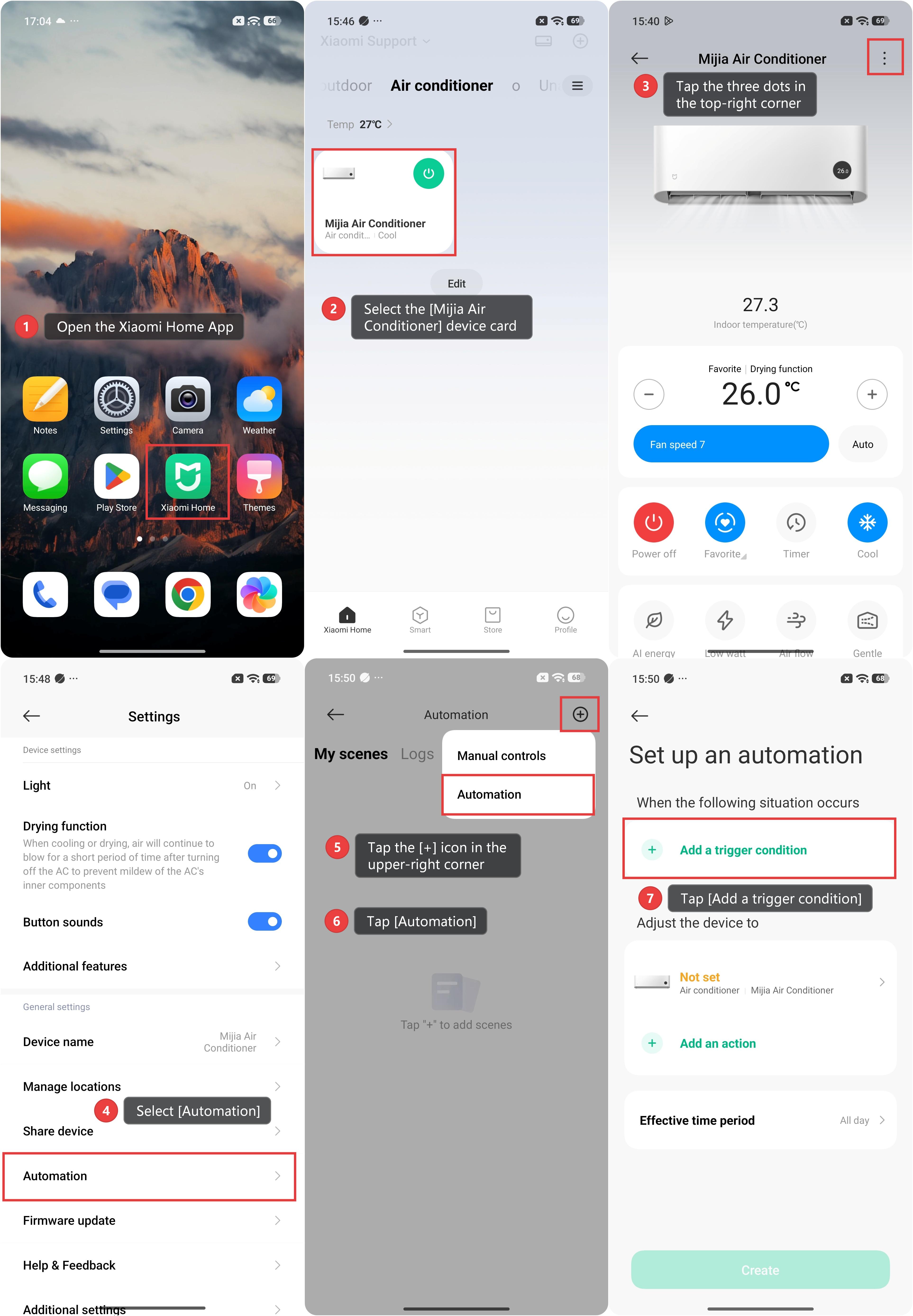
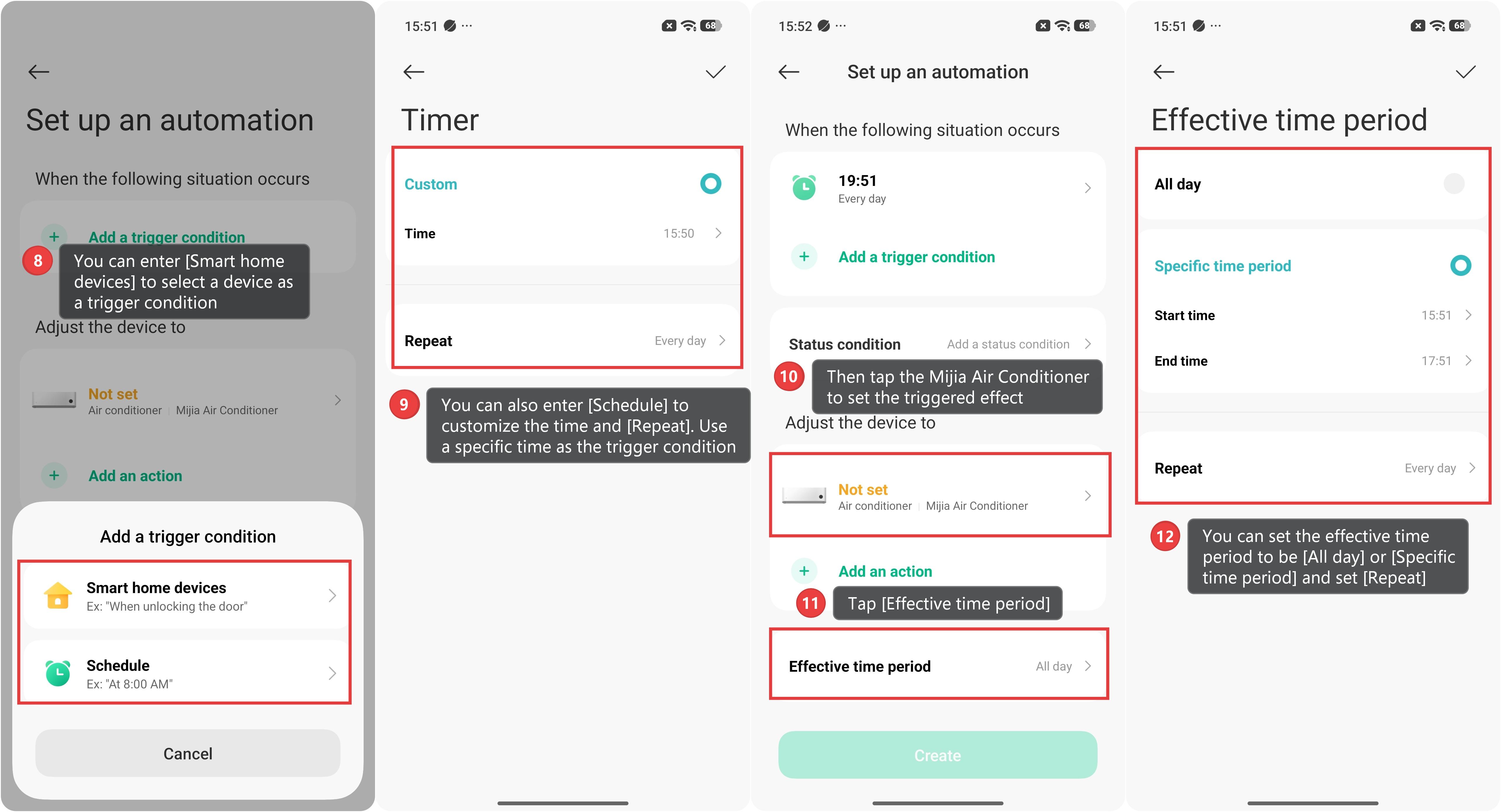
8. You can enter [Smart home devices] to select a device as a trigger condition.
9. You can also enter [Schedule] to customize the time and [Repeat]. Use a specific time as the trigger condition.
10. Then tap the Mijia Air Conditioner to set the triggered effect.
11. Tap [Effective time period].
12. You can set the effective time period to be [All day] or [Specific time period] and set [Repeat].
Method 2:
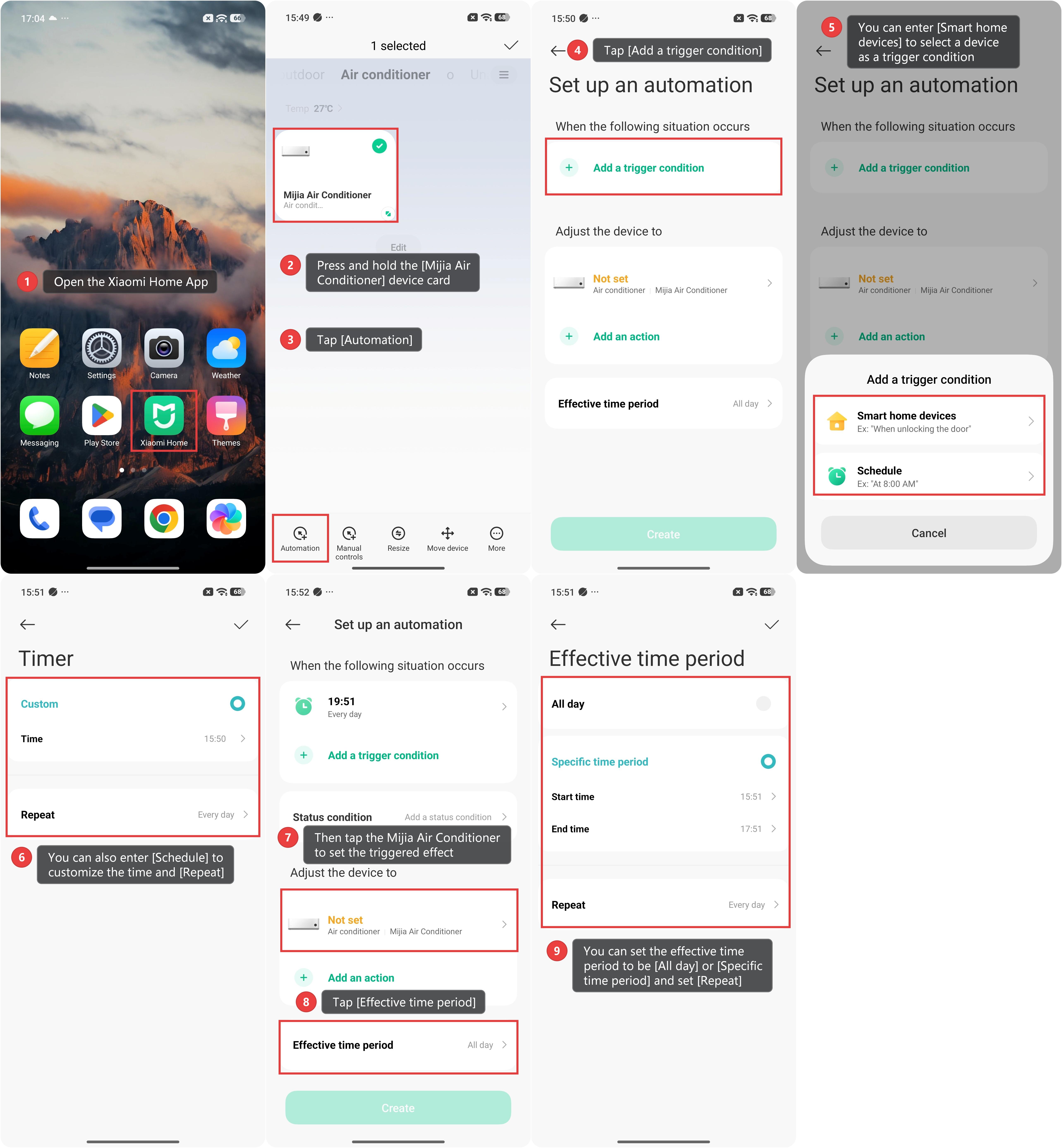
1. Open the Xiaomi Home App on your phone.
2. Press and hold the [Mijia Air Conditioner] device card.
3. Tap [Automation].
4. Tap [Add a trigger condition].
5. You can enter [Smart home devices] to select a device as a trigger condition.
6. You can also enter [Schedule] to customize the time and [Repeat]. Use a specific time as the trigger condition.
7. Then tap the Mijia Air Conditioner to set the triggered effect.
8. Tap [Effective time period].
9. You can set the effective time period to be [All day] or [Specific time period] and set [Repeat].
Does it help?
Yes
No