

How to rename the Mijia Air Conditioner in the Xiaomi Home App?
You can rename the Mijia Air Conditioner in the Xiaomi Home App, which allows you to easily identify and manage multiple devices within the Xiaomi Home App. Assigning a clear and personalized name helps you quickly locate the device, improves organization, and enhances the overall usage experience.
To rename the Mijia Air Conditioner in the Xiaomi Home App, please refer to the following methods:
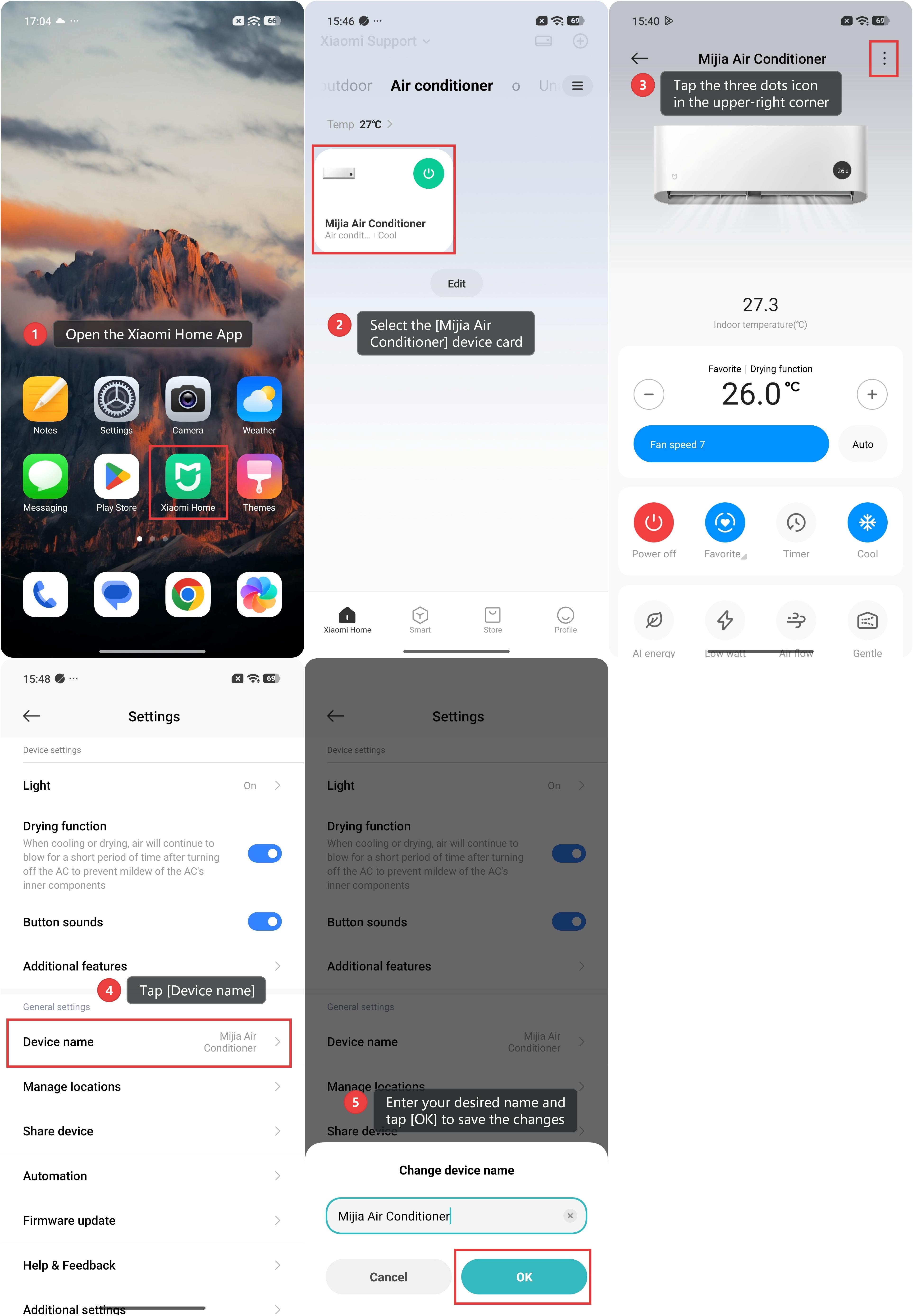
Method 1:
1. Open the Xiaomi Home App.
2. Select the [Mijia Air Conditioner] device card.
3. Tap the three dots icon in the upper-right corner.
4. Tap [Device name].
5. Enter your desired name and tap [OK] to save the changes.
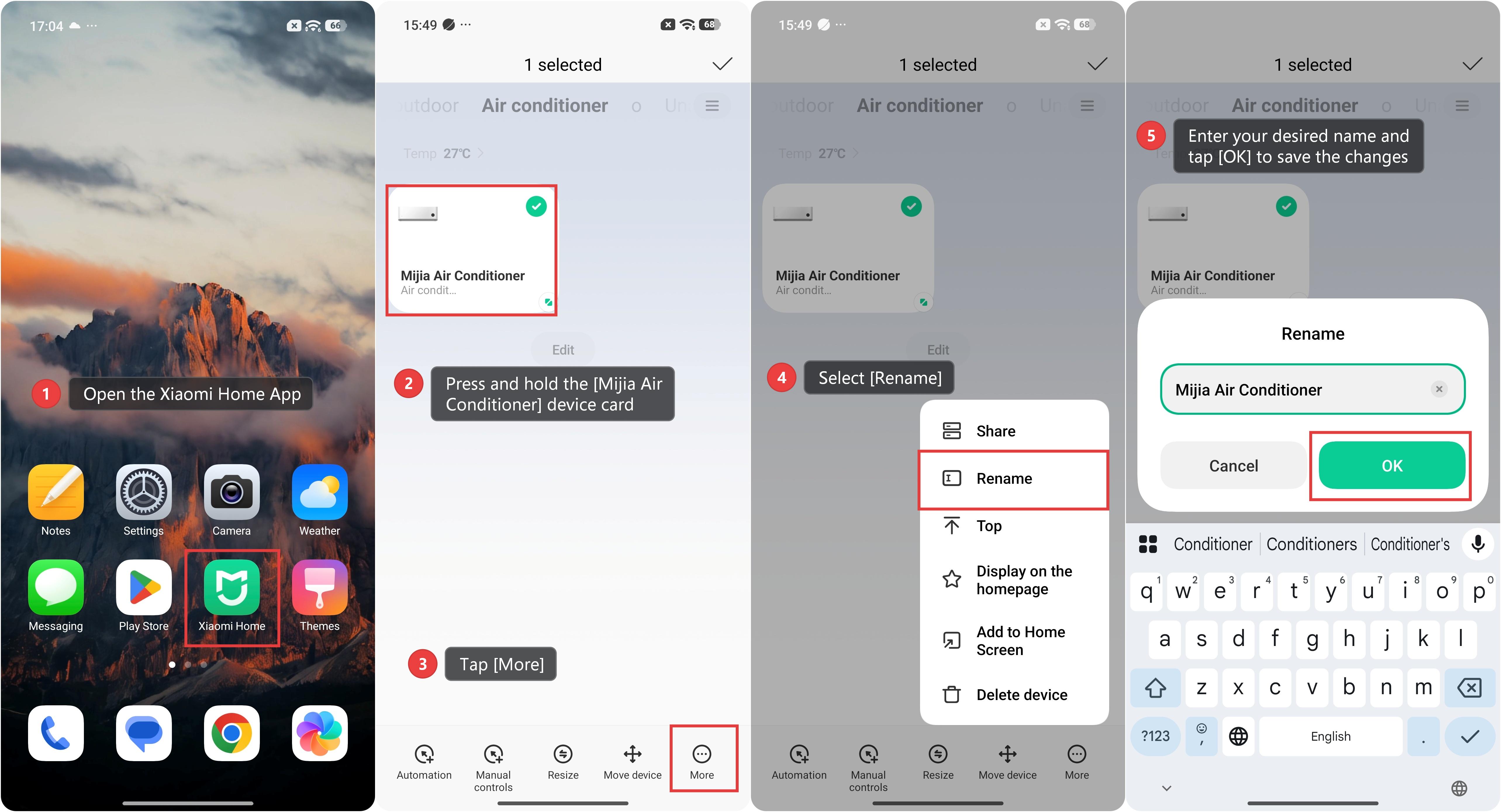
Method 2:
1. Open the Xiaomi Home App.
2. Press and hold the [Mijia Air Conditioner] device card.
3. Tap [More].
4. Select [Rename].
5. Enter your desired name and tap [OK] to save the changes.
Does it help?
Yes
No