

How to enable the drying function of the Mijia Air Conditioner using the Xiaomi Home App?
You can enable the Drying function of your Mijia Air Conditioner through the Xiaomi Home App to prevent mildew inside the device. When cooling or drying, the air conditioner will continue to blow air for a short period after being turned off, ensuring the internal components remain dry and protected.
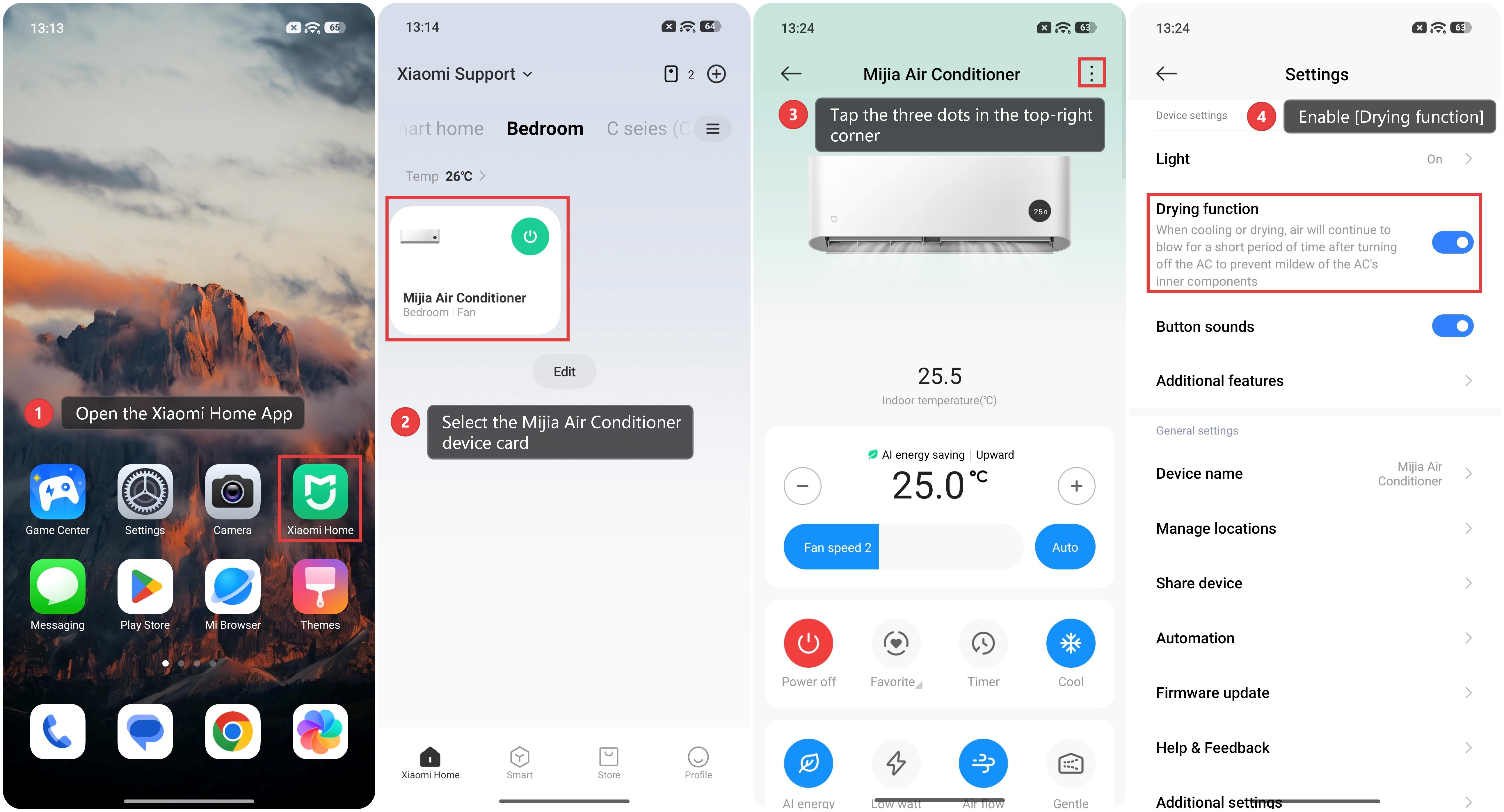
To enable the Drying function of the Mijia Air Conditioner using the Xiaomi Home App, please refer to the following steps:
1. Open the Xiaomi Home App on your phone.
2. Select the Mijia Air Conditioner device card.
3. Tap the three dots in the top-right corner.
4. Enable [Drying function].
Does it help?
Yes
No