

How to check the energy consumption statistics of the Mijia Air Conditioner in the Xiaomi Home App?
You can conveniently view the energy consumption statistics of your Mijia Air Conditioner in the Xiaomi Home App. By checking the daily, monthly, and yearly energy usage data, you can better understand its power consumption patterns, track electricity usage over time, and manage energy use more efficiently for daily operation and cost control.
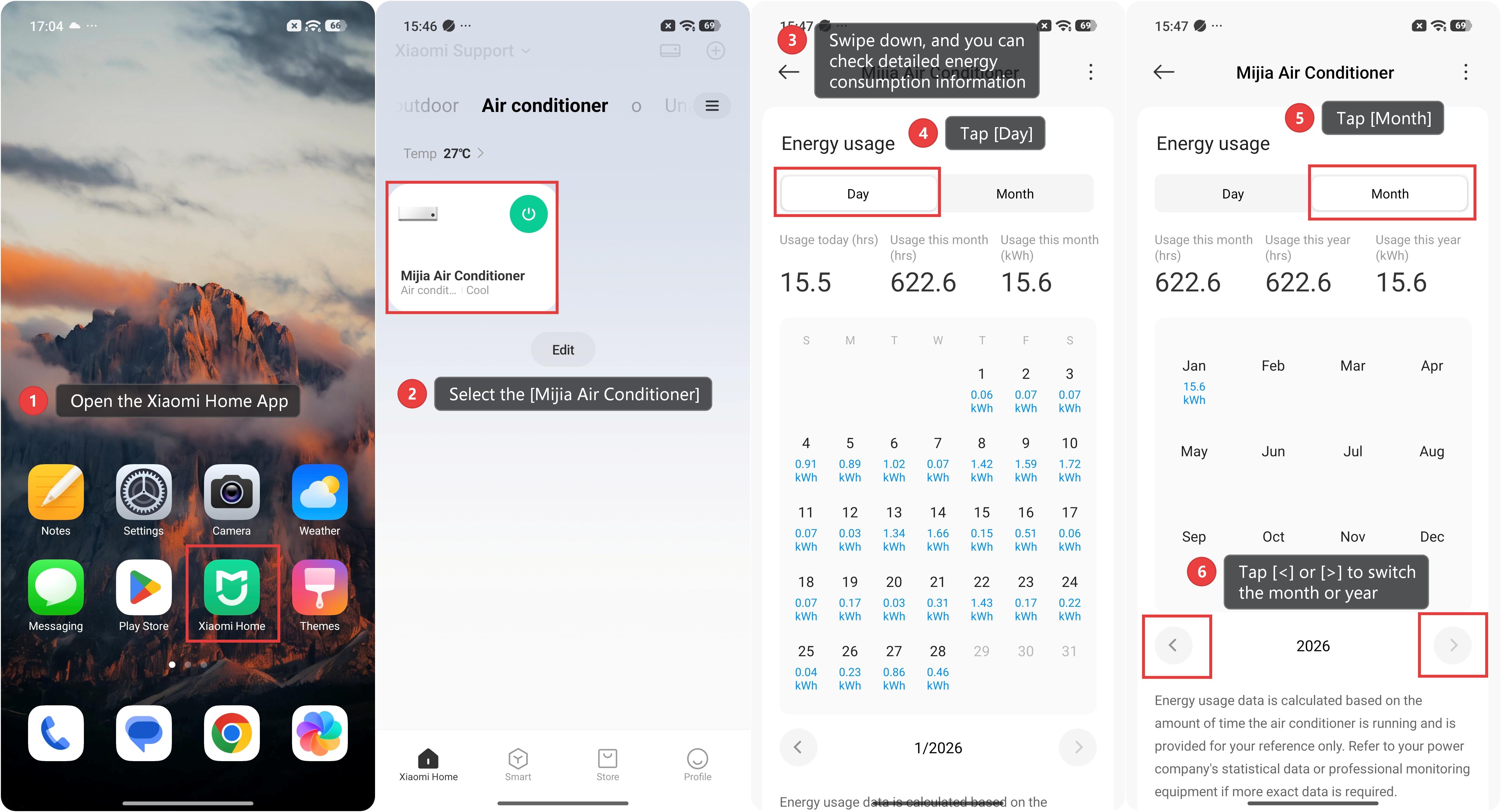
To check the energy consumption statistics of the Mijia Air Conditioner in the Xiaomi Home App, please refer to the following steps:
1. Open the Xiaomi Home App on your phone.
2. Select the [Mijia Air Conditioner] device card.
3. Swipe down, and you can check detailed energy consumption information.
4. Tap [Day]. You can view the amount of electricity consumed by the air conditioner each day, as well as [Usage today (hrs)], [Usage this month (hrs)], and [Usage this month (kWh)].
5. Tap [Month]. You can view the amount of electricity consumed by the air conditioner each month, as well as [Usage this month (hrs)], [Usage this year (hrs)], and [Usage this year (kWh)].
6. Tap [<] or [>] to switch the month or year.
Note:
Energy usage data is calculated based on the amount of time the air conditioner is running and is provided for your reference only. Refer to your power company's statistical data or professional monitoring equipment if more exact data is required.
Does it help?
Yes
No