

How to enable the sleep mode of the Mijia Air Conditioner?
The sleep mode of the Mijia Air Conditioner adjusts the temperature according to average body temperature changes during sleep for sleep quality. Additionally, you can also customize the sleep mode by adjusting the effective time, running mode, sleep temperature curve, fan speed, swing direction, etc.
To turn on the sleep mode of the Mijia Air Conditioner, please refer to the following methods:
Method 1
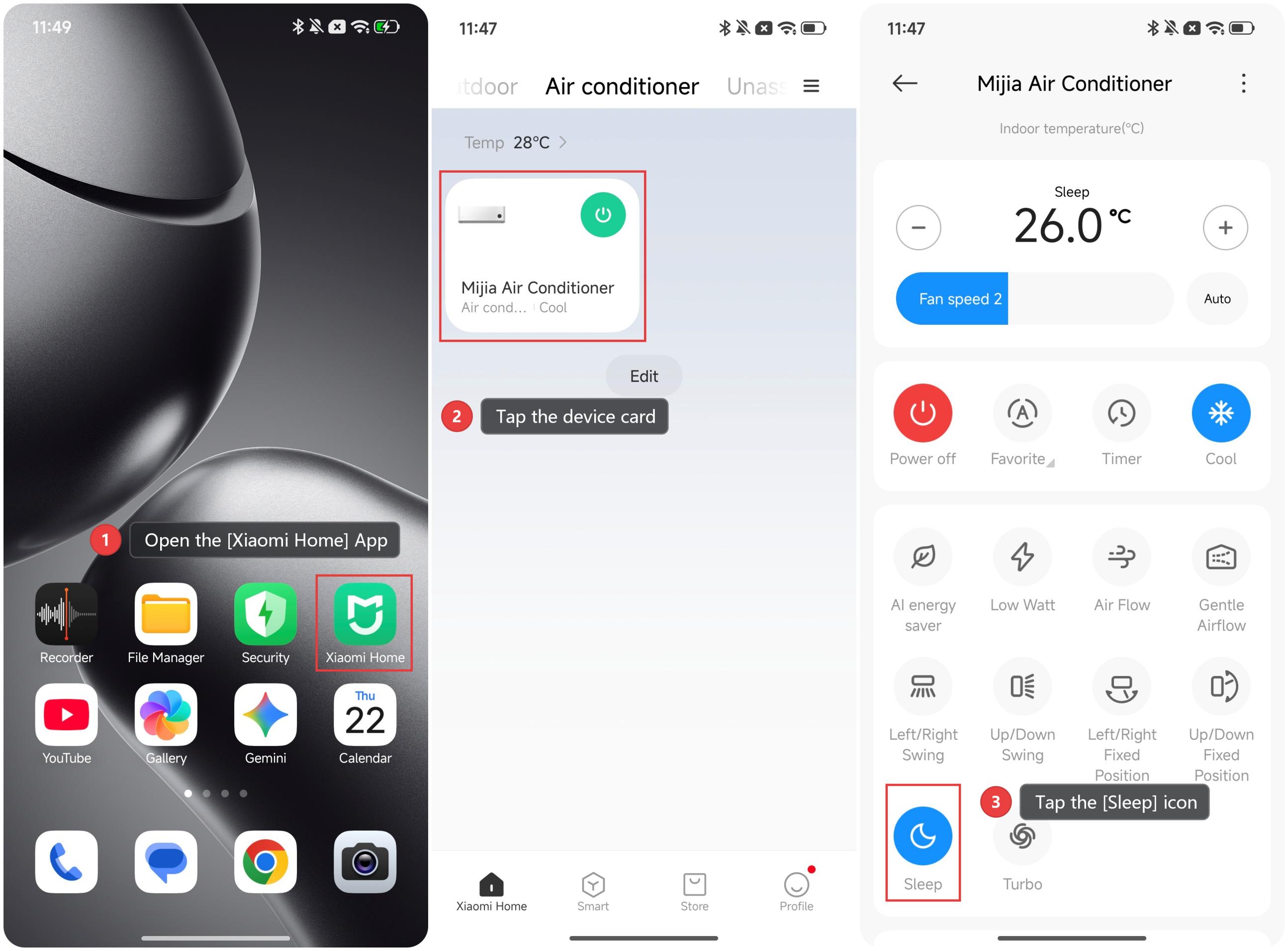
1. After connecting the Mijia Air Conditioner to the Xiaomi Home App, please open the [Xiaomi Home] App.
2. Tap the device card of the Mijia Air Conditioner.
3. Tap the [Sleep] icon to enable the sleep mode. In sleep mode, the air conditioner will automatically adjust the temperature.
Method 2
Press the sleep button on the remote control to turn the sleep function on or off. In sleep mode, the air conditioner will automatically adjust the temperature.
To customize the sleep mode of the Mijia Air Conditioner, please refer to the following methods:
Method 1
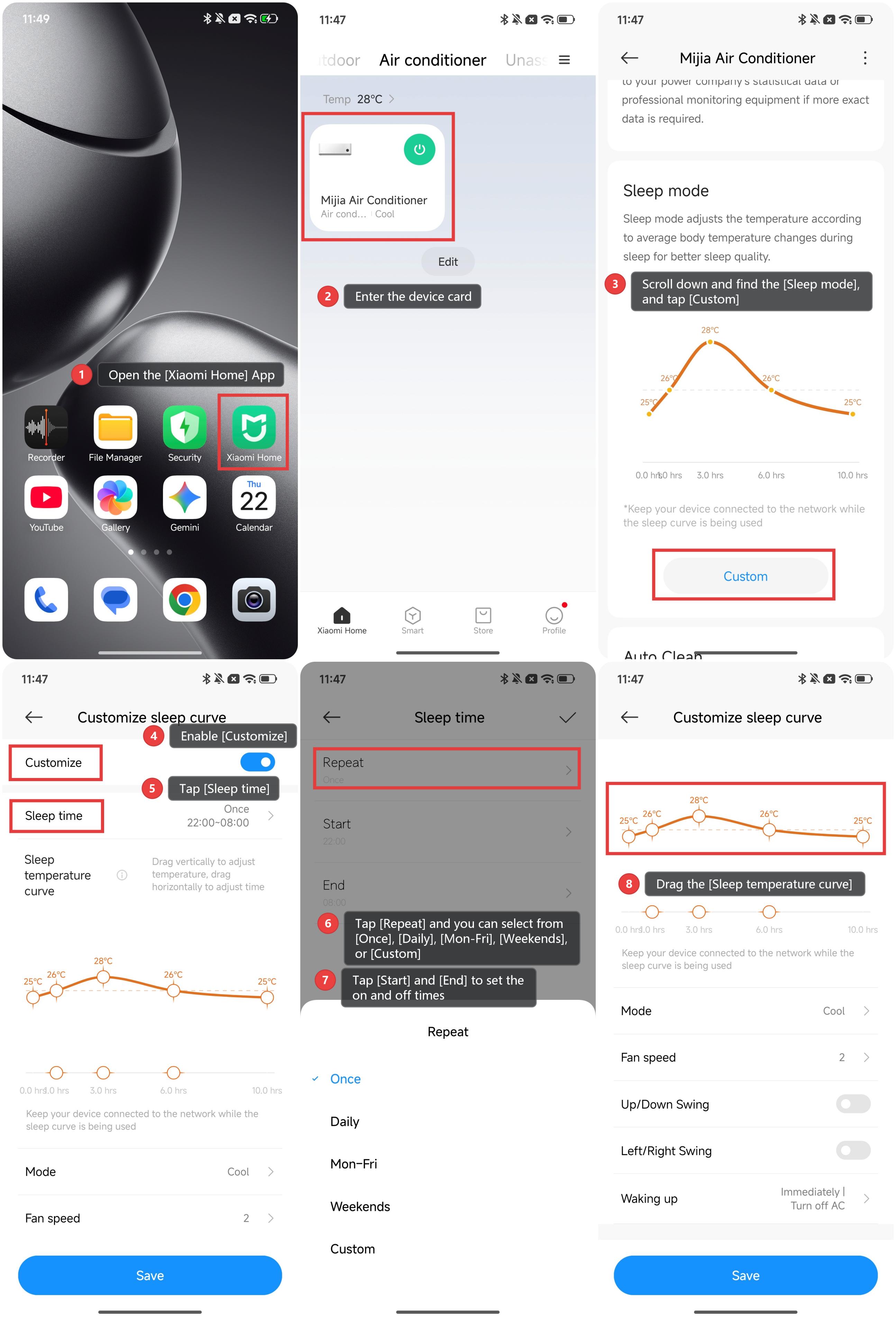
1. Open the [Xiaomi Home] App.
2. Enter the device card of the Mijia Air Conditioner.
3. Scroll down and find the [Sleep mode], and tap [Custom].
4. Enable [Customize].
5. Tap [Sleep time]. You can customize the effective time of the mode.
6. Tap [Repeat] and you can select from [Once], [Daily], [Mon-Fri], [Weekends], or [Custom].
7. If you select [Custom], you can select the date from Monday to Sunday as you prefer and tap [Save].
8. Tap [Start] and [End] to set the on and off times.
9. Drag the [Sleep temperature curve] vertically to adjust the temperature, and drag horizontally to adjust the time.
10. Tap [Mode] to select the running mode.
11. You can also adjust the fan speed by tapping [Fan speed].
12. Select [Up/down swing] and [Left/right swing] to set the swing direction.
13. You can also set the air conditioner to turn off immediately after the sleep mode ends, turn off 5 minutes after the sleep mode ends, or continue running after the sleep mode ends.
Method 2
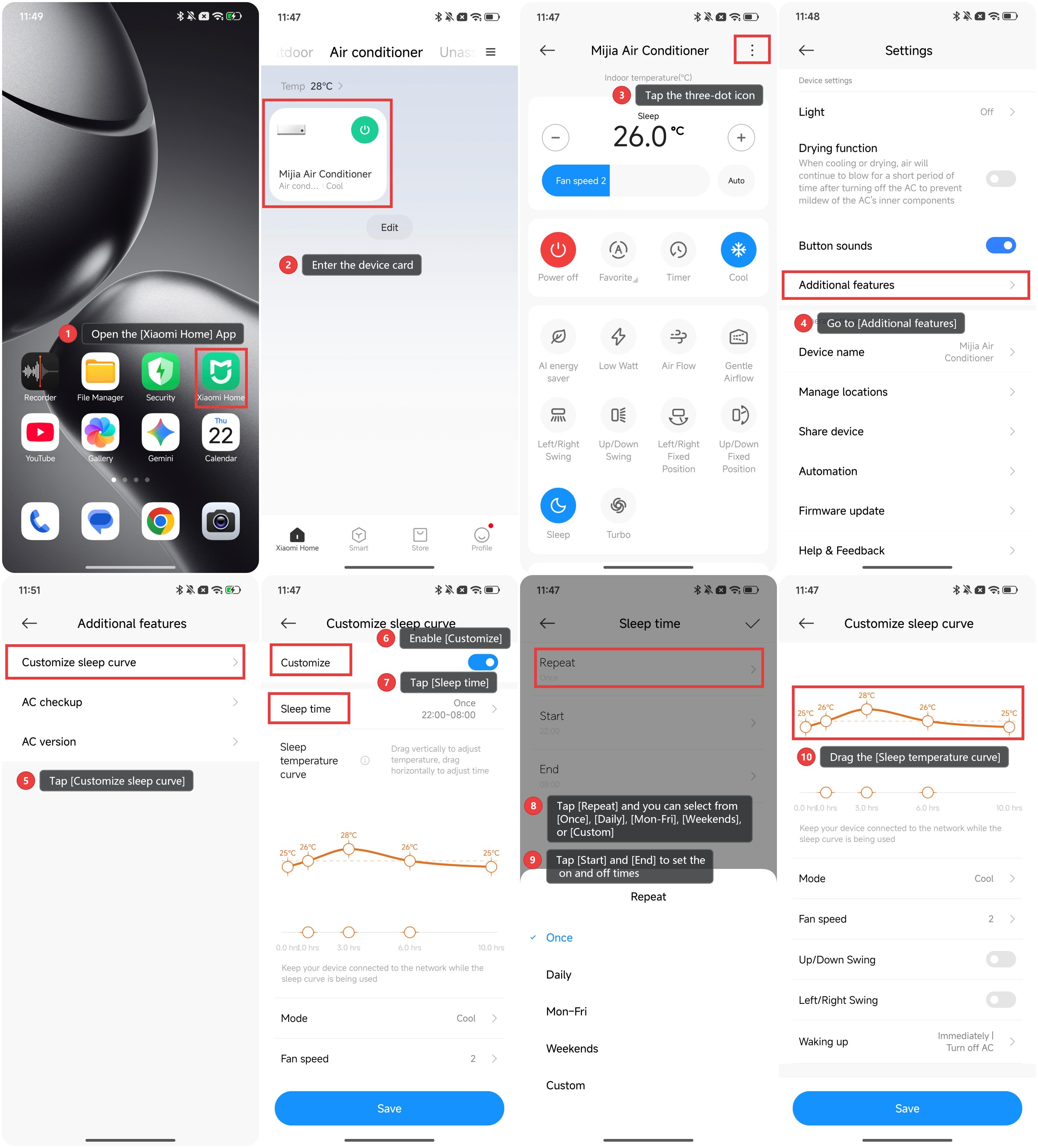
1. Open the [Xiaomi Home] App.
2. Enter the device card of the Mijia Air Conditioner.
3. Tap the three-dot icon at the upper right corner.
4. Go to [Additional features].
5. Tap [Customize sleep curve].
6. Enable [Customize].
7. Tap [Sleep time]. You can customize the effective time of the mode.
8. Tap [Repeat] and you can select from [Once], [Daily], [Mon-Fri], [Weekends], or [Custom].
9. If you select [Custom], you can select the date from Monday to Sunday as you prefer and tap [Save].
10. Tap [Start] and [End] to set the on and off times.
11. Drag the [Sleep temperature curve] vertically to adjust the temperature, and drag horizontally to adjust the time.
12. Tap [Mode] to select the running mode.
13. You can also adjust the fan speed by tapping [Fan speed].
14. Select [Up/down swing] and [Left/right swing] to set the swing direction.
15. You can also set the air conditioner to turn off immediately after the sleep mode ends, turn off 5 minutes after the sleep mode ends, or continue running after the sleep mode ends.
Does it help?
Yes
No