
Mi Box S FAQ
| Dimensions |
|
|
| Length: 3.75 inches | ||
| Width: 3.75 inches | ||
| Thickness: 0.66 inches | ||
| Weight: 5.19 ounces | ||
| Color: Black | ||
| Specifications | Output Resolution: 4K (3840 x 2160) | |
| CPU: Cortex-A53 Quad-core 64bit | ||
| GPU: Mali-450 | ||
| RAM: 2GB DDR3 | ||
| Storage: 8GB eMMC | ||
| Operating System: Android TV | ||
| Wireless connectivity | Wi-Fi: 802.11a/b/g/n/ac 2.4GHz/5GHz | |
| Bluetooth: 4.1 | ||
| Decoder | Video decoder: 4K@60fps,VP9, H.264,MPEG1/2/4,VC-1,Real8/9/10 | |
| Video Format: RM,MOV,VOB,AVI,MKV,TS,Mp4,3D | ||
| Audio decoder: DOLBY, DTS | ||
| Audio Format: MP3,APE,Flac | ||
| Image decoder: JPG,BMP,GIF,PNG,TIF | ||
| Support Language: Global | ||
| Socket | HDMI2.0a: 1 | |
| USB2.0: 1 | ||
| Power Interface: 1 | ||
| Audio Out: 1 | ||
| Packing list | Remote control: 1 | |
| User Manual: 1 | ||
| Batteries: 2 | ||
| Power Adapter: 1 | ||
| HDMI Cable: 1 |
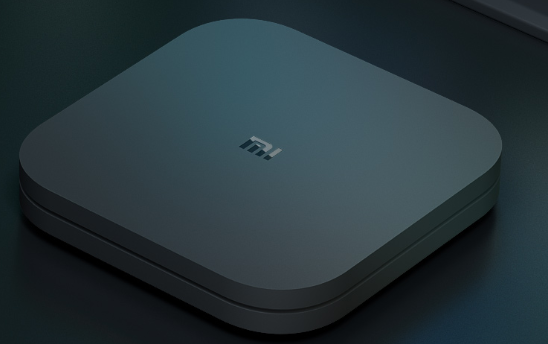
Overview
1.Q:What features does Mi Box S has?
A:1. 4K Ultra HD Streaming Media Player.
2. Google Assistant | Chromecast built-in.
3. Quick and Responsive:Powered by Android 8.1.
4. Tons of content:Infinite Entertainment.
5. Smart control:Voice search.
6. Powerful performance:2GB RAM + 8GB Storage.
7. Premium audio:DOLBY + DTS.
8. Easy to connect:Supports Wired & Wi-Fi connections.
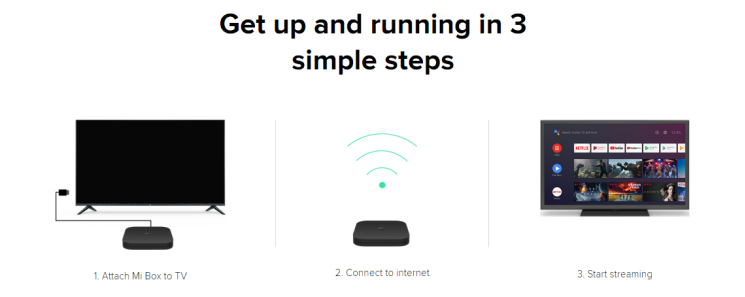
2.Q:How does Mi Box S connect to TV?
A:
Product Introduction
1.Q:How does Mi Box S turn on?
A:Connect the HDMI port of the Mi box to the HDMI port of the TV or use AV cable to connect the AV port of the Mi box to the AV port of the TV, switch the TV to the corresponding input source, and wait for the Mi box to start up and enter the system.
2.Q:How does Mi Box S turn off?
A:Mi Box doesn't have a power button, so it cannot be shut down directly. If you need to power off completely, please remove the power.
3.Q:How to watch video through Mi Box S?
A:To watch online video content, please connect the Mi Box to the Internet. If you watch the USB disk/mobile hard disk resources, please connect the USB disk/mobile hard disk to the box and find the movie to play.
4.Q:Does Mi Box S support play 4K video after connecting 4K display device ?
A:Yes.
5.Q:What kind of TV does Mi Box S support?
A:The TV has HDMI or AV input interface.
6.Q:Does Mi Box S support output through HDMI and AV at the same time?
A:It can output sound at the same time, can't output image at the same time. If both HDMI and AV devices are connected, only the HDMI device output image.
7.Q:What media file decoder does Mi Box S support?
A:Video decoder:4K@60fps, VP9, H.264, MPEG1/2/4, VC-1, Real8/9/10.
Audio decoder: DOLBY, DTS.
8.Q
Does it help?