

How to check the recently deleted items on the Xiaomi smartphone gallery?
The Xiaomi smartphone includes a convenient feature that allows you to easily check recently deleted pictures and videos. This functionality provides a safety net for accidental deletions, enabling you to recover important photos and videos within a specified time frame before they are permanently erased. With this feature, you can quickly review, restore, or permanently delete files as needed, offering greater control and peace of mind over the media content.
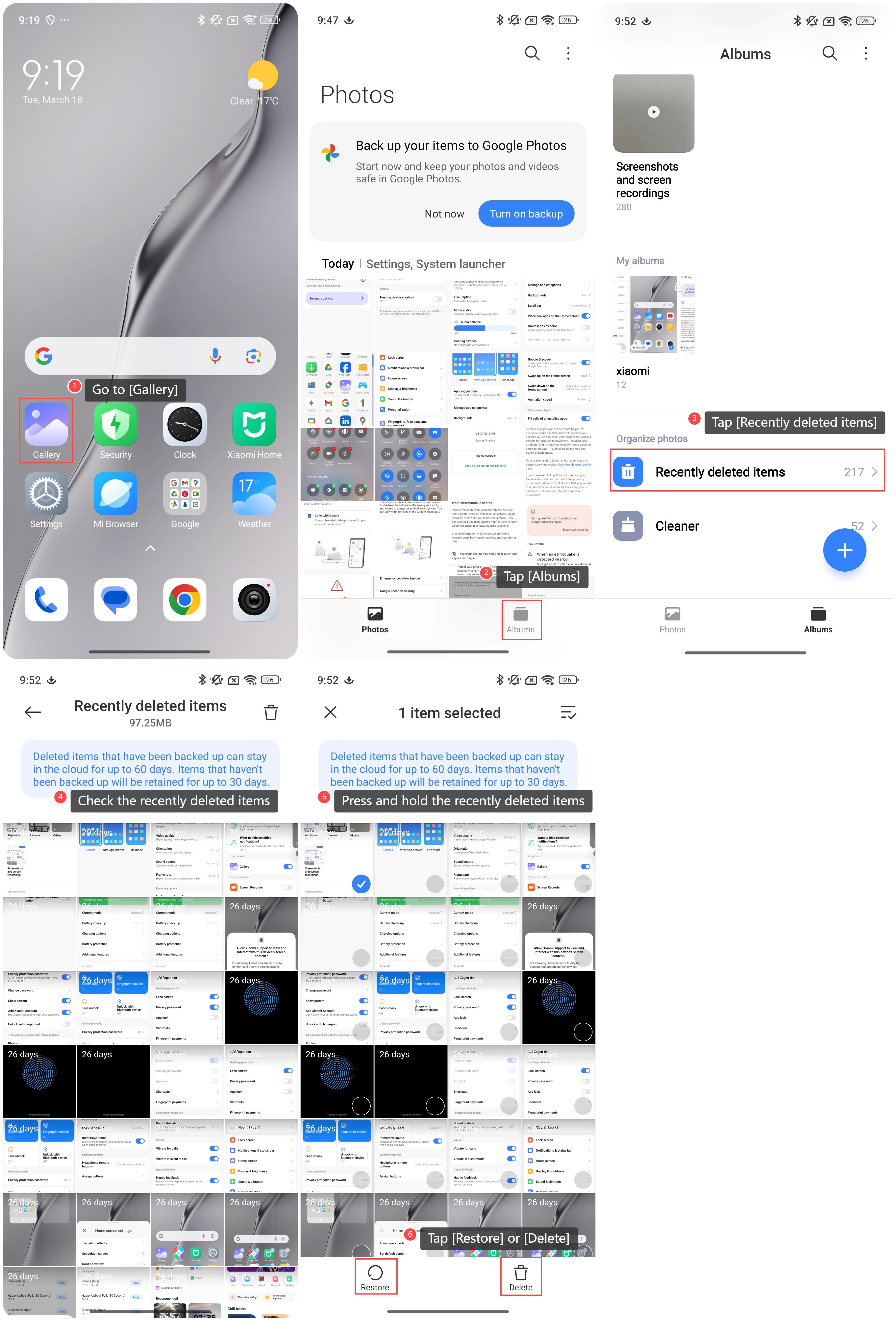
To check the recently deleted items on the Gallery of the Xiaomi smartphone, please refer to the following steps:
1. Go to [Gallery];
2. Tap [Albums];
3. Swipe down to find and tap [Recently deleted items];
4. You can check the recently deleted items;
5. You can also press and hold the recently deleted items;
6. Tap [Restore] to restore the item or [Delete] to permanently delete the item.
 Note:
Note:
Deleted items that have been backed up can stay in the cloud for up to 60 days. Items that haven’t been backed up will be retained for up to 30 days.
To check the recently deleted items on the Gallery of the Xiaomi smartphone, please refer to the following steps:
1. Go to [Gallery];
2. Tap [Albums];
3. Swipe down to find and tap [Recently deleted items];
4. You can check the recently deleted items;
5. You can also press and hold the recently deleted items;
6. Tap [Restore] to restore the item or [Delete] to permanently delete the item.
Note:Deleted items that have been backed up can stay in the cloud for up to 60 days. Items that haven’t been backed up will be retained for up to 30 days.
Does it help?
Yes
No