

What to do if the Xiaomi Electric Scooter 4 Ultra’s regenerative brake failed?
The Xiaomi Electric Scooter 4 Ultra comes with a regenerative brake which has a “power recovery” feature similar to what is used in new-energy vehicles, which recollects kinetic energy lost during braking back into the battery, thereby contributing to improved braking efficiency as well as increased endurance mileage. In other words, when you release the accelerator/throttle, the speed decreases sharply and the power will be recollected to the battery.
If the regenerative brake on your scooter has failed, please refer to the following steps:
1. Check for any visible damage. Look for frayed wires or physical damage;
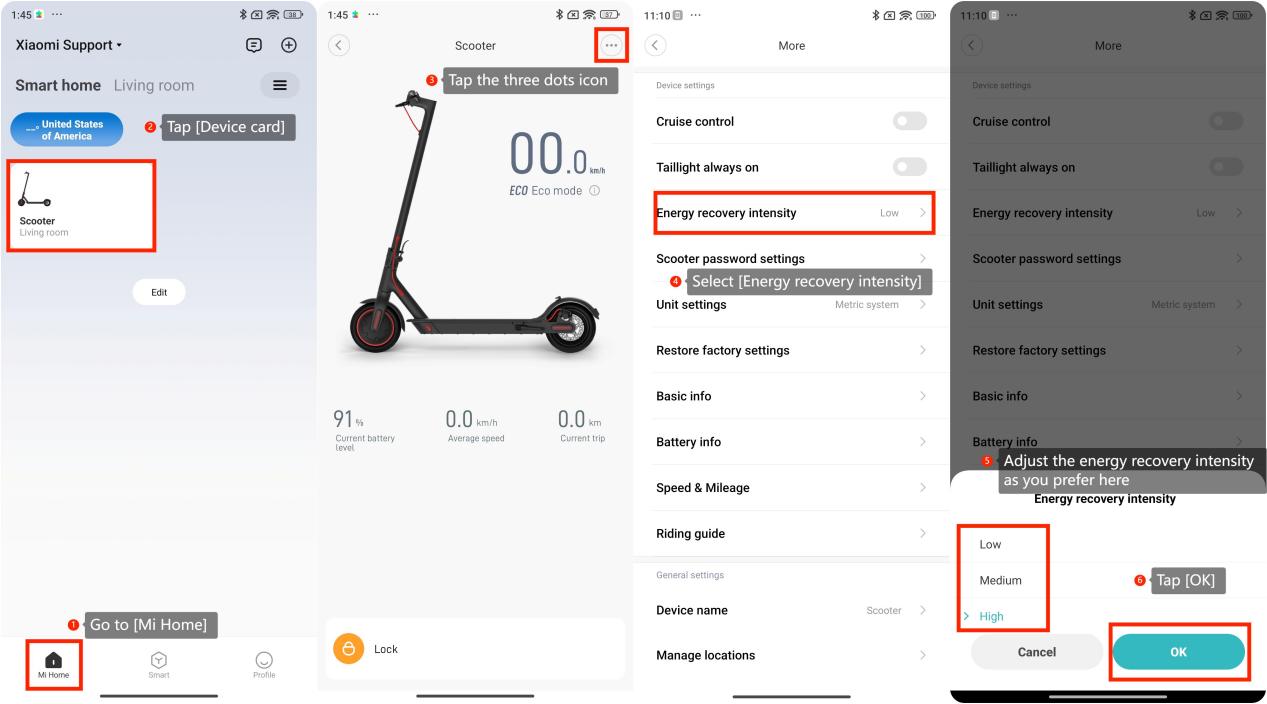
2. Please adjust the energy recovery intensity by opening the Mi Home app and going to [Mi Home] >> tap [Device card] of your scooter >> tap the three dots icon at the upper right corner >> select [Energy recovery intensity] >> adjust the energy recovery intensity as you prefer and tap [OK];
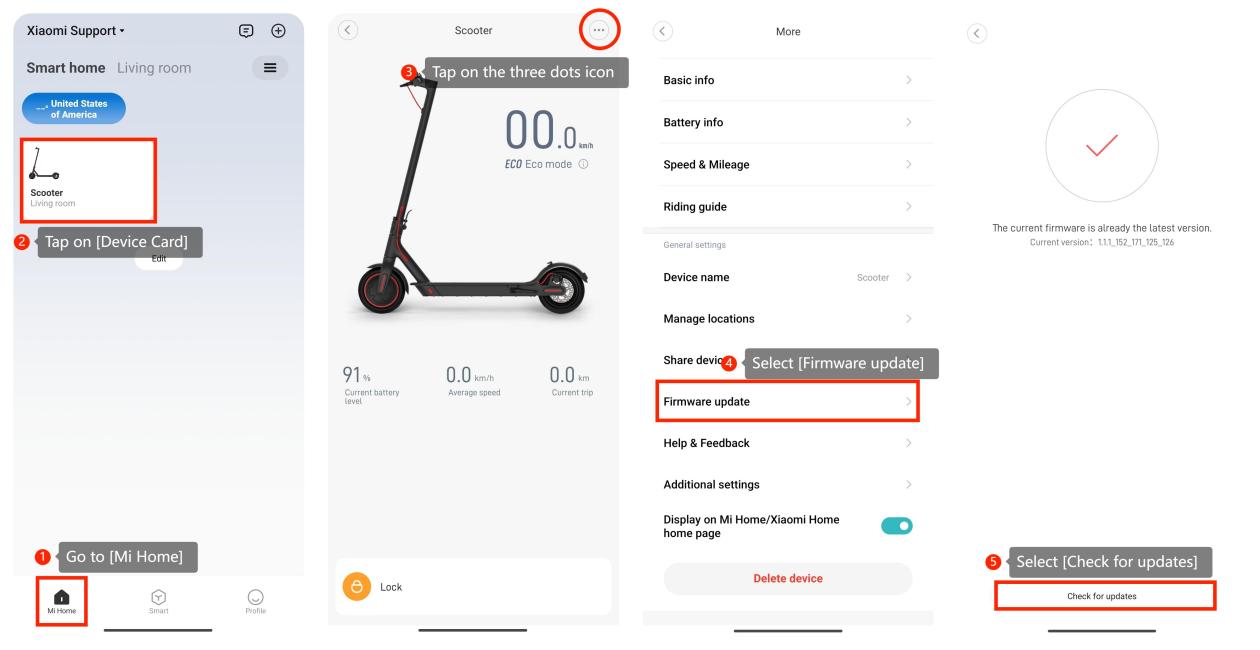
3. Please check for updates on the scooter by going to the Mi Home app >> [Mi Home] >> tap on [Device Card] >> tap on the three dots icon at the upper right corner >> [Firmware update] >> [Check for updates];
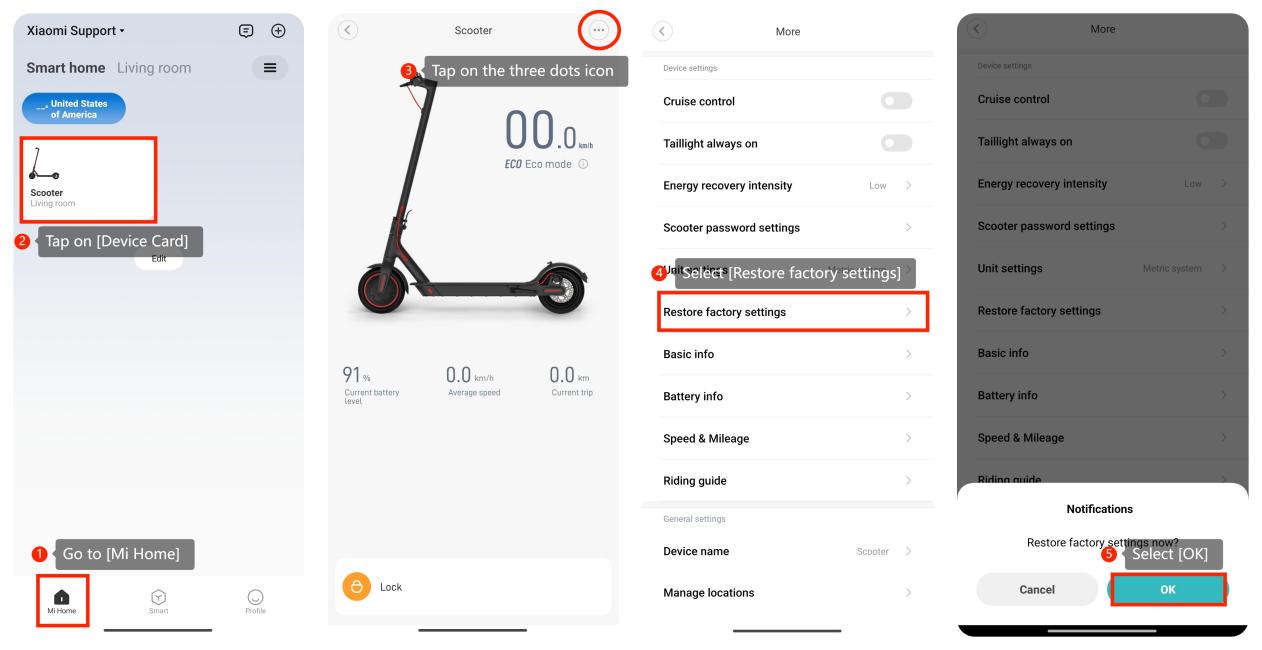
4. Please perform a factory reset on your scooter. Keep in mind that this will erase all personalized settings, so use this option as a last resort. Go to the Mi Home app >> [Mi Home] >> tap on [Device Card] >> tap on the three dots icon at the upper right corner >> [Restore factory settings] >> [OK].
If the above troubleshooting methods can’t resolve the issue, please contact our local official service center or your seller for further assistance. They will help you in this regard.
If the regenerative brake on your scooter has failed, please refer to the following steps:
1. Check for any visible damage. Look for frayed wires or physical damage;
2. Please adjust the energy recovery intensity by opening the Mi Home app and going to [Mi Home] >> tap [Device card] of your scooter >> tap the three dots icon at the upper right corner >> select [Energy recovery intensity] >> adjust the energy recovery intensity as you prefer and tap [OK];
3. Please check for updates on the scooter by going to the Mi Home app >> [Mi Home] >> tap on [Device Card] >> tap on the three dots icon at the upper right corner >> [Firmware update] >> [Check for updates];
4. Please perform a factory reset on your scooter. Keep in mind that this will erase all personalized settings, so use this option as a last resort. Go to the Mi Home app >> [Mi Home] >> tap on [Device Card] >> tap on the three dots icon at the upper right corner >> [Restore factory settings] >> [OK].
If the above troubleshooting methods can’t resolve the issue, please contact our local official service center or your seller for further assistance. They will help you in this regard.
Does it help?
Yes
No