

What to do if you fail to install apps on the Xiaomi TV F2 32?
If you fail to install apps on your Xiaomi TV F2 32, please refer to the following steps:
1. Ensure that your TV has the latest software updates installed by going to [Settings] >> [Device & Software] >> [About] >> [Install Update] and check for updates;
2. Ensure that your TV is properly connected to the network;
3. Sometimes, a simple restart can resolve many issues. Unplug your Fire TV device from the power source, wait for a minute, and plug it back in;
4. Insufficient storage space can prevent app installations. You can go to [Settings] >> [Device & Software] >> [About] >> [Storage] to check the available storage space. Remove unnecessary apps or files to free up space;
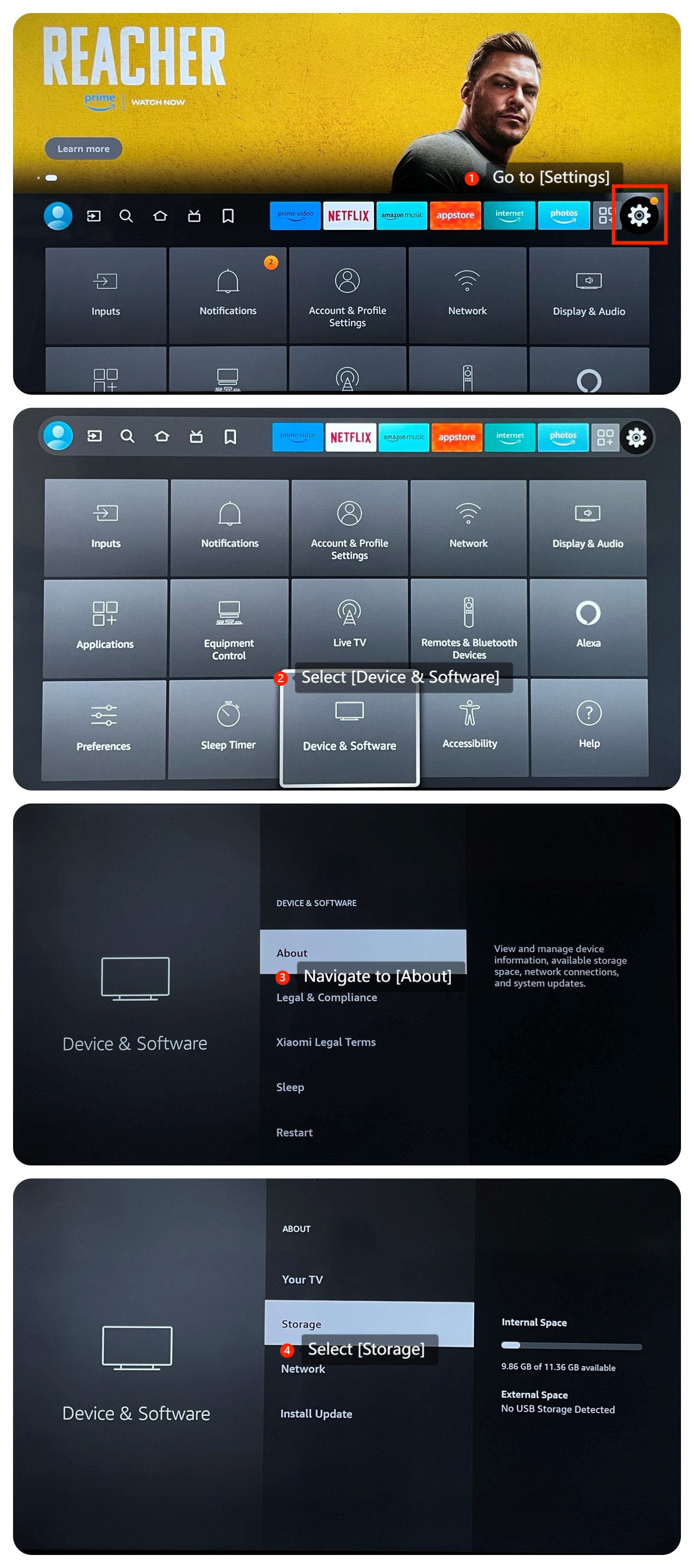
1. Ensure that your TV has the latest software updates installed by going to [Settings] >> [Device & Software] >> [About] >> [Install Update] and check for updates;
2. Ensure that your TV is properly connected to the network;
3. Sometimes, a simple restart can resolve many issues. Unplug your Fire TV device from the power source, wait for a minute, and plug it back in;
4. Insufficient storage space can prevent app installations. You can go to [Settings] >> [Device & Software] >> [About] >> [Storage] to check the available storage space. Remove unnecessary apps or files to free up space;
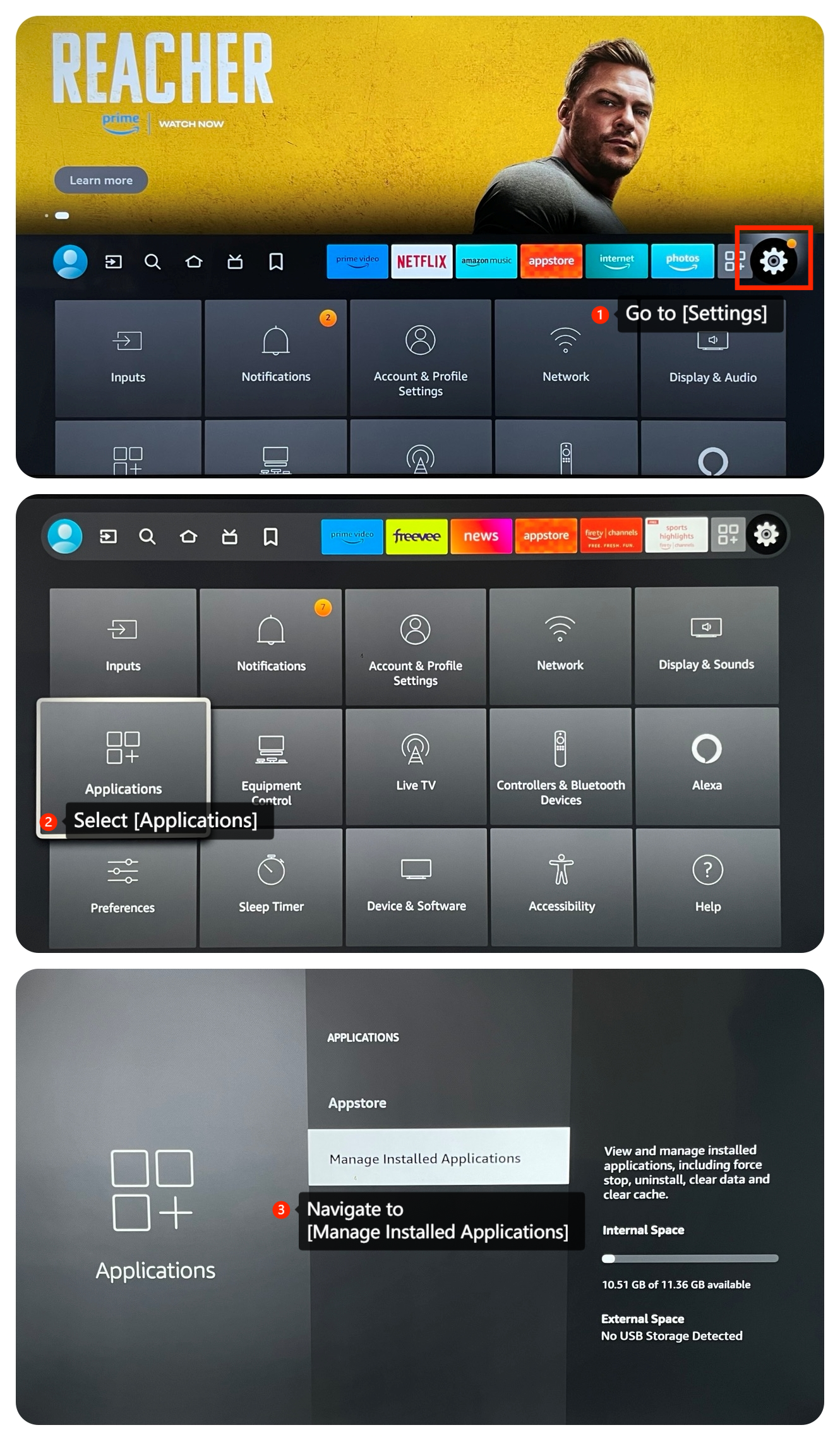
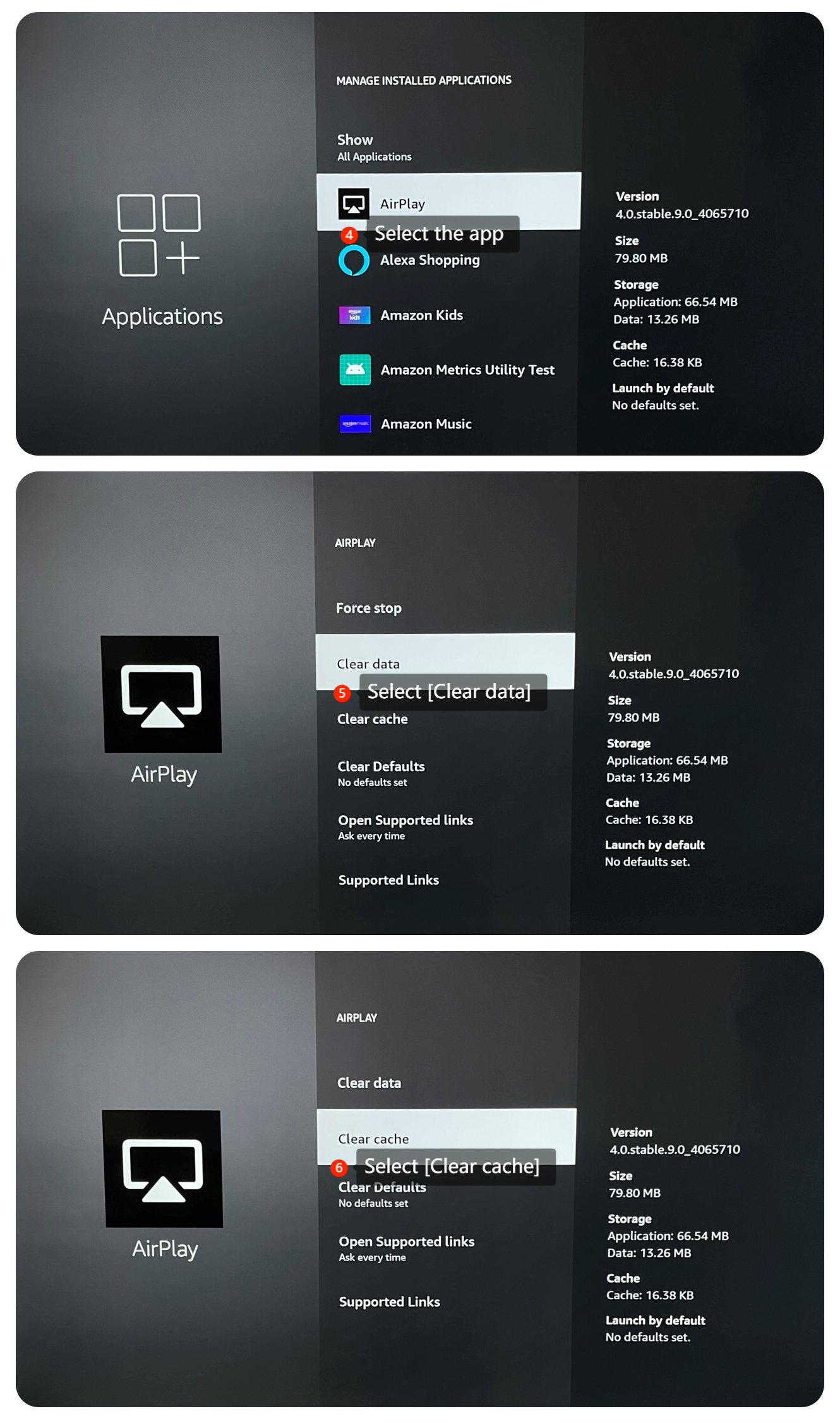
5. For the specific app you're trying to install, you can clear its data and cache by going to [Settings] >> [Applications] >> [Manage Installed Applications] >> select the app >> [Clear data] and [Clear cache]. Then try installing the app again;
6. As a last resort, consider performing a factory reset on your TV by going to [Settings] >> [Device & Software] >> [Reset to Factory Defaults]. This will erase all the data on your TV, so make sure to back up important data before proceeding.
We hope the above methods can resolve this issue. If the issue still persists, you could submit your feedback on your TV by going to [Settings] >> [Help] >> [Send feedback], and follow the instructions on this interface.
We hope the above methods can resolve this issue. If the issue still persists, you could submit your feedback on your TV by going to [Settings] >> [Help] >> [Send feedback], and follow the instructions on this interface.
Does it help?
Yes
No