

What to do if the AirPlay fails to search for Xiaomi TV A Pro 43?
If AirPlay fails to search for your Xiaomi TV A Pro 43, please refer to the following scenarios and troubleshooting methods:
Scenario 1:
If the issue occurs when your TV is not detected by AirPlay:
1. Ensure both your TV and the device you are using for AirPlay are connected to the same Wi-Fi network. Inconsistent connections may hinder device discovery;
2. Reboot your TV and the device you are attempting to AirPlay from. Restart your TV by going to to [Settings] >> [System] >> [Restart];
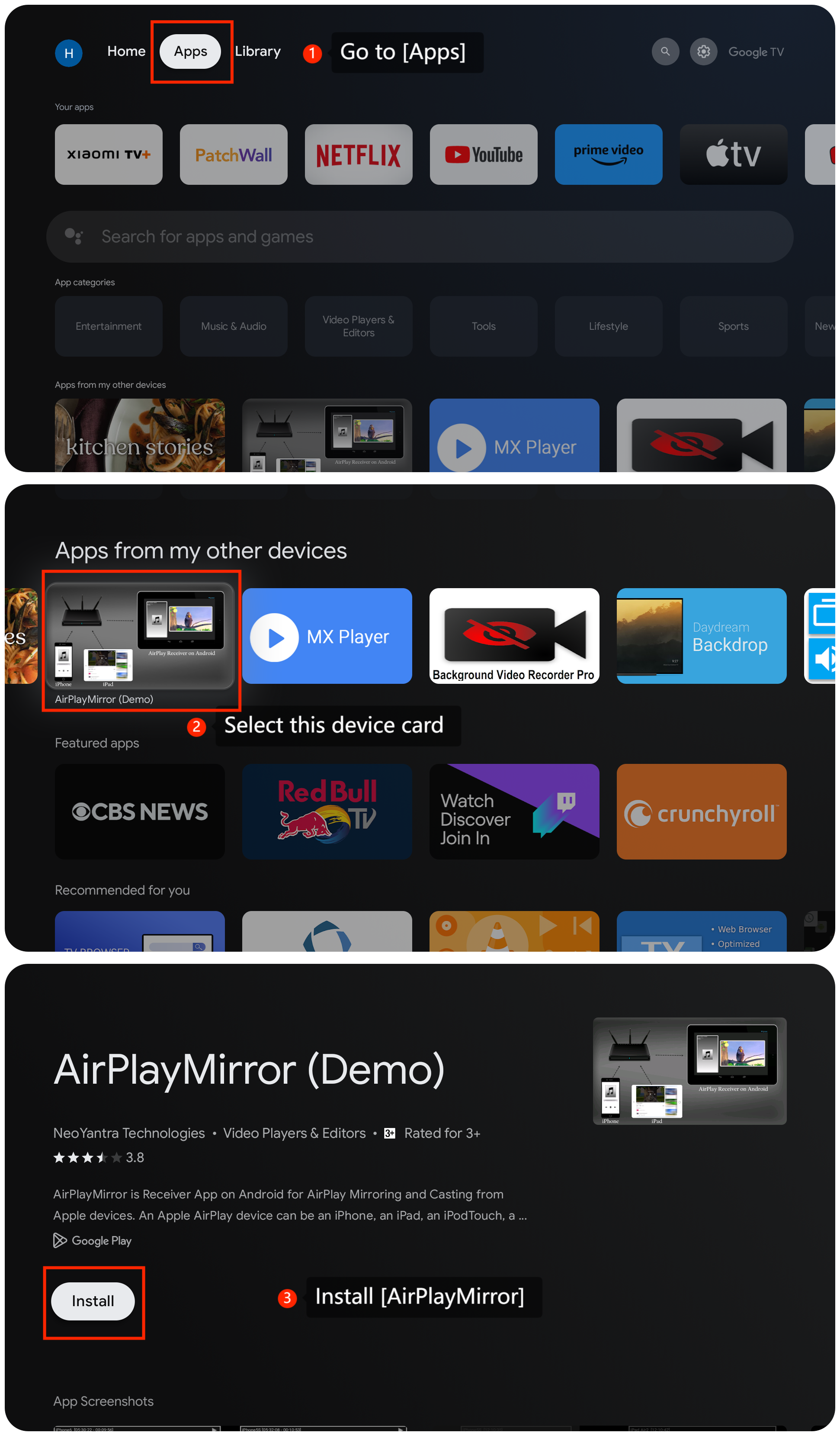
3. Confirm that AirPlay is enabled on your TV. Ensure it's turned on by going to [Apps] >> [AirPlayMirror] and installing it.
Scenario 1:
If the issue occurs when your TV is not detected by AirPlay:
1. Ensure both your TV and the device you are using for AirPlay are connected to the same Wi-Fi network. Inconsistent connections may hinder device discovery;
2. Reboot your TV and the device you are attempting to AirPlay from. Restart your TV by going to to [Settings] >> [System] >> [Restart];
3. Confirm that AirPlay is enabled on your TV. Ensure it's turned on by going to [Apps] >> [AirPlayMirror] and installing it.
Scenario 2:
If the issue occurs when your TV intermittently disappears or is not consistently detected by AirPlay:
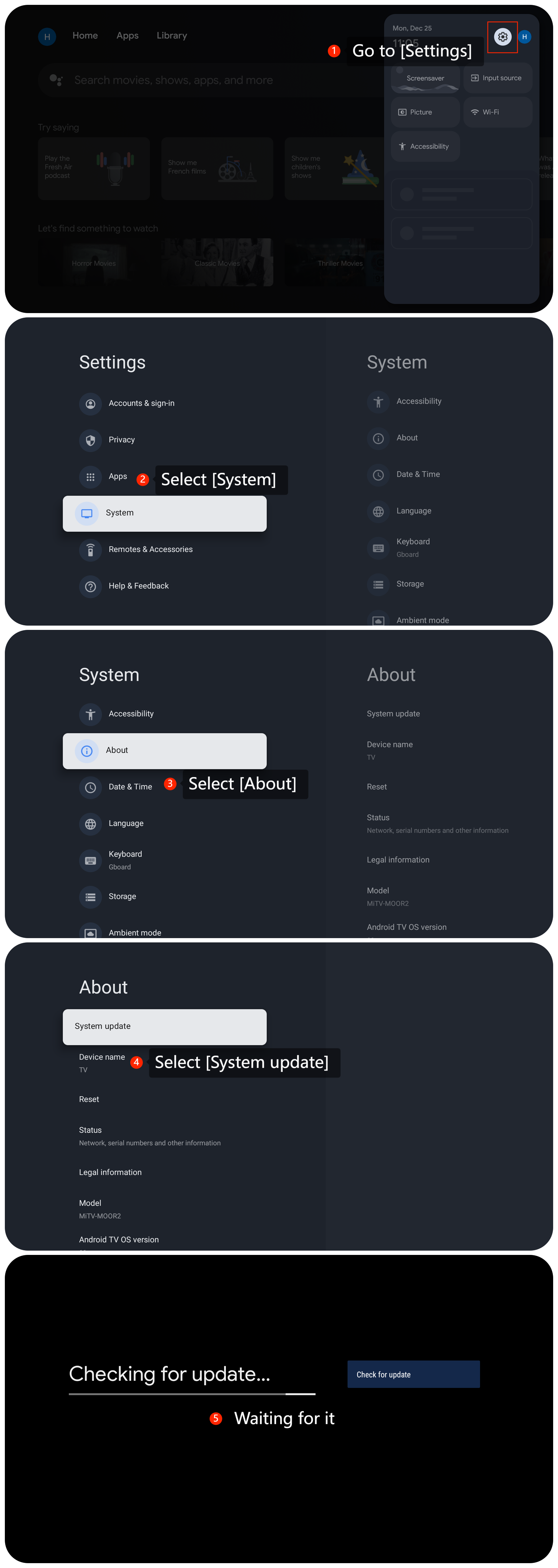
1. Ensure that your TV's firmware and the apps you're using for AirPlay are updated to the latest version. To update the firmware or operating system on the TV, please navigate to [Settings] >> [System] >> [About] >> [System update] >> [Check for update];
2. Verify that your TV model is compatible with AirPlay and check for any specific router settings that may affect AirPlay functionality. Ensure that necessary features such as multicasting are enabled;
3. If the problem persists, consider resetting the network settings on both your TV and the device you are using to AirPlay. This could involve resetting the Wi-Fi connection or restoring the network settings to default.
We hope the above methods can resolve the issue. If the issue still persists, you could submit your feedback on your TV by going to [Settings] >> [Help & Feedback] >> [Send feedback], you can upload logs with your feedback.
3. If the problem persists, consider resetting the network settings on both your TV and the device you are using to AirPlay. This could involve resetting the Wi-Fi connection or restoring the network settings to default.
We hope the above methods can resolve the issue. If the issue still persists, you could submit your feedback on your TV by going to [Settings] >> [Help & Feedback] >> [Send feedback], you can upload logs with your feedback.
Does it help?
Yes
No