

What to do if an app on the Mi TV 4 32 cannot be started?
If the app on your Mi TV 4 32 cannot be started, please check it as follows:
1. Please ensure that your TV is connected to the internet. Sometimes, a poor or unstable internet connection can prevent applications from starting or functioning correctly;
2. If a particular application isn’t starting, please close the app. Turn off the TV, wait for a few minutes, turn it on again and open it again;
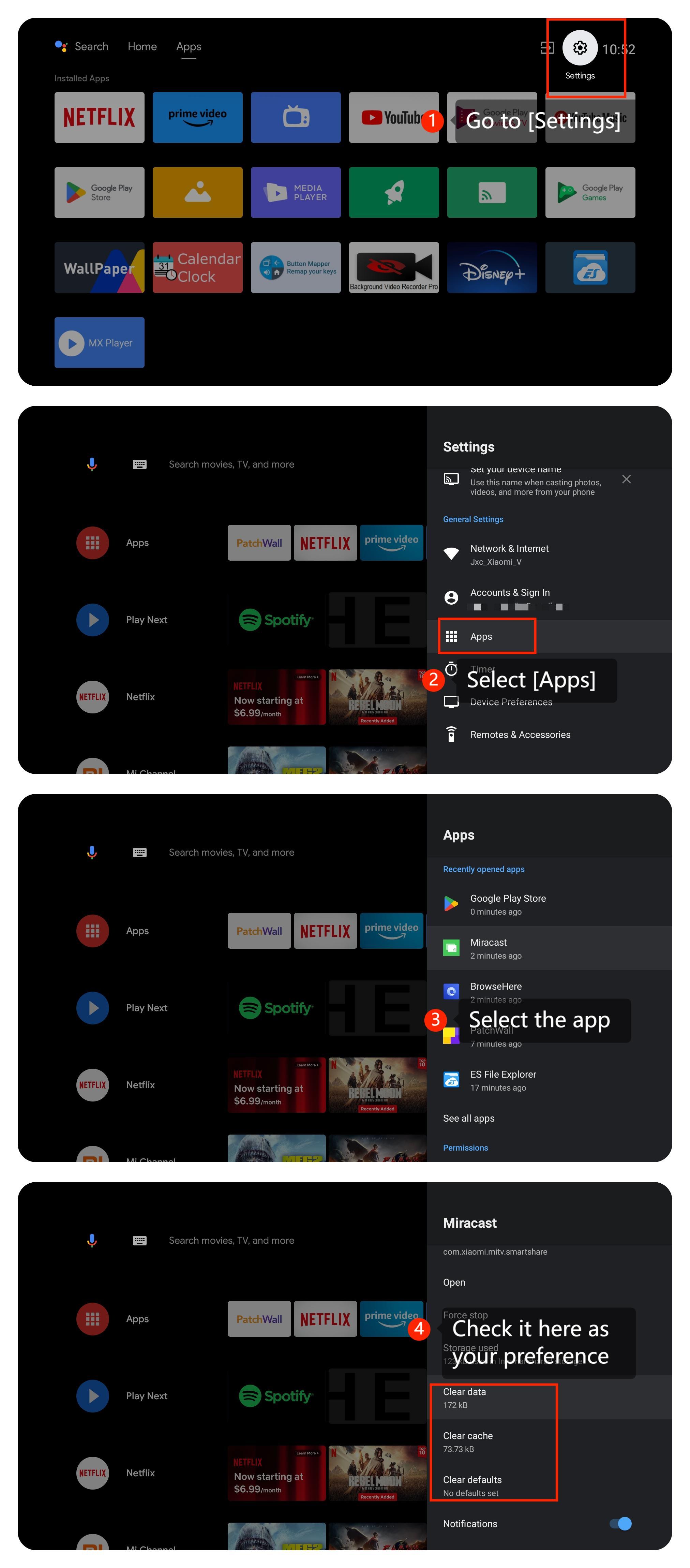
3. Please try clearing the app cache and data by going to [Settings] >> [Apps] >> [Clear data], [Clear cache], [Clear defaults] >> [OK];
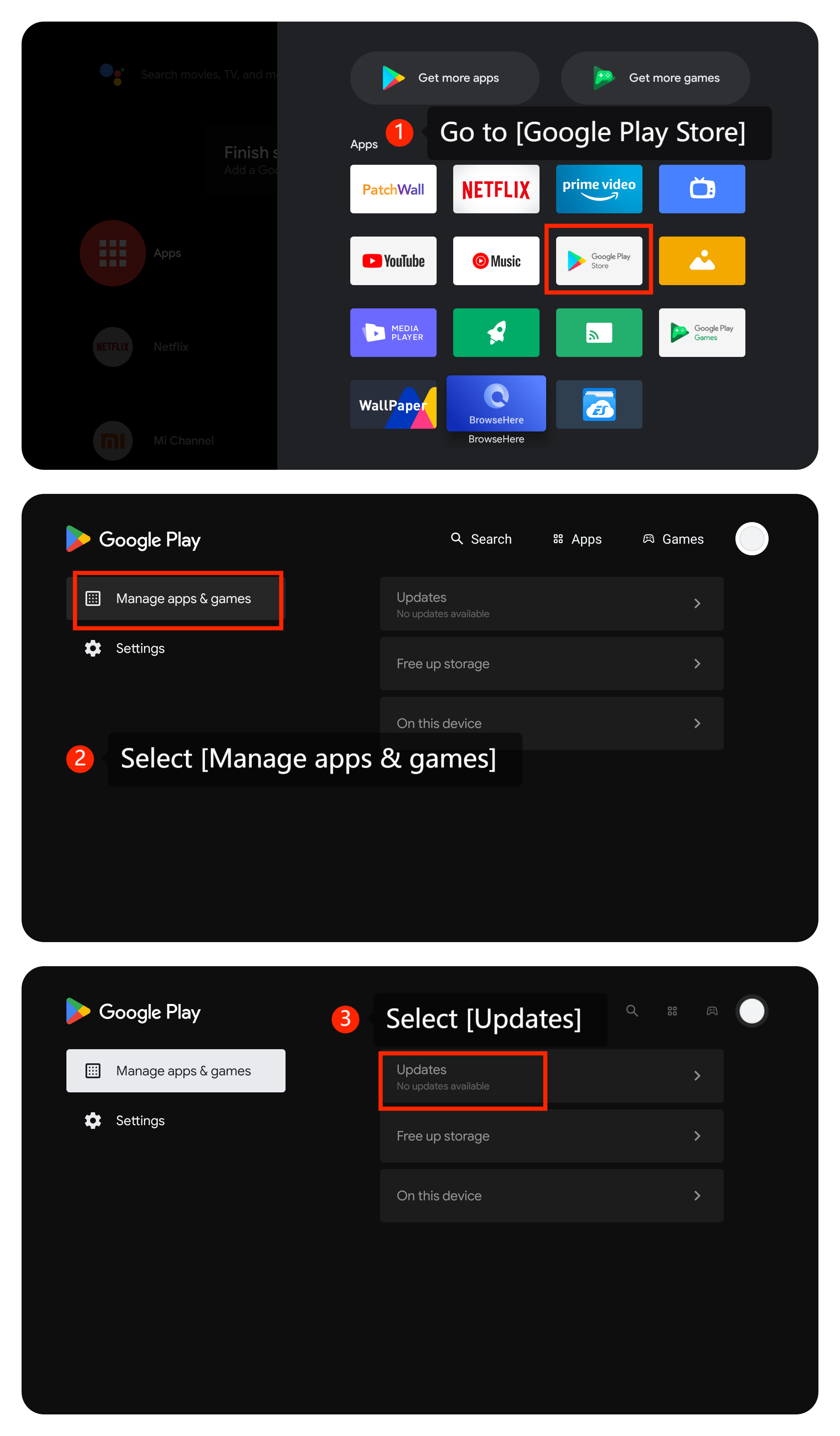
4. Ensure that the app is the latest version by going to [Google Play Store] >> [Manage apps and games] >> [Updates];
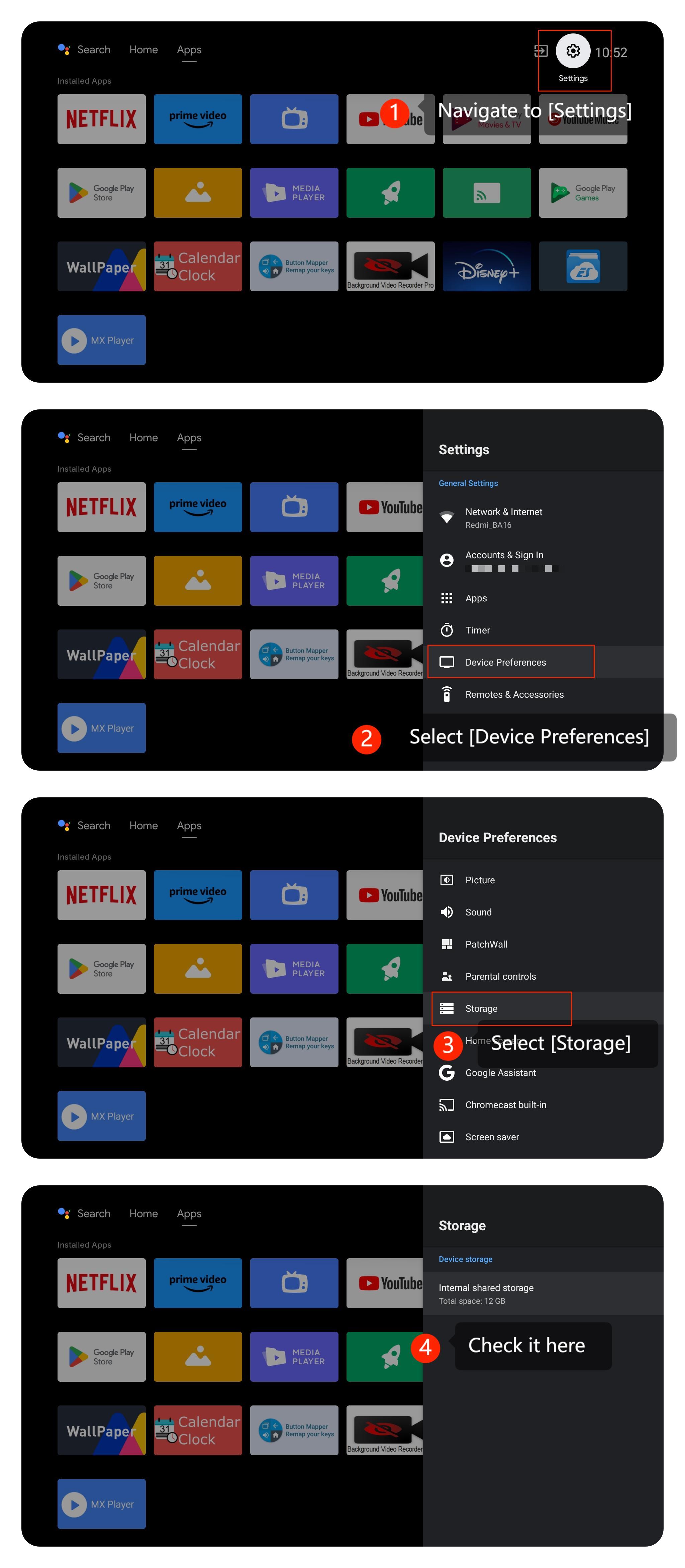
5. Make sure your TV's internal storage is sufficient by going to [Setting] >> [Device preference] >> [Storage] >> [Internal shared storage];
6. Make sure that your TV's system is the latest version by going to [Settings] >> [About] >> [System Update]. If available, install the updates;
7. If the problem persists, you can perform a factory reset by navigating to [Settings] >> [Device Preferences] >> [Reset]. Be aware that this will erase all settings and data on your TV, so use it as a last resort.
We hope the above methods can resolve the issue. If the issue still persists, you could submit your feedback on your TV by going to [Settings] >> [Device Preferences] >> [Home screen] >> [Send feedback].
1. Please ensure that your TV is connected to the internet. Sometimes, a poor or unstable internet connection can prevent applications from starting or functioning correctly;
2. If a particular application isn’t starting, please close the app. Turn off the TV, wait for a few minutes, turn it on again and open it again;
3. Please try clearing the app cache and data by going to [Settings] >> [Apps] >> [Clear data], [Clear cache], [Clear defaults] >> [OK];
4. Ensure that the app is the latest version by going to [Google Play Store] >> [Manage apps and games] >> [Updates];
5. Make sure your TV's internal storage is sufficient by going to [Setting] >> [Device preference] >> [Storage] >> [Internal shared storage];
6. Make sure that your TV's system is the latest version by going to [Settings] >> [About] >> [System Update]. If available, install the updates;
7. If the problem persists, you can perform a factory reset by navigating to [Settings] >> [Device Preferences] >> [Reset]. Be aware that this will erase all settings and data on your TV, so use it as a last resort.
We hope the above methods can resolve the issue. If the issue still persists, you could submit your feedback on your TV by going to [Settings] >> [Device Preferences] >> [Home screen] >> [Send feedback].
Does it help?
Yes
No