

What to do if swiping right on the lock screen of the Xiaomi phone keeps bringing up an unwanted interface?
If swiping right on the lock screen of your Xiaomi phone keeps opening an unwanted interface, you can adjust or disable the shortcut assigned to that gesture in the system settings.
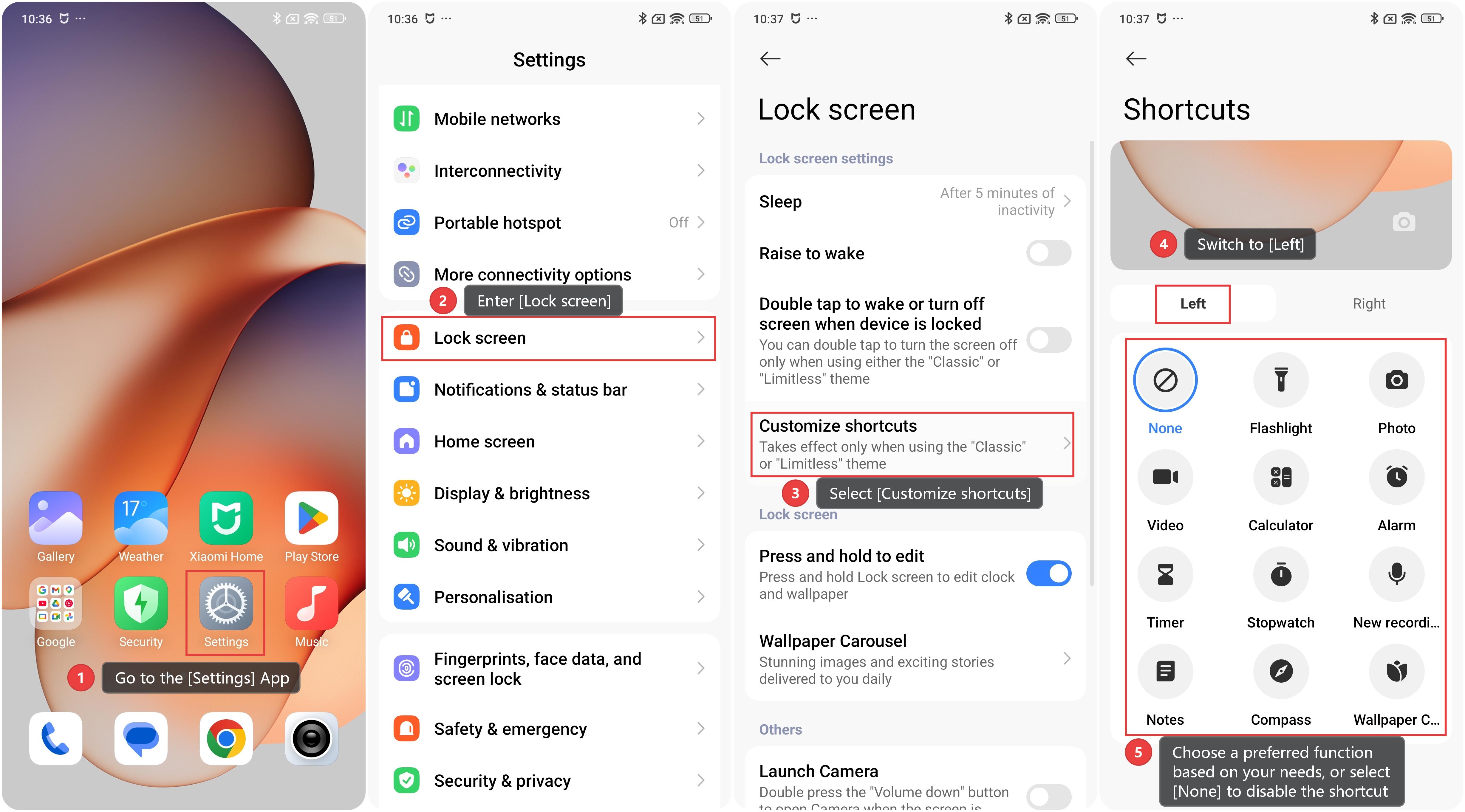
To modify the lock screen shortcut, please follow these steps:
1. Go to the [Settings] App.
2. Enter [Lock screen].
3. Select [Customize shortcuts].
4. Switch to [Left] (which is triggered by swiping right on the lock screen).
5. Choose a preferred function based on your needs, or select [None] to disable the shortcut completely. By customizing or turning off this shortcut, you can prevent accidental launches of unwanted functions and make the lock screen experience more aligned with your usage habits.
Does it help?
Yes
No