

How to manage the location of the Mijia Air Conditioner in the Xiaomi Home App?
You can assign the Mijia Air Conditioner to a specific room to keep your smart devices organized and improve control efficiency in the Xiaomi Home App. By grouping the device with other products in the same space, you can quickly locate it, manage settings more efficiently, and enjoy smoother, more intuitive control for daily use and smart home automation.
To manage the location of the Mijia Air Conditioner in the Xiaomi Home App, please refer to the following methods:
Method 1:
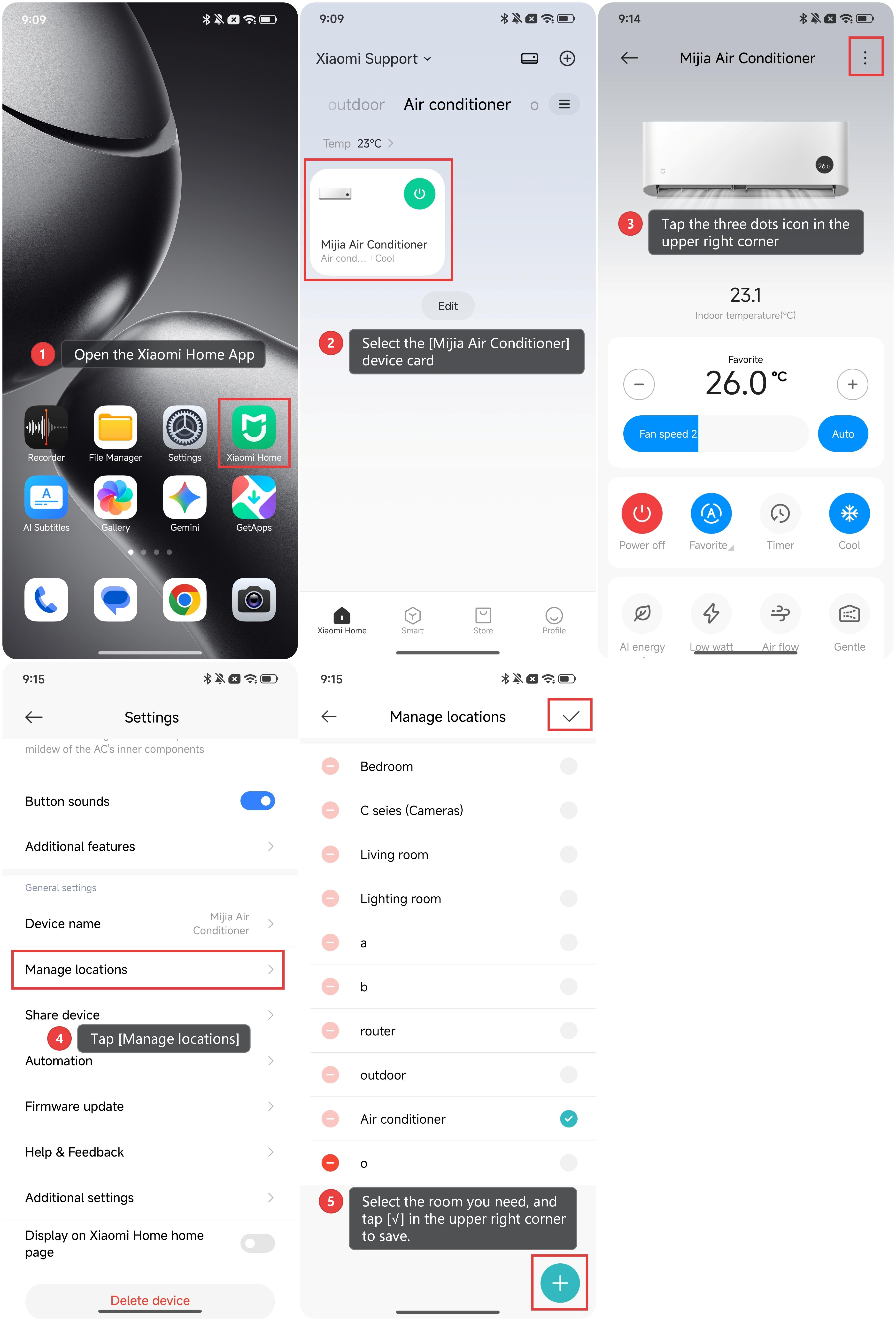
1. Open the Xiaomi Home App.
2. Select the [Mijia Air Conditioner] device card.
3. Tap the three dots icon in the upper right corner to enter the device settings menu.
4. Tap [Manage locations].
5. Select the room you need, and tap [√] in the upper right corner to save the change. You can also tap the plus icon at the bottom right corner to add a new room.
Method 2:
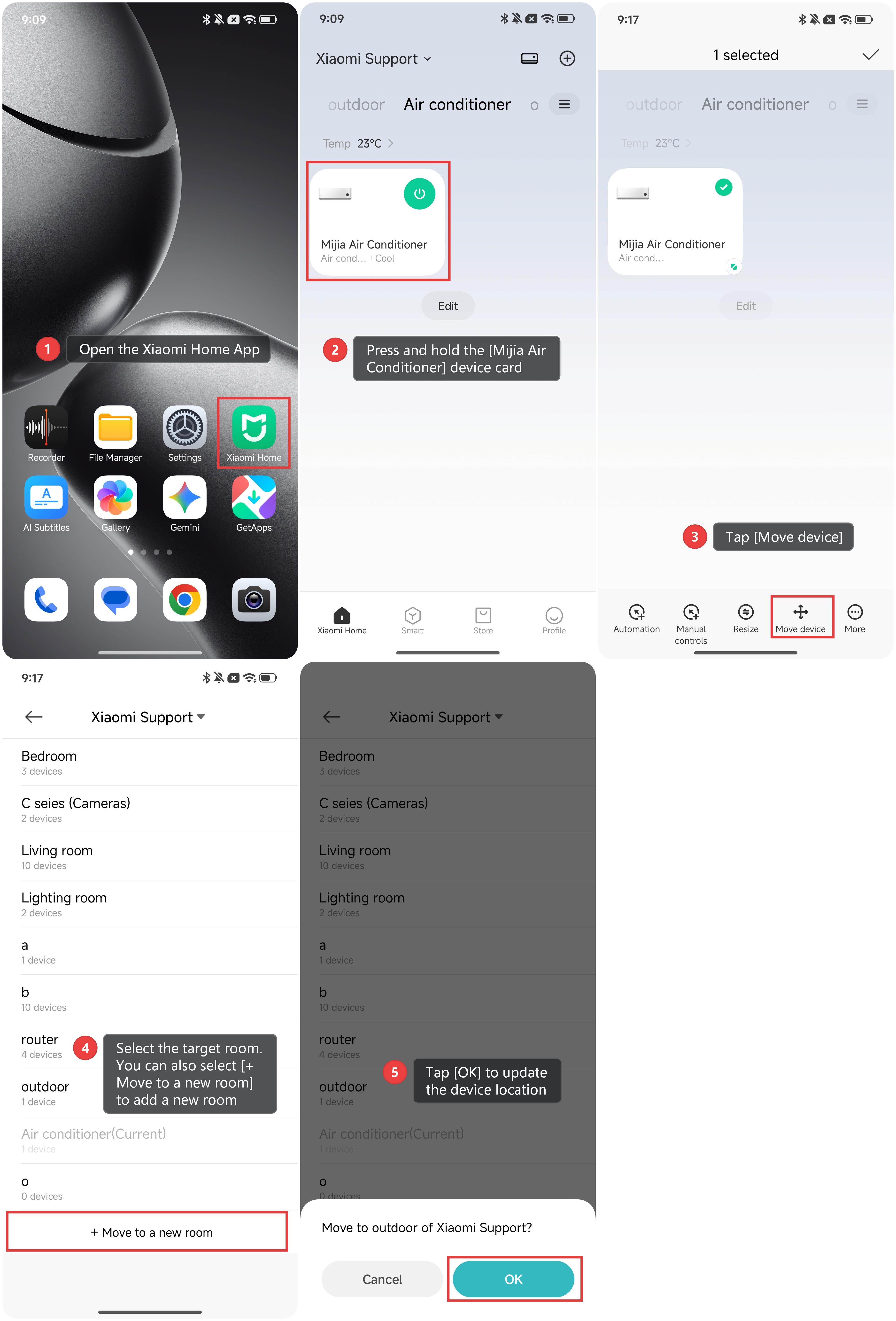
1. Open the Xiaomi Home App.
2. Press and hold the [Mijia Air Conditioner] device card to open the quick management menu.
3. Tap [Move device].
4. Then, select the target room. You can also select [+ Move to a new room] to add a new room.
5. Tap [OK] to update the device location.
Does it help?
Yes
No