

How to check the status of the Mijia Air Conditioner using the Xiaomi Home App?
The Mijia Air Conditioner supports checking its operating status through the Xiaomi Home App. This remote monitoring feature makes daily management more convenient, helps identify issues promptly, and improves overall maintenance efficiency and using experience.
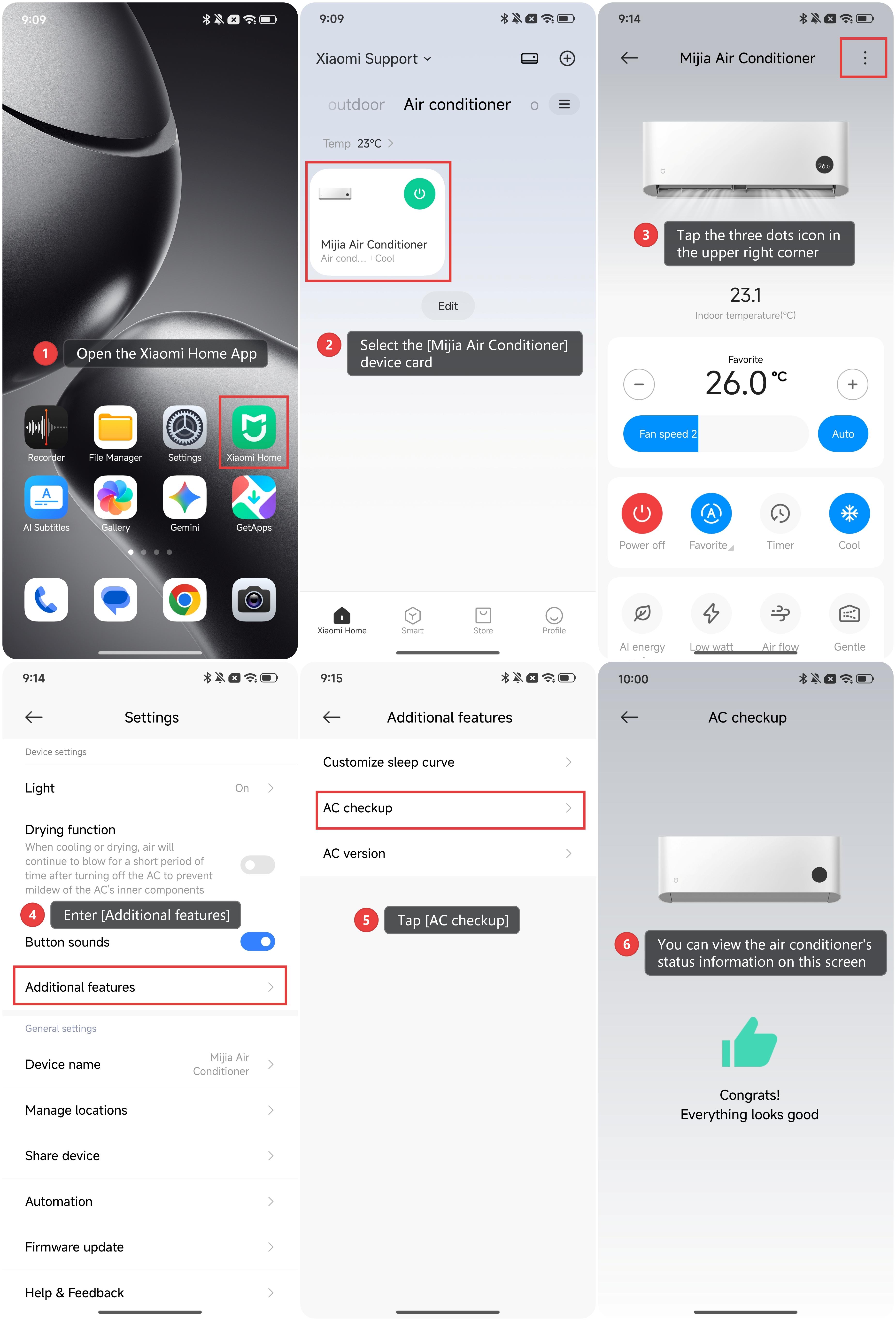
To check the status of the Mijia Air Conditioner using the Xiaomi Home App, please refer to the following steps:
1. Open the Xiaomi Home App.
2. Select the [Mijia Air Conditioner] device card.
3. Tap the three dots icon in the upper right corner.
4. Enter [Additional features].
5. Tap [AC checkup].
6. You can view the air conditioner’s status information on this screen.
Does it help?
Yes
No