

How to submit feedback for the Mijia Air Conditioner?
You can submit feedback for the Mijia Air Conditioner in the Xiaomi Home App, allowing you to report product issues, abnormal behavior, or unexpected performance during use. Feedback helps Xiaomi identify potential problems, analyze usage scenarios, and improve system stability and reliability through software updates and service optimization. It also supports continuous improvement of features and overall performance.
To submit feedback for the Mijia Air Conditioner in the Xiaomi Home App, please refer to the following steps:
1. Open the Xiaomi Home App and make sure the Mijia Air Conditioner is connected successfully.
2. Select the Mijia Air Conditioner.
3. Tap the three dots icon in the upper-right corner.
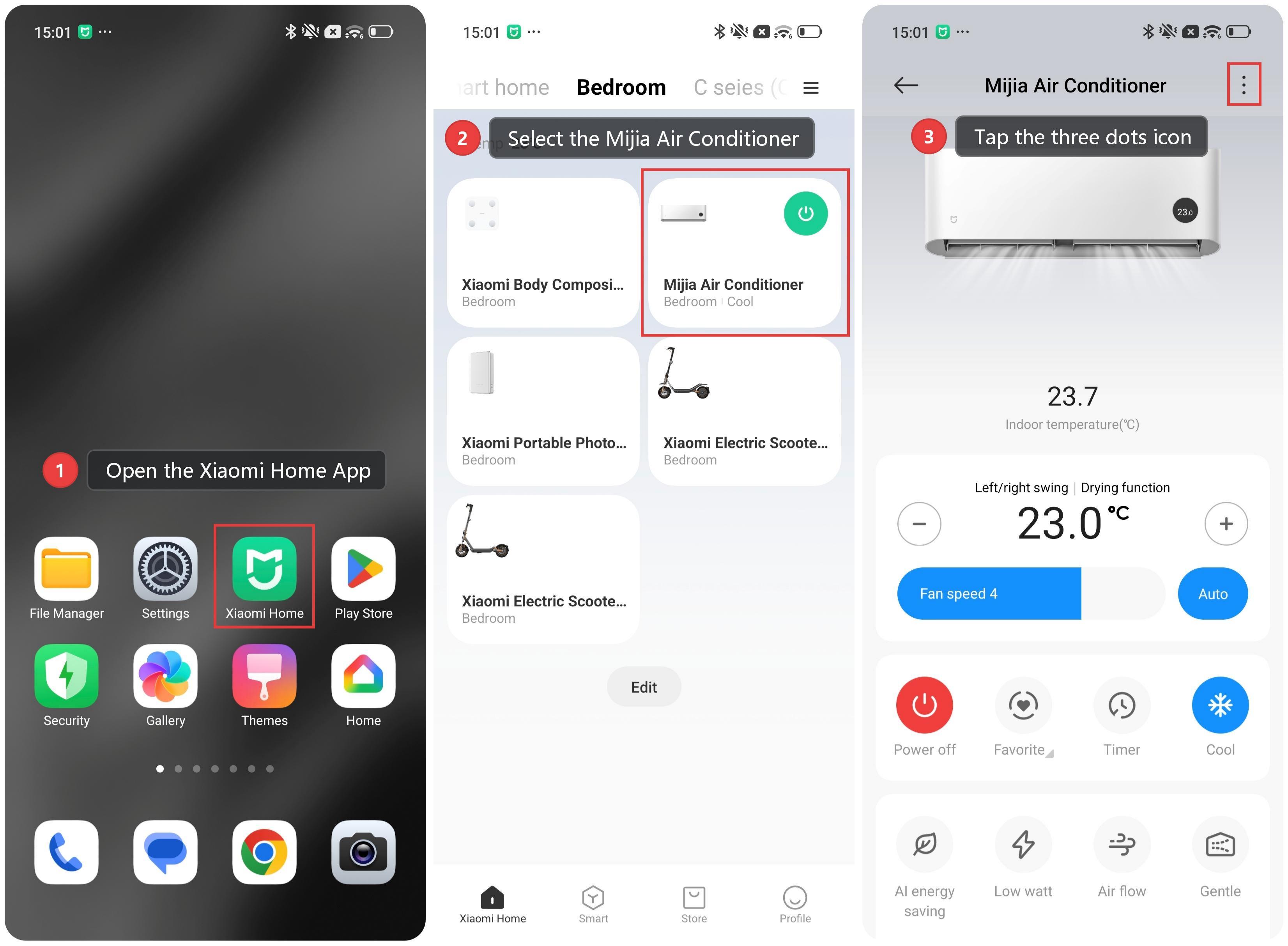
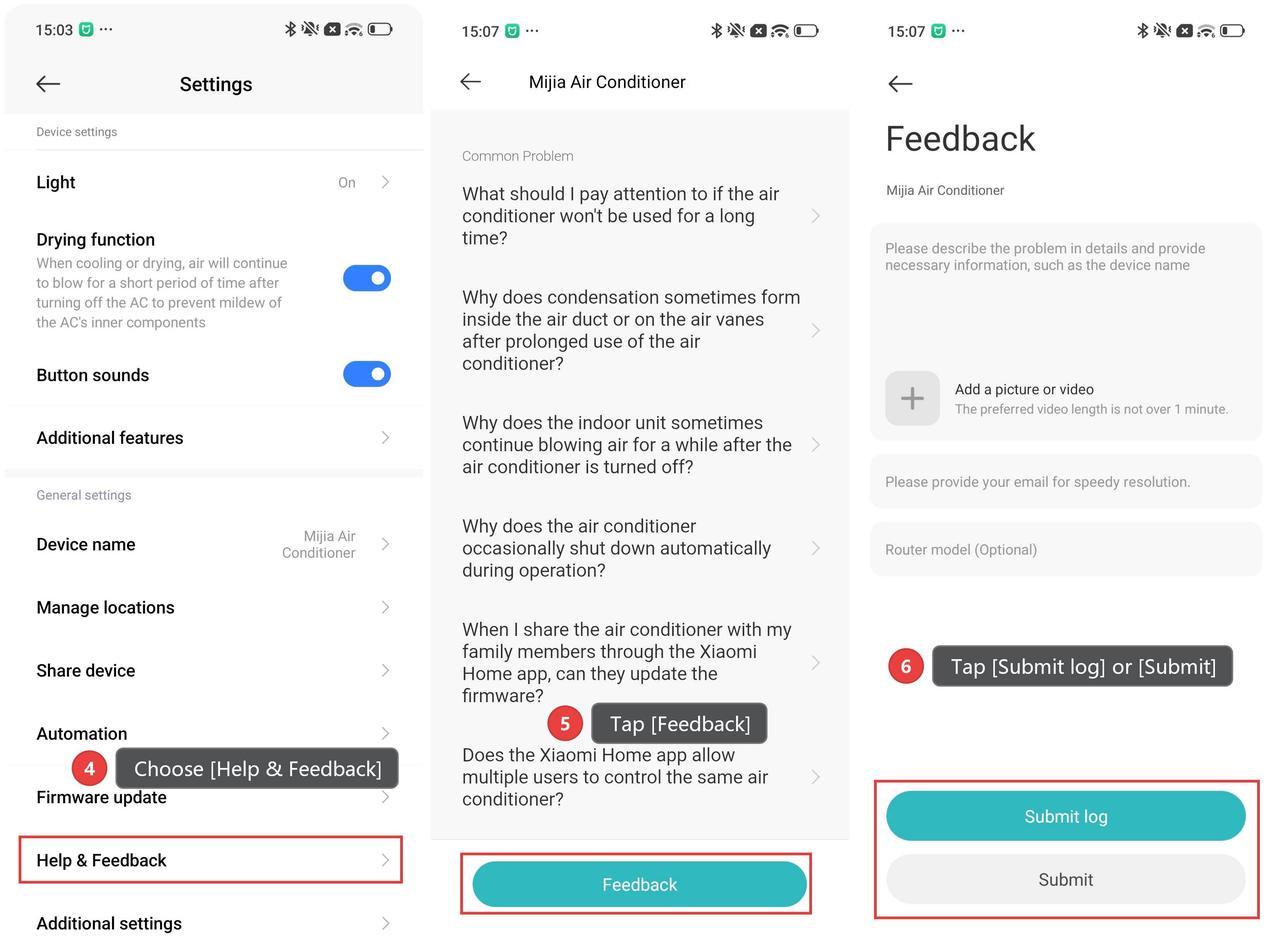
4. Scroll down and choose [Help & Feedback].
5. If your issue is not addressed in the FAQs, tap [Feedback].
6. Describe the problem in detail, and you can attach a picture or video to illustrate the issue.
7. Tap [Submit log] or [Submit] to send your feedback to the support team.
Does it help?
Yes
No