

How to enable Turbo mode for the Mijia Air Conditioner?
The Turbo mode of the Mijia Air Conditioner is a high-power mode that quickly cools or heats the room by increasing fan speed and optimizing system performance. It is designed for rapid temperature adjustment, making the indoor environment comfortable in the shortest time possible.
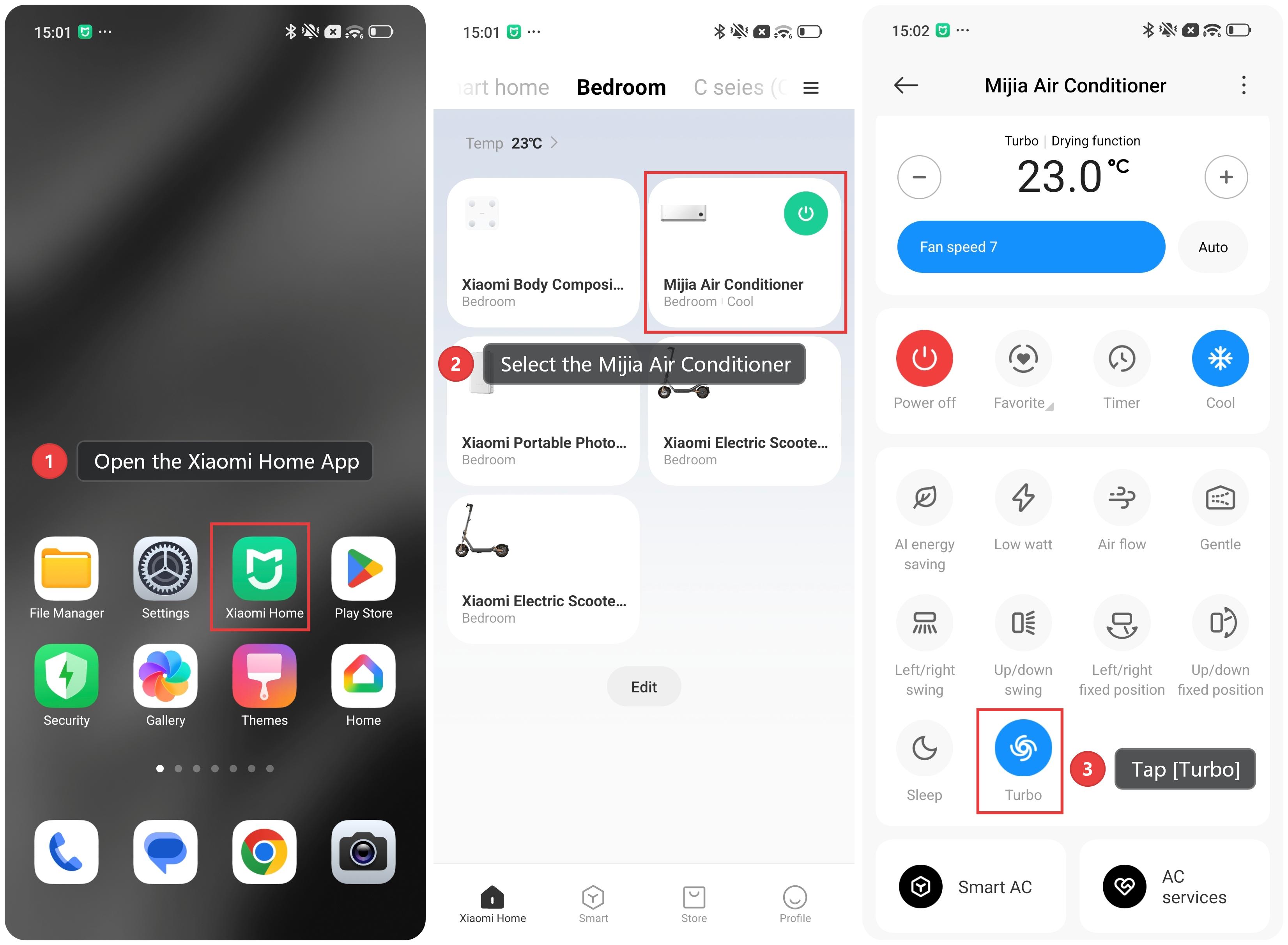
To enable Turbo mode for the Mijia Air Conditioner, please refer to the following methods:
Method 1:
1. Open the Xiaomi Home App and make sure the Mijia Air Conditioner is connected successfully.
2. Select the Mijia Air Conditioner.
3. Tap [Turbo] to turn the turbo airflow on.
Method 2:
In cooling, heating, or fan mode, press the turbo button on the remote control to turn the turbo airflow on or off.
Does it help?
Yes
No