

How to set the timer for the Mijia Air Conditioner to turn on and off automatically?
The timer function helps automate daily use by turning the Mijia Air Conditioner on or off at a set time, which can improve comfort and reduce unnecessary running time depending on your routine.
To set the timer for the Mijia Air Conditioner to turn on and off automatically, please refer to the following methods:
Method 1:
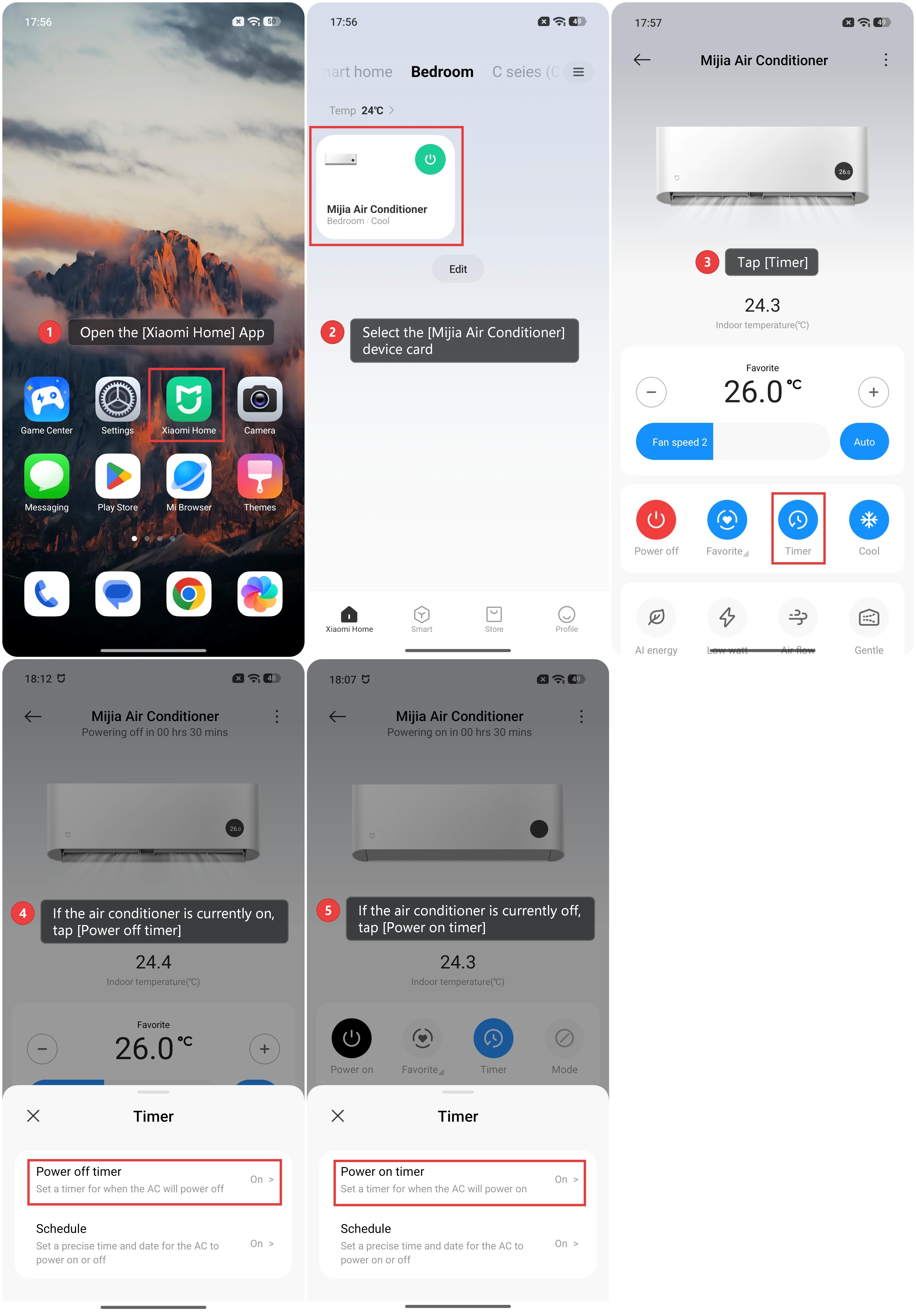
1. Open the [Xiaomi Home] App and make sure the Mijia Air Conditioner is connected successfully.
2. Select the [Mijia Air Conditioner] device card.
3. Tap [Timer].
4. If the air conditioner is currently on, tap [Power off timer] to schedule when it should turn off automatically.
5. If the air conditioner is currently off, set a [Power on timer] to schedule when it should turn on automatically.
Method 2:
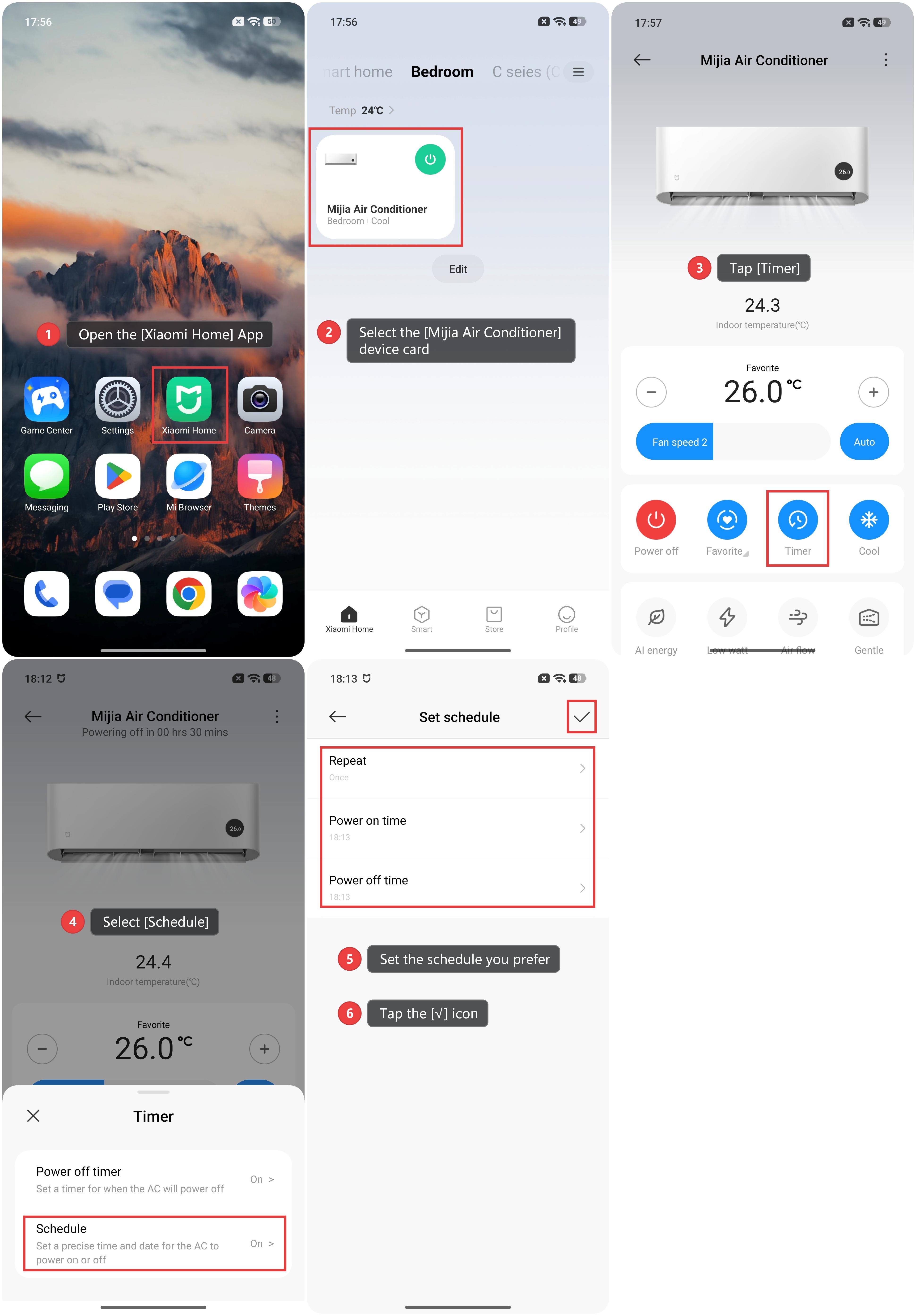
1. Open the [Xiaomi Home] App and make sure the Mijia Air Conditioner is connected successfully.
2. Select the [Mijia Air Conditioner] device card.
3. Tap [Timer].
4. Select [Schedule].
5. You can set the schedule, where three settings are available: Repeat, Power on time, and Power off time. Select Repeat and choose one of the three modes: [Once], [Daily], or [Custom]. Then, set the desired [Power on time] and [Power off time] as needed.
6. Tap the [√] icon in the upper-right corner to save the settings.
Method 3:
When the air conditioner is on, you can set an auto turn-off timer, and when it is off, you can set an auto turn-on timer. Press the timer button on the remote control to enter timer mode, and press "+" or "-" to adjust the time. The setting will be automatically confirmed after 2 seconds of inactivity.
Note:
The turn-on timer defaults to the mode, temperature, fan speed, and swing modes used before the last shutdown. If you would like to use the functions during the next turn-on, you can set the mode, temperature, fan speed, and swing modes as needed when the air conditioner is running, and then turn off the air conditioner and set the turn-on timer.
Does it help?
Yes
No