

How to power on or off the Mijia Air Conditioner?
You can power on or off your Mijia Air Conditioner via the Xiaomi Home App or the remote control, giving you flexible and convenient control in different usage scenarios.
To power on or off the Mijia Air Conditioner, please refer to the following methods:
Method 1:
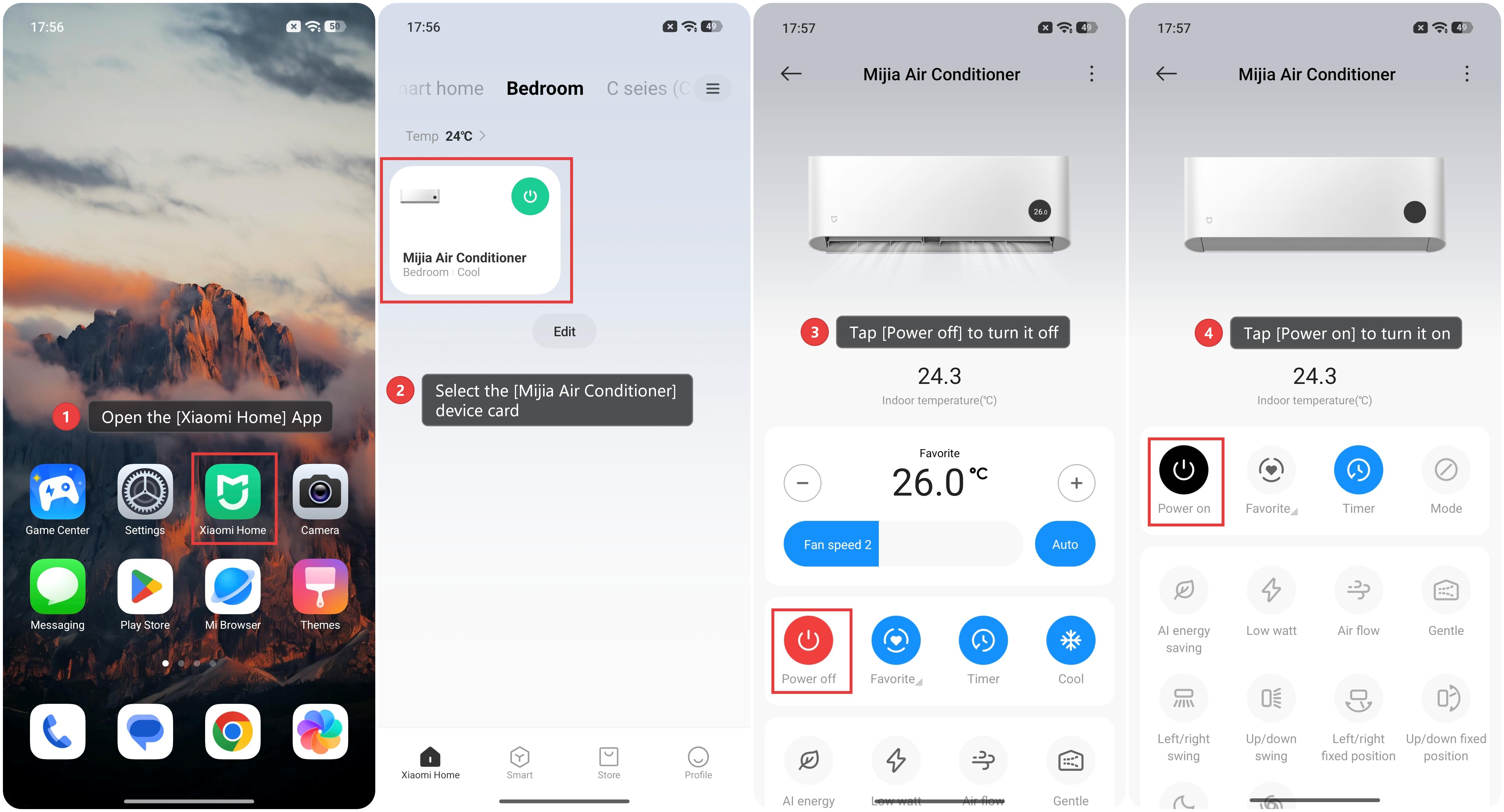
1. Open the [Xiaomi Home] App and make sure the Mijia Air Conditioner is connected successfully.
2. Select the [Mijia Air Conditioner] device card from your device list.
3. When the air conditioner is on, tap [Power off] to turn it off.
4. When the air conditioner is off, tap [Power on] to turn it on.
Method 2:
Press the On/Off button on the remote control to power the air conditioner on or off.
Note:
If the remote does not respond, check the battery and ensure the remote is aimed at the indoor unit within a normal control range.
Does it help?
Yes
No