

How to connect the Mijia Air Conditioner to the Xiaomi Home App?
The Mijia Air Conditioner can be connected to the Xiaomi Home App, allowing you to control and monitor the device remotely. Through the app, you can adjust temperature settings, switch modes, schedule operations, and access smart features, providing a convenient and intelligent way to manage your home’s cooling and heating needs.
To connect the Mijia Air Conditioner to the Xiaomi Home App, please refer to the following details:
1. If your air conditioner is a new unit and has not been connected to the Xiaomi Home App before, you can connect it by turning on both the air conditioner and the Xiaomi Home App.
2. If your air conditioner has been connected to other devices, you will need to reset the Wi-Fi connection before connecting it to the Xiaomi Home App. You can simultaneously press and hold the light and sleep buttons for more than 3 seconds to reset the Wi-Fi.
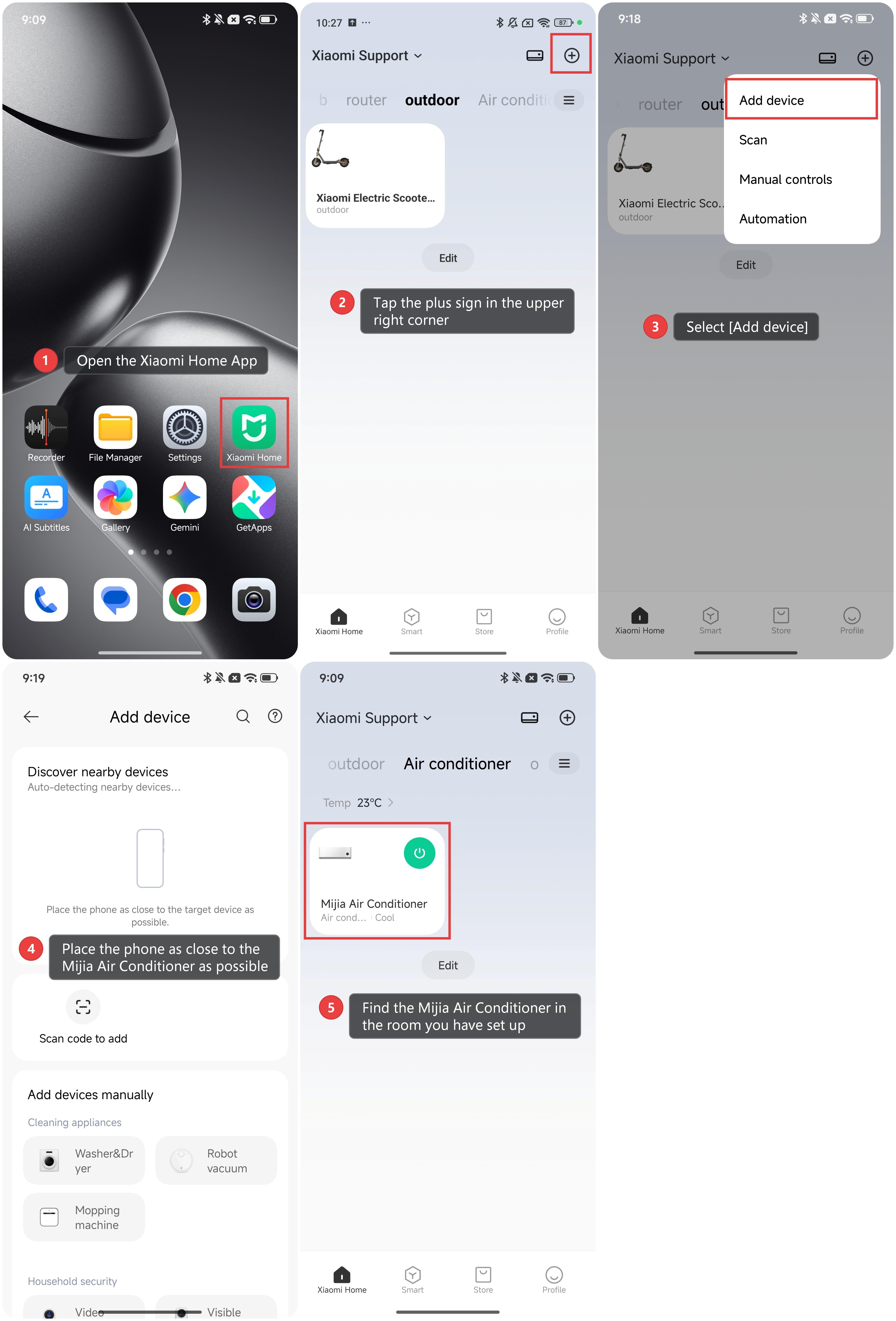
To add the Mijia Air Conditioner to the Xiaomi Home App, follow the steps below:
1. Open the Xiaomi Home App.
2. Tap the plus sign in the upper right corner.
3. Select [Add device].
4. Place the phone as close to the Mijia Air Conditioner as possible and then follow the instructions to add your device. After the Mijia Air Conditioner has been reset successfully, the Xiaomi Home App on your phone will find it and request a connection.
5. Once the connection is successful, you can find the Mijia Air Conditioner in the room you have set up.
Does it help?
Yes
No