

What to do if I forgot the password for the Xiaomi Smart Camera C300 Dual?
The Xiaomi Smart Camera C300 Dual supports setting a security password for your device via the Xiaomi Home App. After setting a password, when you intend to open the real-time monitoring interface, you need to enter the password.
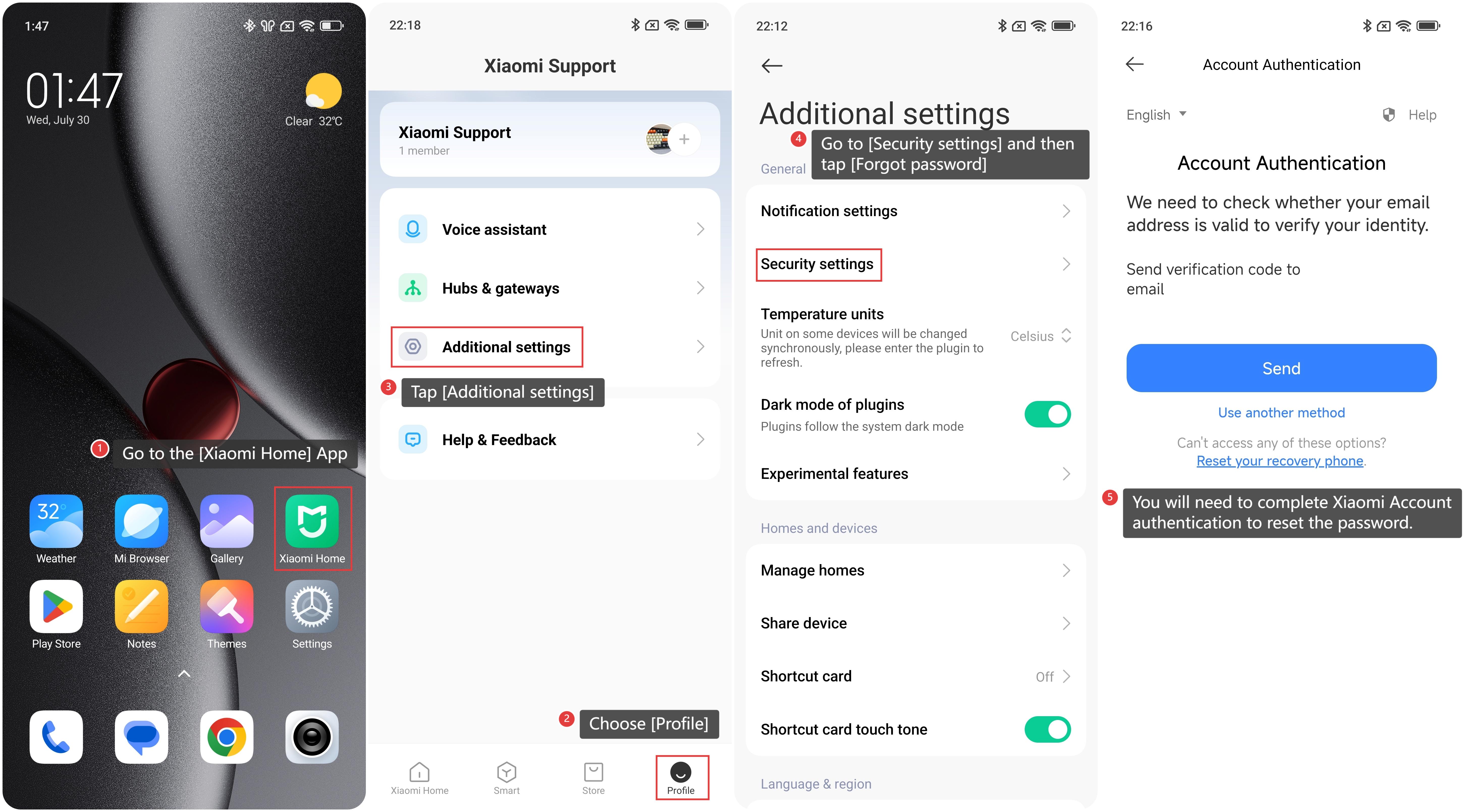
If you forgot the password for the camera, please refer to the following steps:
1. Go to the [Xiaomi Home] App on the phone.
2. Choose [Profile].
3. And then you can tap [Additional settings].
4. Go to [Security settings] and then tap [Forgot password].
5. You will need to complete Xiaomi Account authentication to reset the password.
Friendly tips:
If you forgot the password for the camera, you can also delete the device from the Xiaomi Home App and connect it again.
Does it help?
Yes
No