

How to set the password for the Xiaomi Smart Camera C300 Dual?
The Xiaomi Smart Camera C300 Dual supports password setup to enhance security. Once enabled, direct control of the camera from the homepage or room interface will be restricted. You will need to enter the password to access the device plugin for additional operations.
To set the password for the camera, please refer to the following methods:
Method 1:
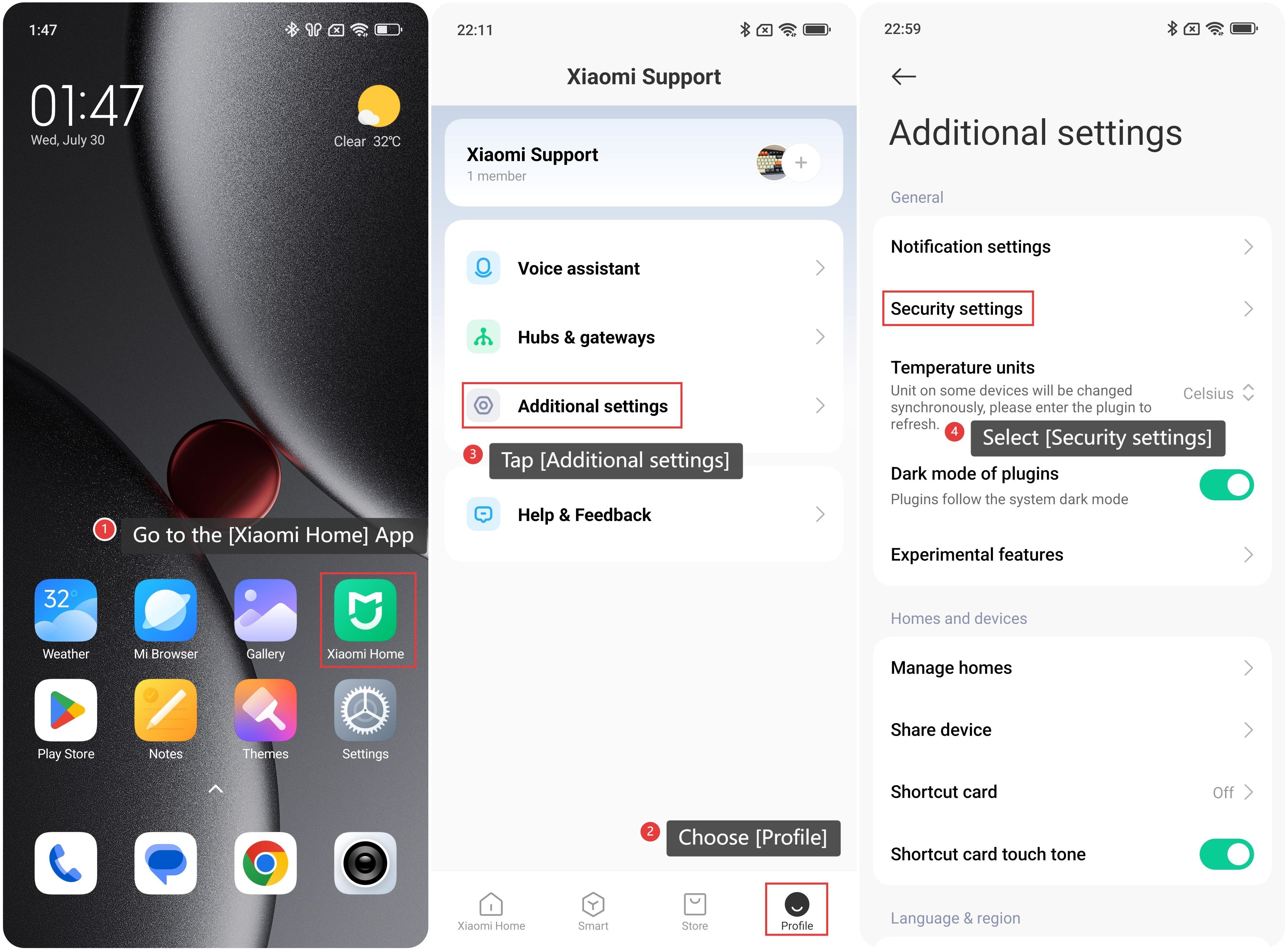
1. Go to the [Xiaomi Home] App.
2. Choose [Profile].
3. Tap [Additional settings].
4. Select [Security settings].
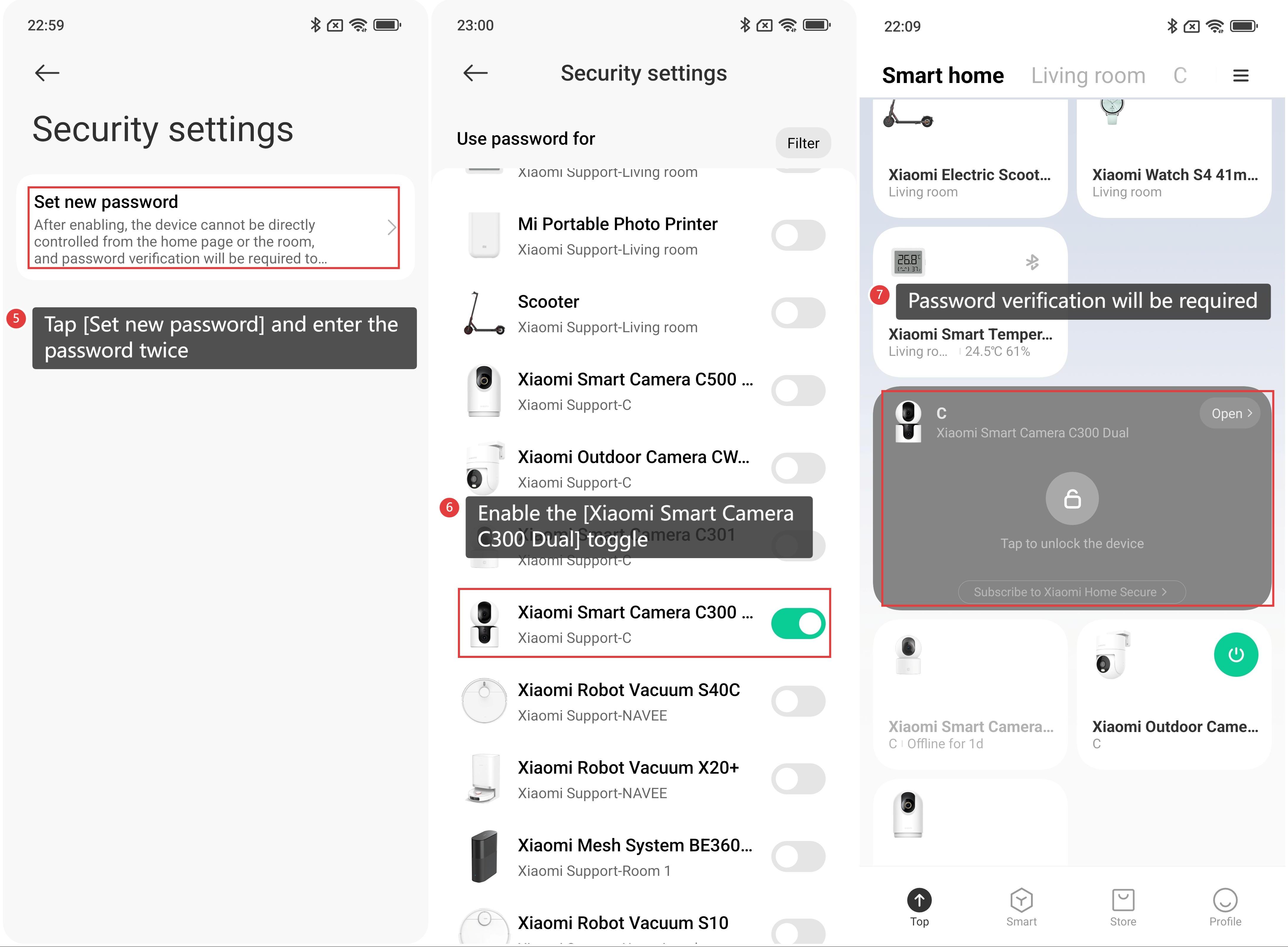
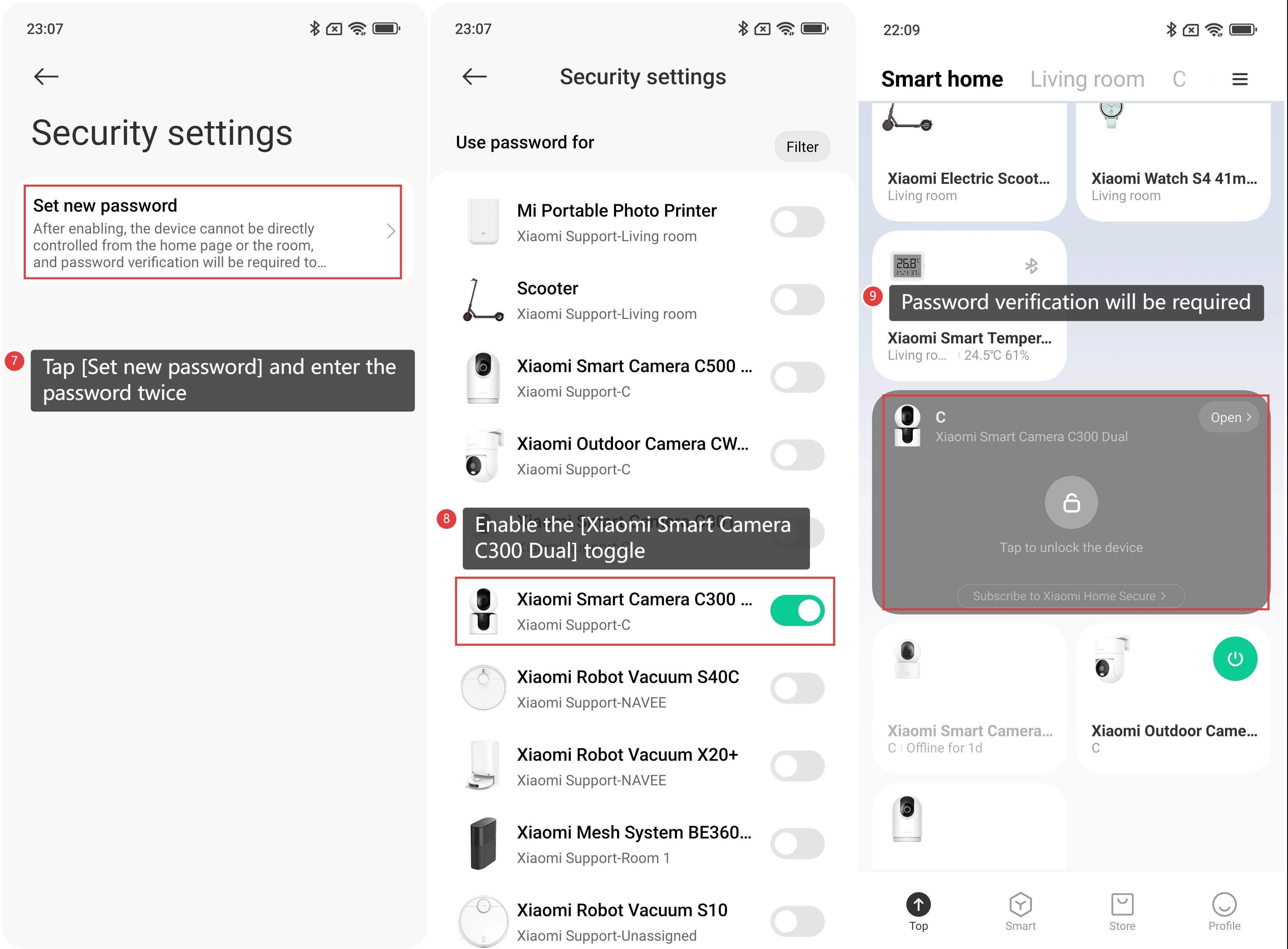
5. Tap [Set new password] and enter the password twice.
6. After setting the password, enable the [Xiaomi Smart Camera C300 Dual] toggle.
7. Once enabled, password verification will be required to access the device card.
Method 2:
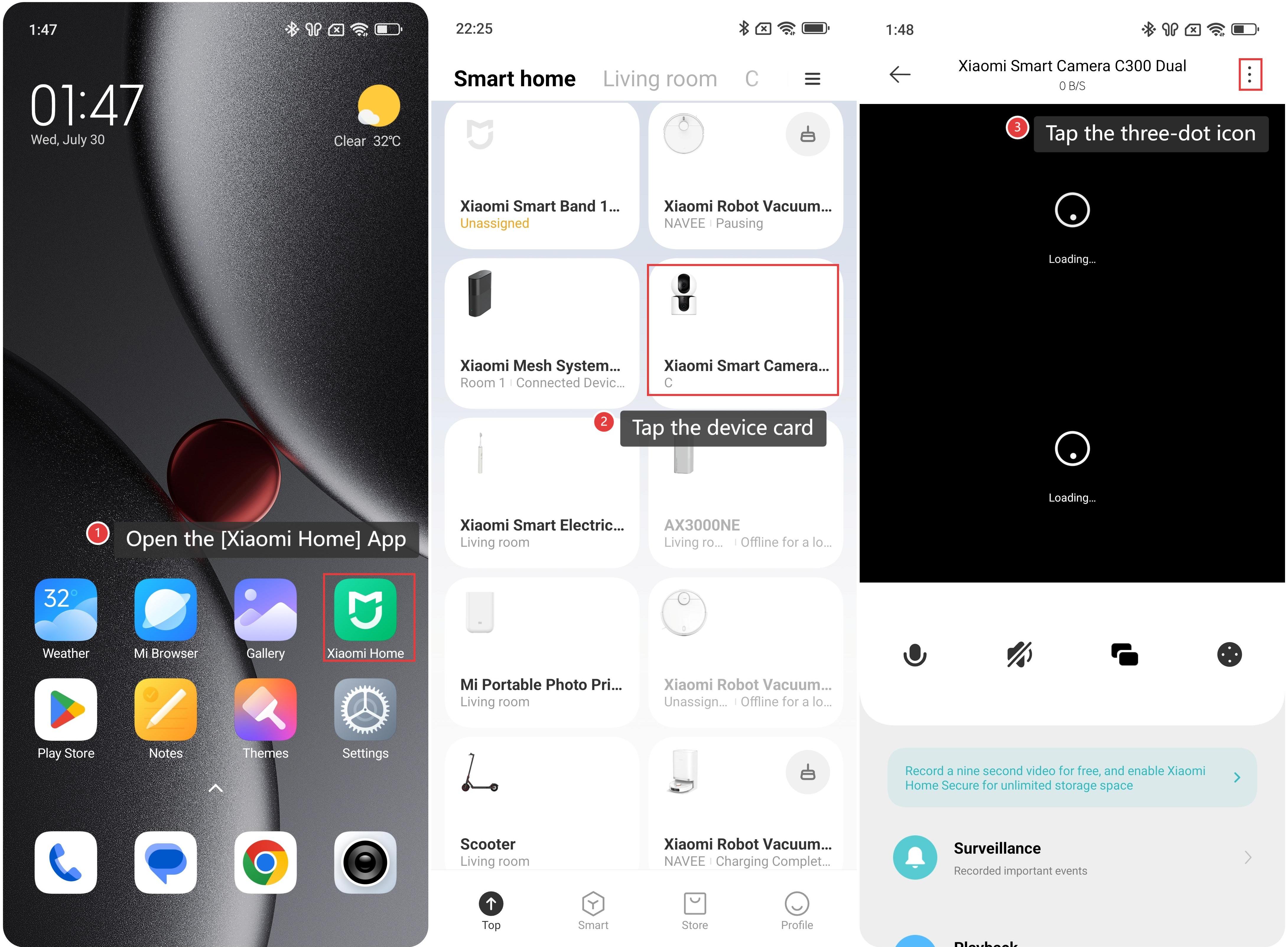
1. Open the [Xiaomi Home] App.
2. Tap the [Xiaomi Smart Camera C300 Dual] device card.
3. Tap the three-dot icon in the upper right corner to enter the settings.
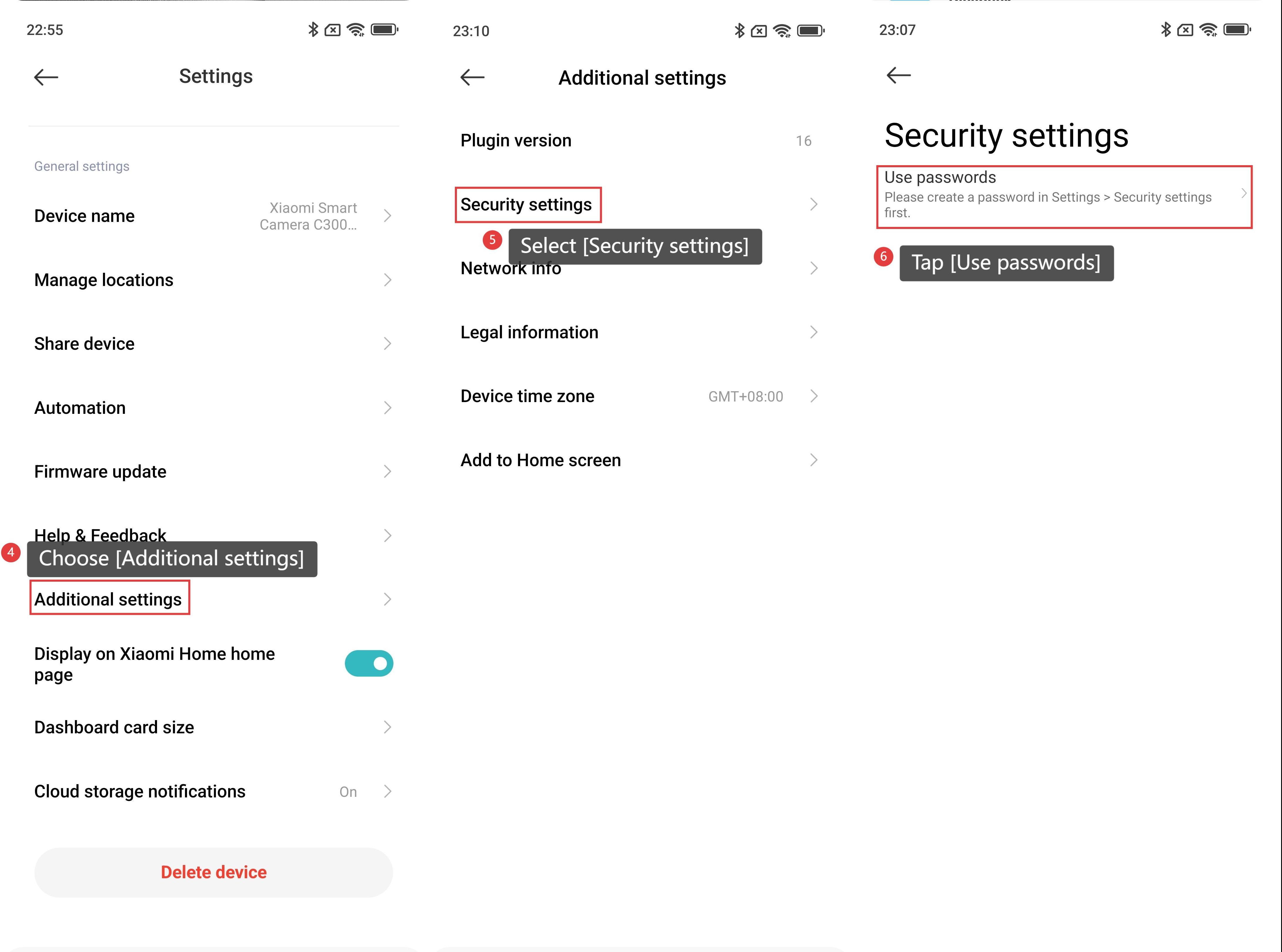
4. Scroll down to find and choose [Additional settings].
5. Select [Security settings].
6. Tap [Use passwords].
7. Tap [Set new password] and enter the password twice.
8. After setting the password, enable the [Xiaomi Smart Camera C300 Dual] toggle.
9. Once enabled, password verification will be required to access the device plugin.
Does it help?
Yes
No