

How to set up Automation on the Xiaomi Smart Camera C300 Dual?
The Xiaomi Smart Camera C300 Dual comes with an Automation feature to make your camera respond to your requirements without constant manual control. This allows you to create a smart scene on how the camera behaves in different scenarios without your direct intervention.
To set up Automation on the camera, please refer to the following steps:
1. Go to the [Xiaomi Home] App on the phone.
2. Tap the [Xiaomi Smart Camera C300 Dual] device card.
3. Tap the three-dot icon in the upper right corner to enter the settings.
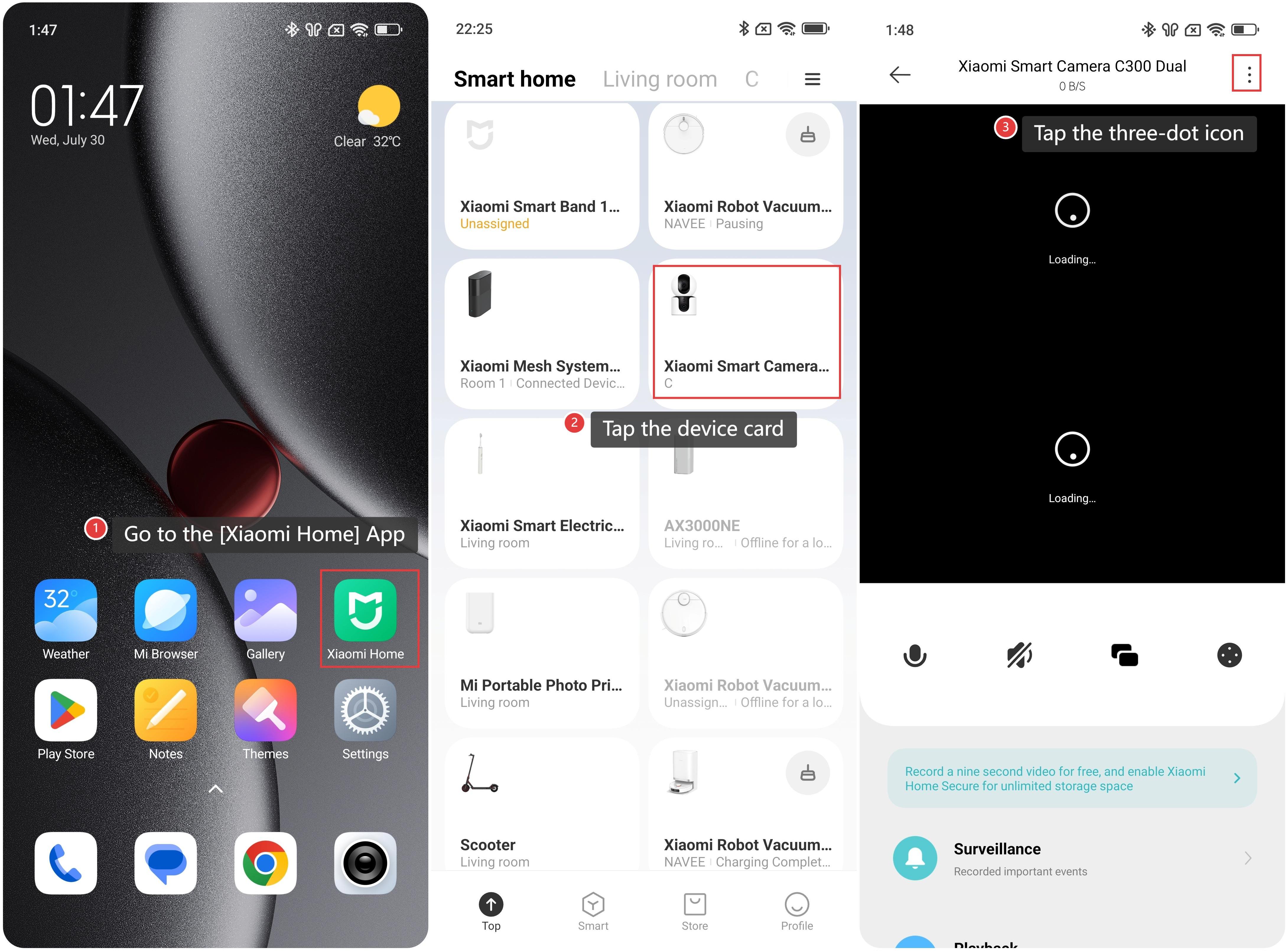
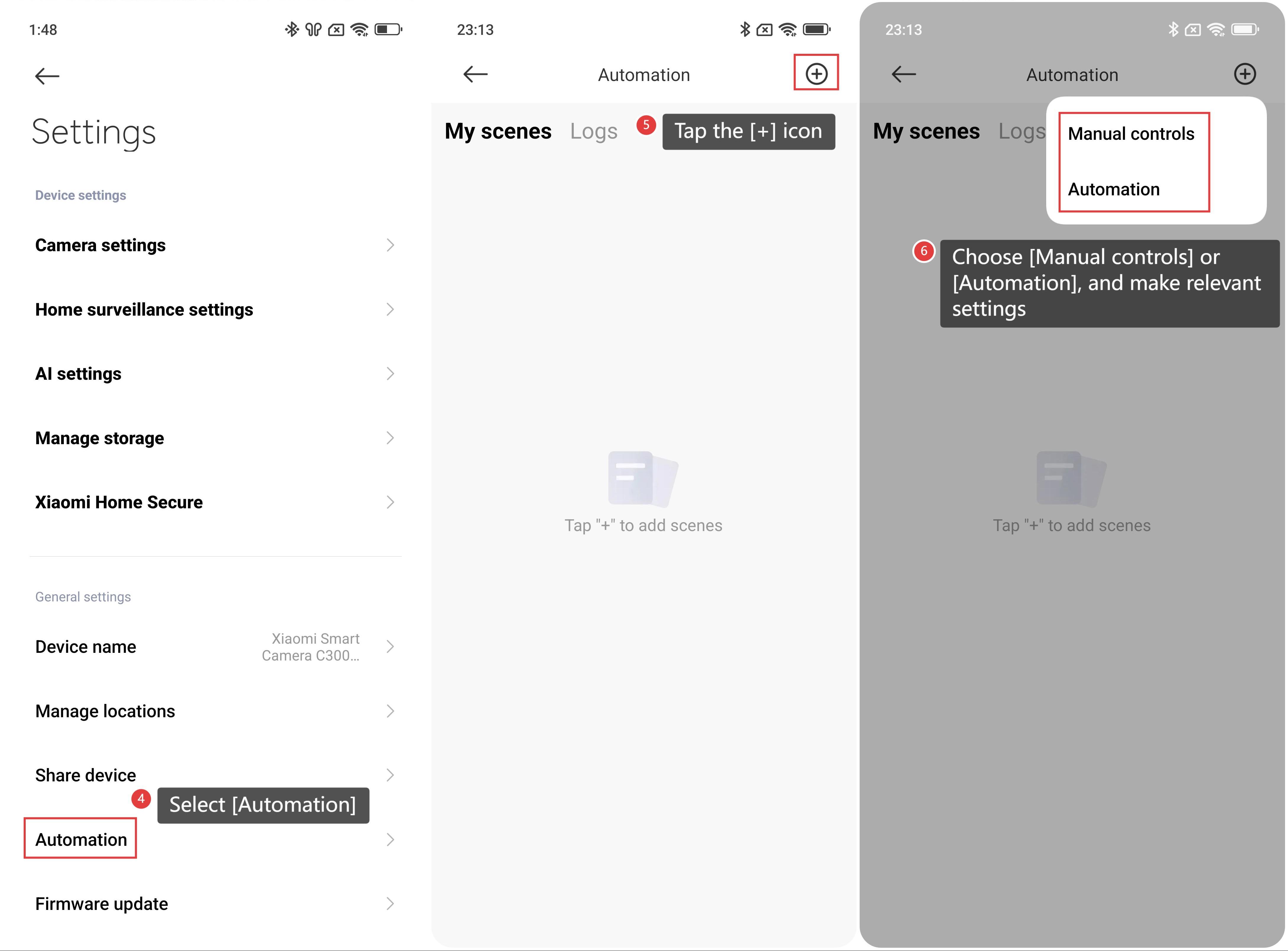
4. Select [Automation].
5. And then tap the [+] icon at the upper right corner.
6. Choose [Manual controls] or [Automation], and then follow the instructions to configure based on your preferences.
Does it help?
Yes
No