

How to enable Image detection on the Xiaomi Smart Camera C300 Dual?
The Xiaomi Smart Camera C300 Dual features the Image detection function. After turning on the Image detection, when the camera detects a screen change, it pushes a message to the mobile and records the event, and it can also be linked to the smart scene.
To enable Image detection on the smart camera, please refer to the following steps:
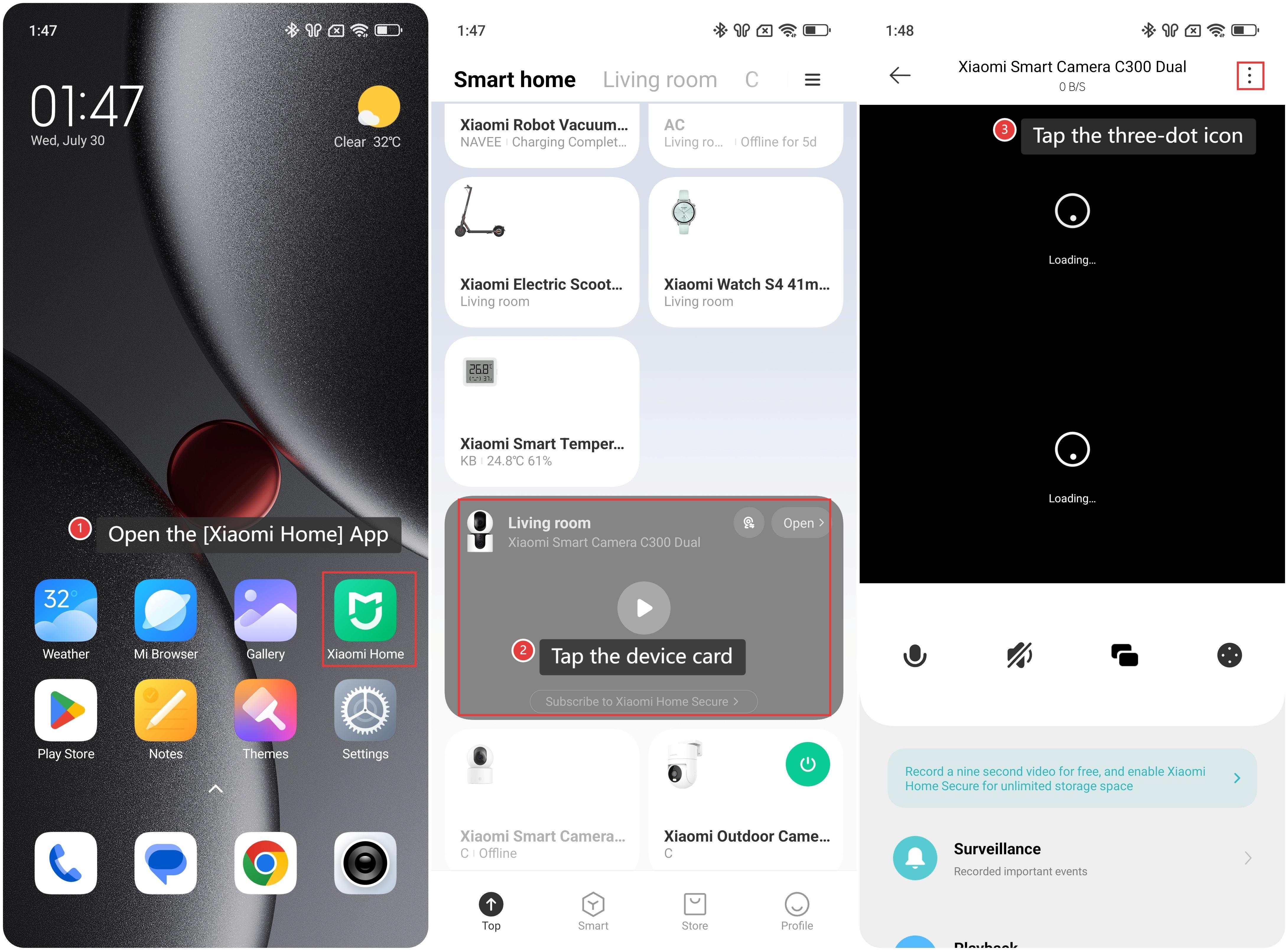
1. Open the [Xiaomi Home] App on the phone.
2. Tap the [Xiaomi Smart Camera C300 Dual] device card.
3. Tap the three-dot icon in the upper right corner to enter the settings.
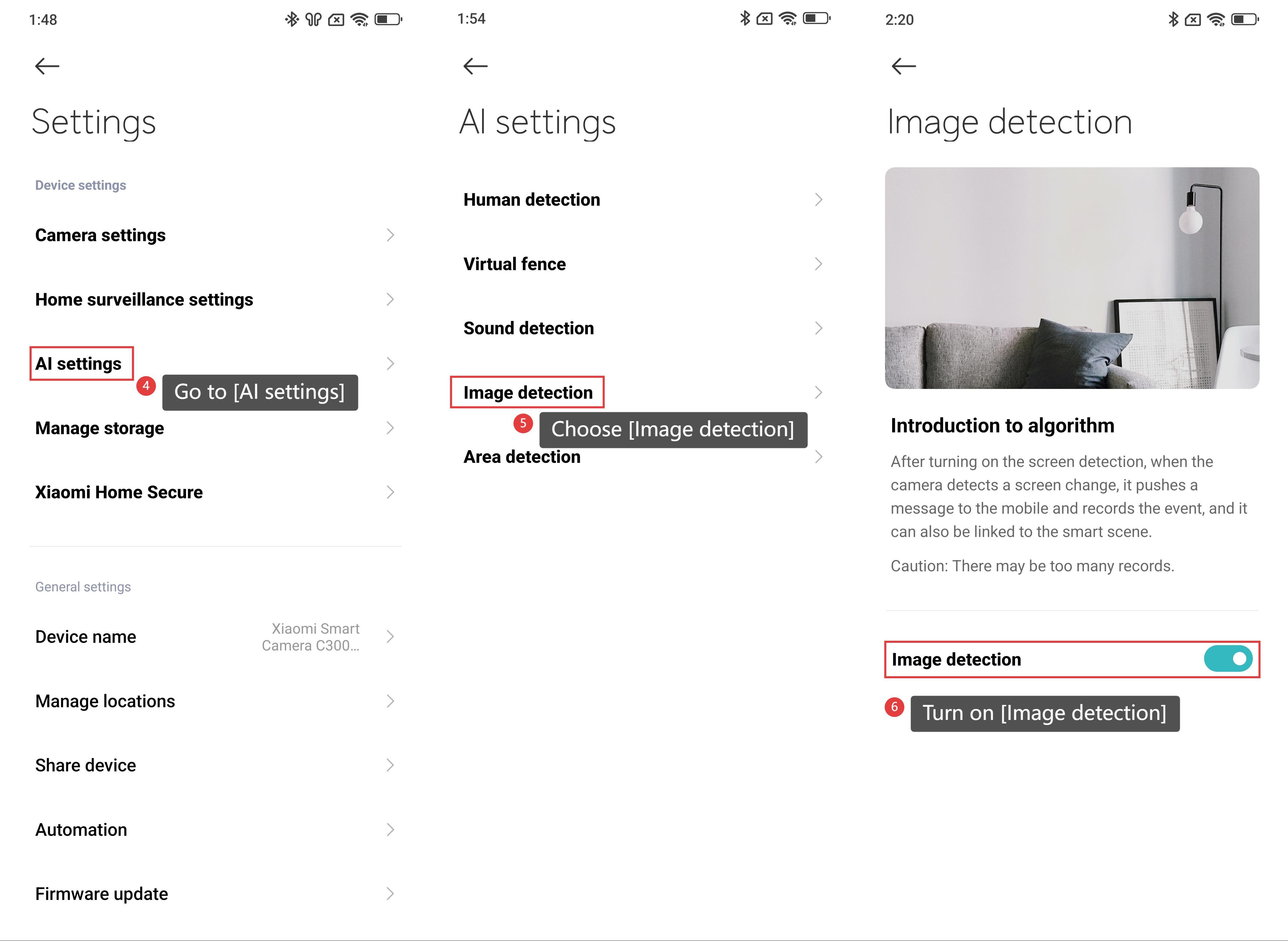
4. Go to [AI settings].
5. Choose [Image detection].
6. Turn on [Image detection].
Note:
After turning on the Image detection feature, there can be too many records.
Does it help?
Yes
No