

How to enable the WDR mode on the Xiaomi Smart Camera C300 Dual?
The Xiaomi Smart Camera C300 Dual supports WDR (Wide Dynamic Range) mode, which enhances image clarity by balancing overexposed and underexposed areas in high-contrast scenes. This feature is especially useful in environments with strong backlighting or uneven lighting, helping to reveal more detail in both bright and dark areas.
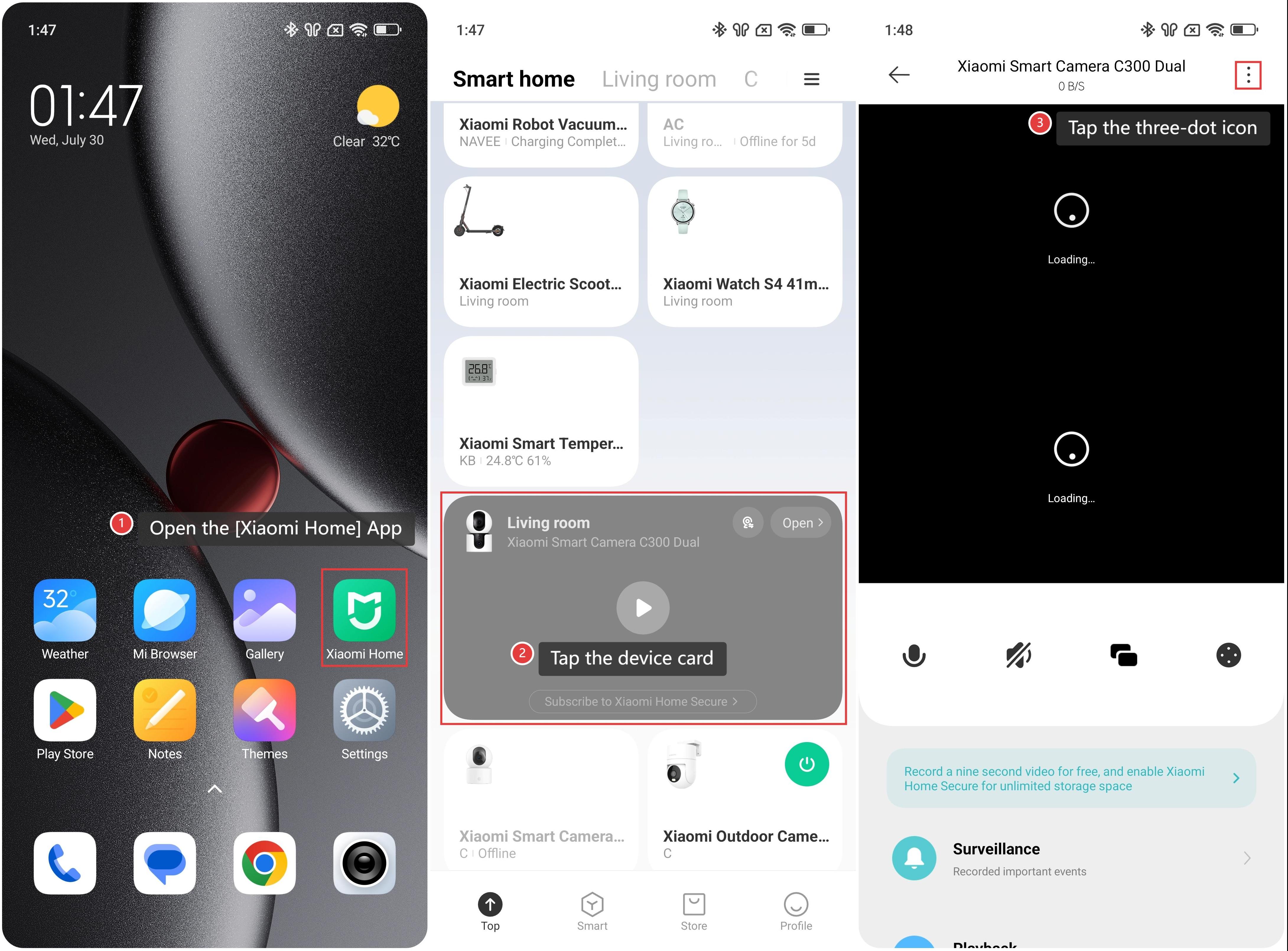
To enable the WDR mode on the smart camera, please refer to the following steps:
1. Open the [Xiaomi Home] App.
2. Tap the [Xiaomi Smart Camera C300 Dual] device card.
3. Tap the three-dot icon in the upper right corner to enter the settings.
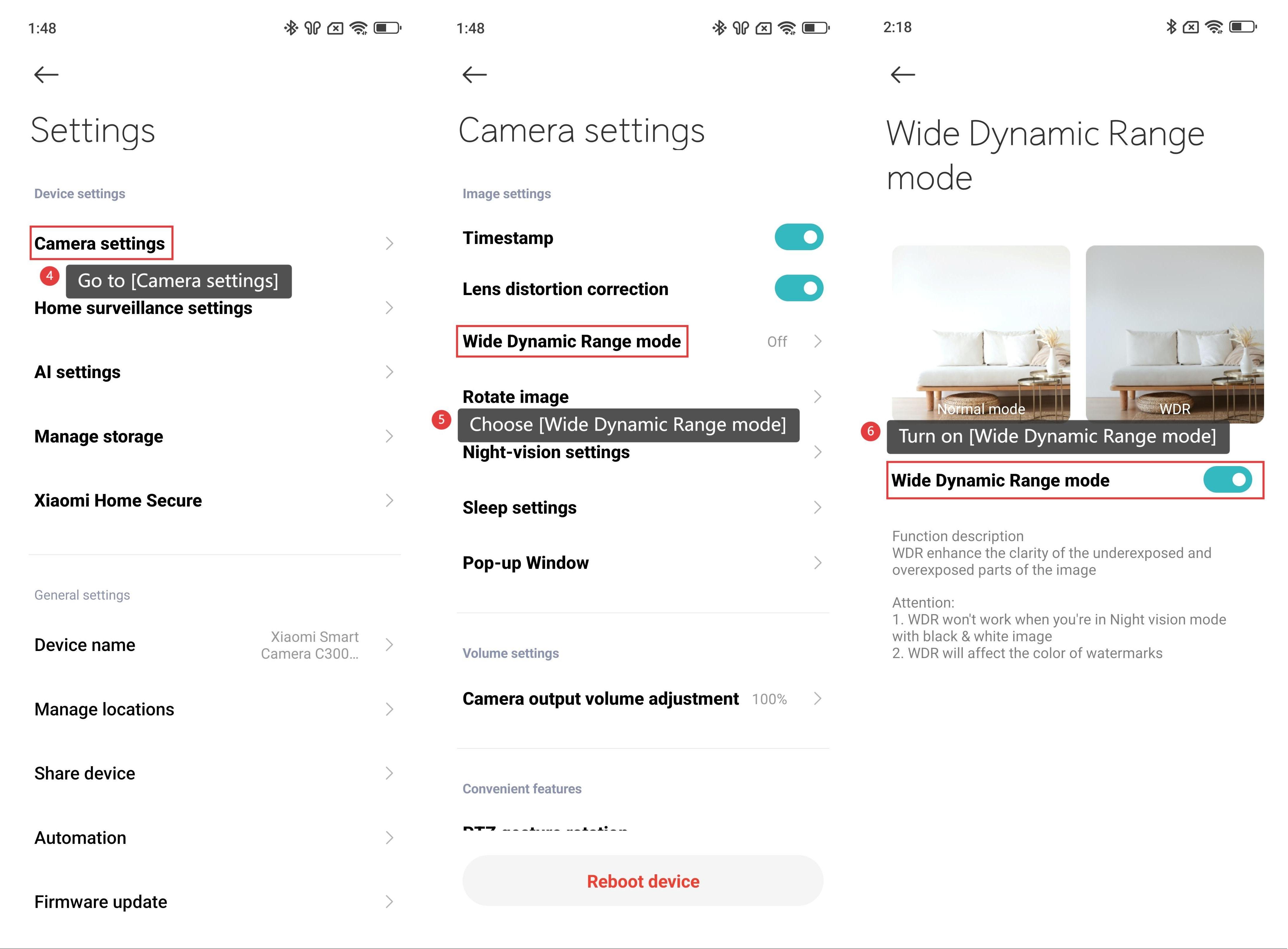
4. Go to [Camera settings].
5. Choose [Wide Dynamic Range mode].
6. Turn on [Wide Dynamic Range mode].
Note:
WDR won't work when the camera is in Night vision mode with a black and white image.
WDR will affect the color of watermarks.
Does it help?
Yes
No