

How to set the Event notification type of the Home surveillance on the Xiaomi Smart Camera C300 Dual?
The Xiaomi Smart Camera C300 Dual supports customizable event notification types of the Home surveillance, allowing you to receive alerts on your phone when event trigger conditions are met, such as motion detection or sound detection. With flexible message push management, you can choose which types of notifications to receive based on your needs.
To set the Event notification type of the Home surveillance on the smart camera, please refer to the following steps:
1. Open the [Xiaomi Home] App on the phone.
2. Tap the [Xiaomi Smart Camera C300 Dual] device card.
3. Tap the three-dot icon in the upper right corner to enter the settings.
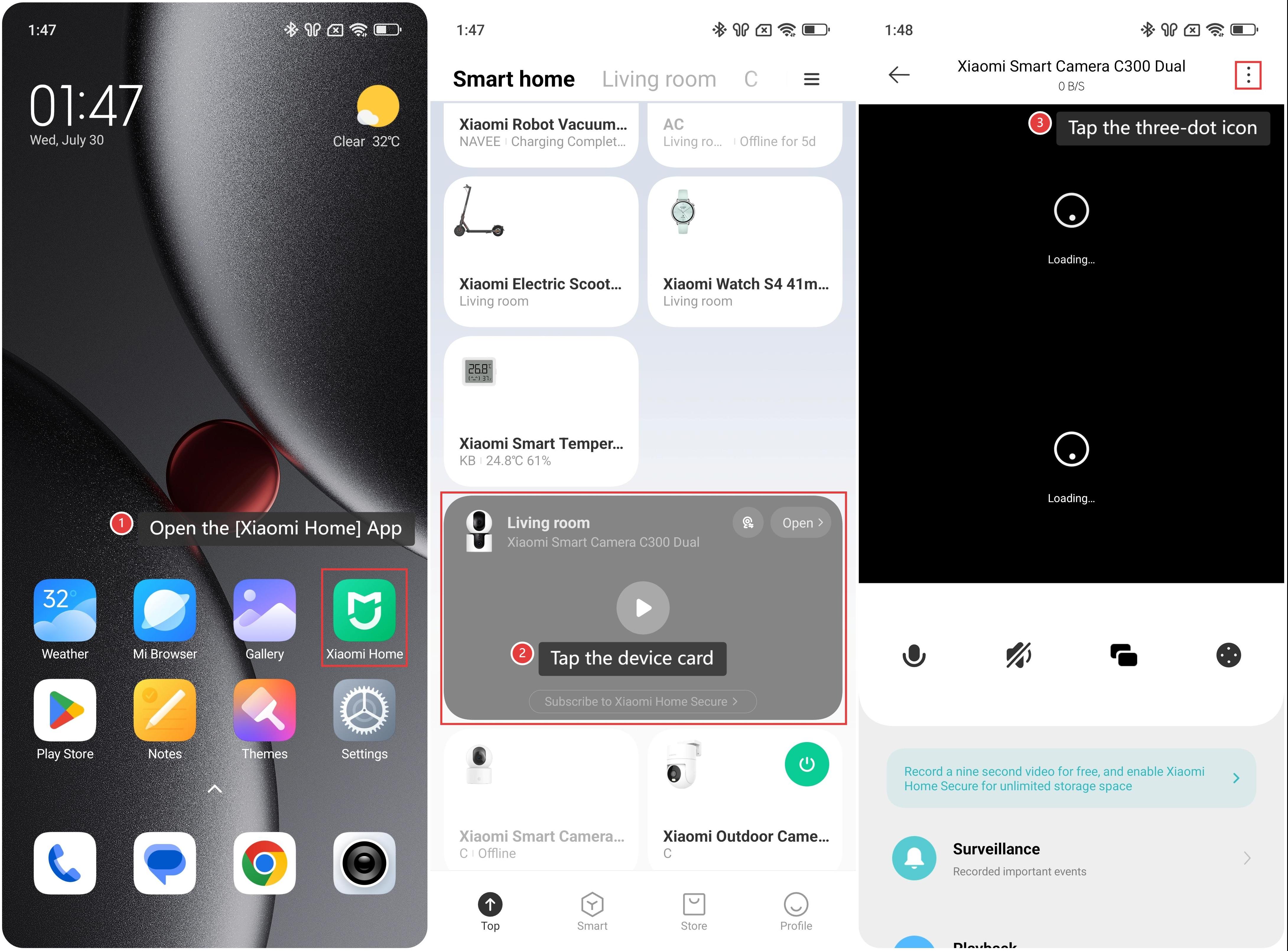
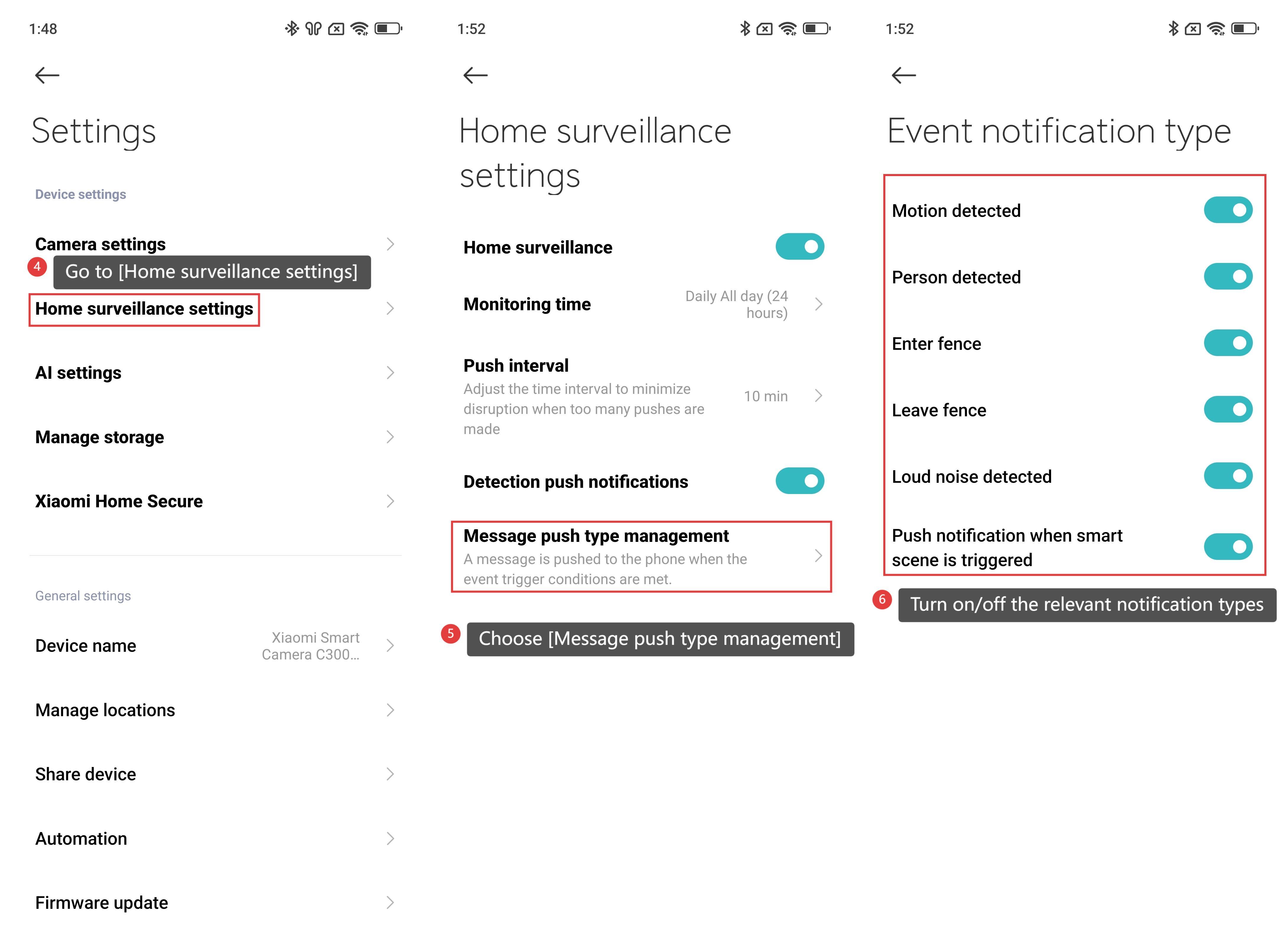
4. Go to [Home surveillance settings].
5. Choose [Message push type management].
6. Turn on/off the relevant notification types as you prefer.
Friendly tips:
You can turn on/off the [Motion detected], [Person detected], [Enter fence], [Leave fence], [Loud noise detected] and [Push notifications when smart scene is triggered].
Does it help?
Yes
No