

How to take videos of the real-time surveillance on the Xiaomi Smart Camera C300 Dual?
The Xiaomi Smart Camera C300 Dual can record and store videos of the real-time surveillance, allowing you to easily capture important moments from your live camera feed with just a few taps.
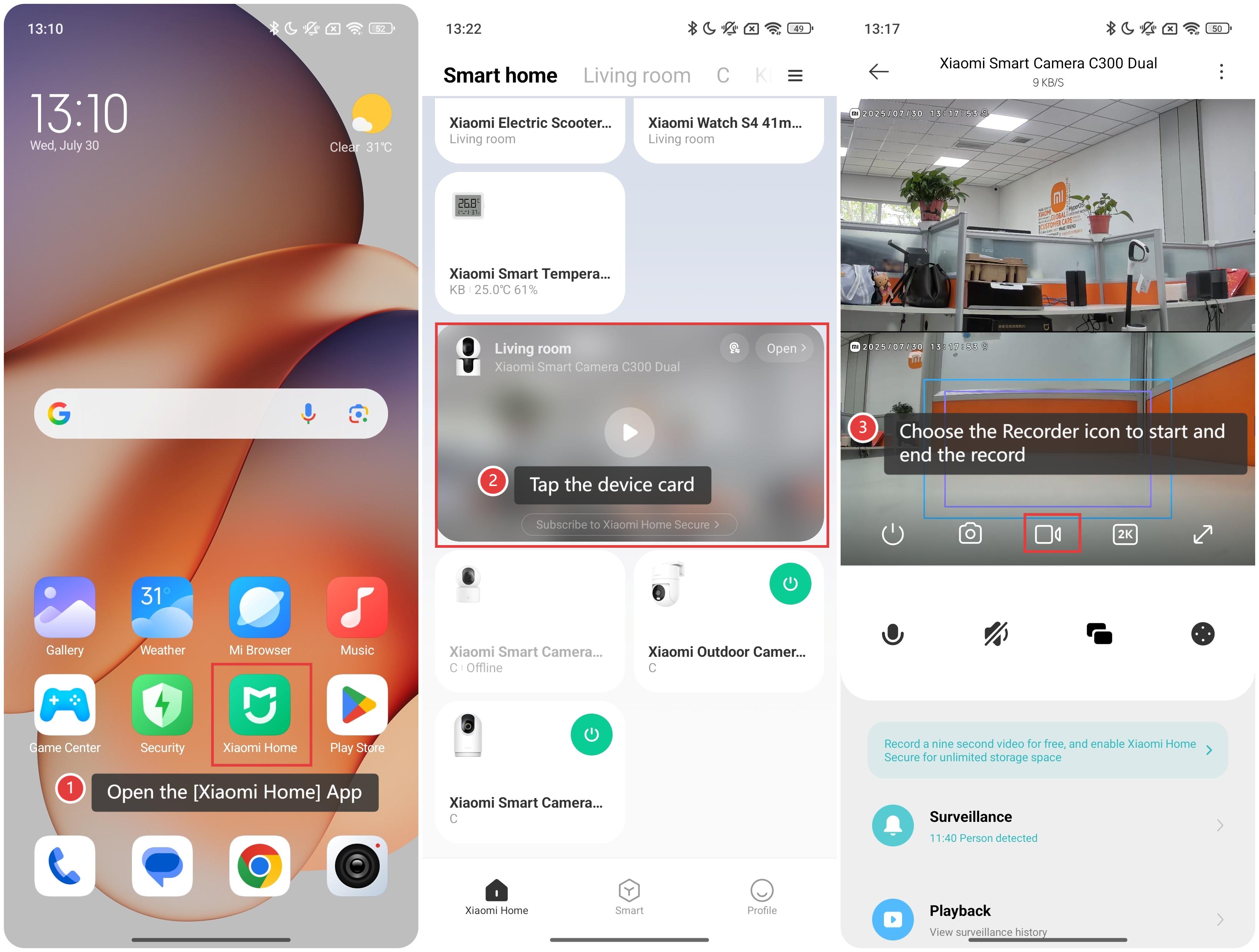
To take videos of the real-time surveillance on the smart camera, please refer to the following steps:
1. Open the [Xiaomi Home] App on the phone.
2. Tap the [Xiaomi Smart Camera C300 Dual] device card.
3. Choose the Recorder icon to start and end the record.
Friendly tips:
These recorded videos of the real-time surveillance can be saved to the smartphone gallery for easy access.
Does it help?
Yes
No