

How to drag the timeline to view videos recorded by the Xiaomi Home Secure?
The Xiaomi Home App supports dragging the timeline to view videos recorded by Xiaomi Home Secure, allowing you to quickly locate specific moments in your recordings. This feature helps you save time by avoiding unnecessary playback and makes reviewing important events more efficient.
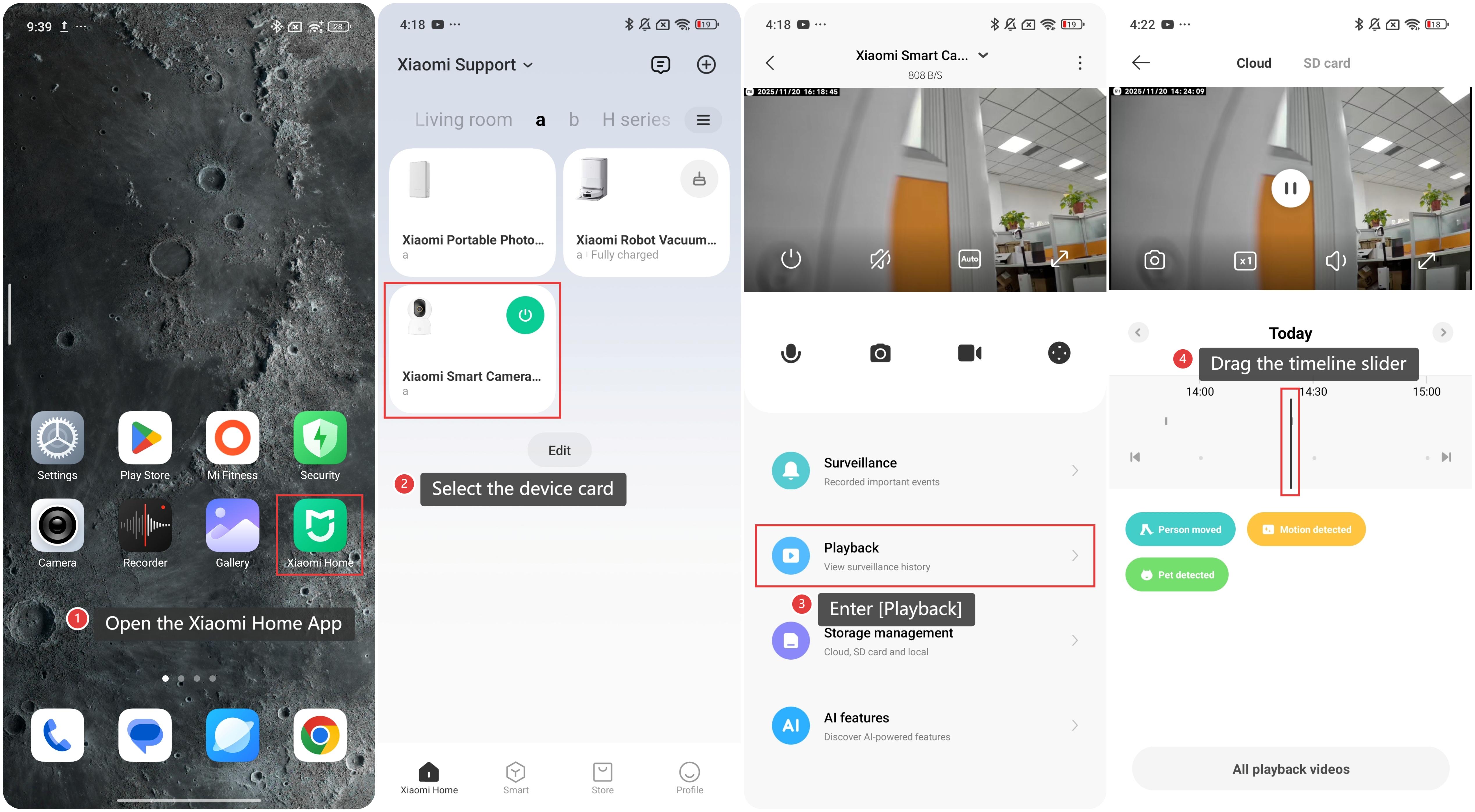
To drag the timeline to view videos recorded by Xiaomi Home Secure on the Xiaomi Home App, please refer to the following steps:
1. Open the Xiaomi Home App on your phone.
2. Select the device card.
3. Enter [Playback].
4. Drag the timeline slider to quickly navigate to the desired moment in the video. You can move backward or forward to pinpoint the exact segment you want to watch.
Does it help?
Yes
No