

How to enable cloud storage notifications for the Xiaomi Outdoor Camera CW100 Dual?
Before enabling cloud storage notifications for the Xiaomi Outdoor Camera CW100 Dual, please make sure that both the Xiaomi Home app notifications and your phone’s system notification permissions are turned on.
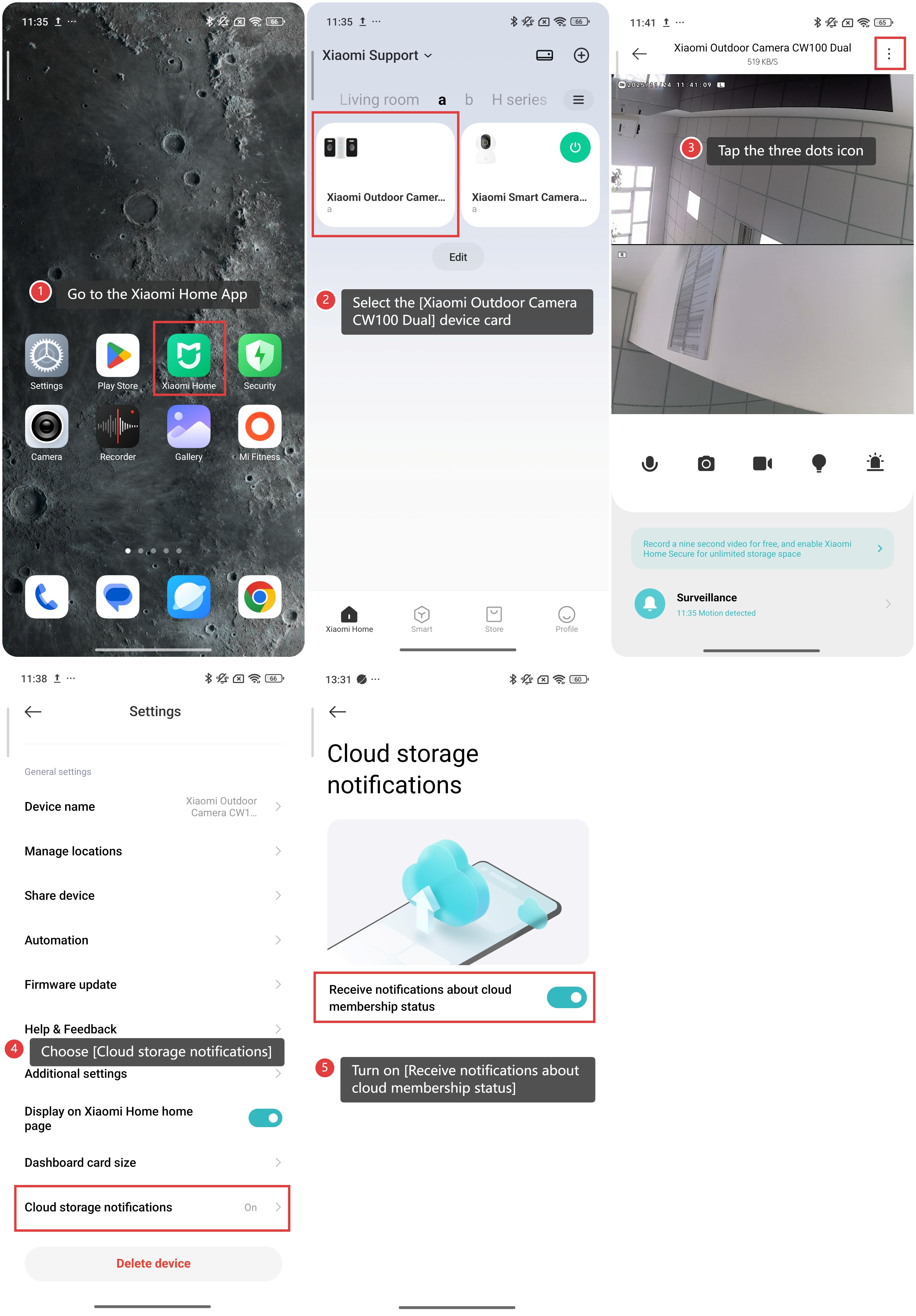
To enable cloud storage notifications for the Xiaomi Outdoor Camera CW100 Dual, please refer to the following steps:
1. Go to the Xiaomi Home App.
2. Select the [Xiaomi Outdoor Camera CW100 Dual] device card.
3. Tap the three dots icon in the upper right corner.
4. Scroll down to find and choose [Cloud storage notifications].
5. Turn on [Receive notifications about cloud membership status].
Does it help?
Yes
No