

How to set a password for the Xiaomi Outdoor Camera CW100 Dual in the Xiaomi Home App?
Setting a password enhances the security of the Xiaomi Outdoor Camera CW100 Dual, protecting access to the device and its settings. It helps prevent unauthorized use, safeguards privacy, and ensures that all operations are carried out safely.
To set the password for the Xiaomi Outdoor Camera CW100 Dual, please refer to the following methods:
Method 1:
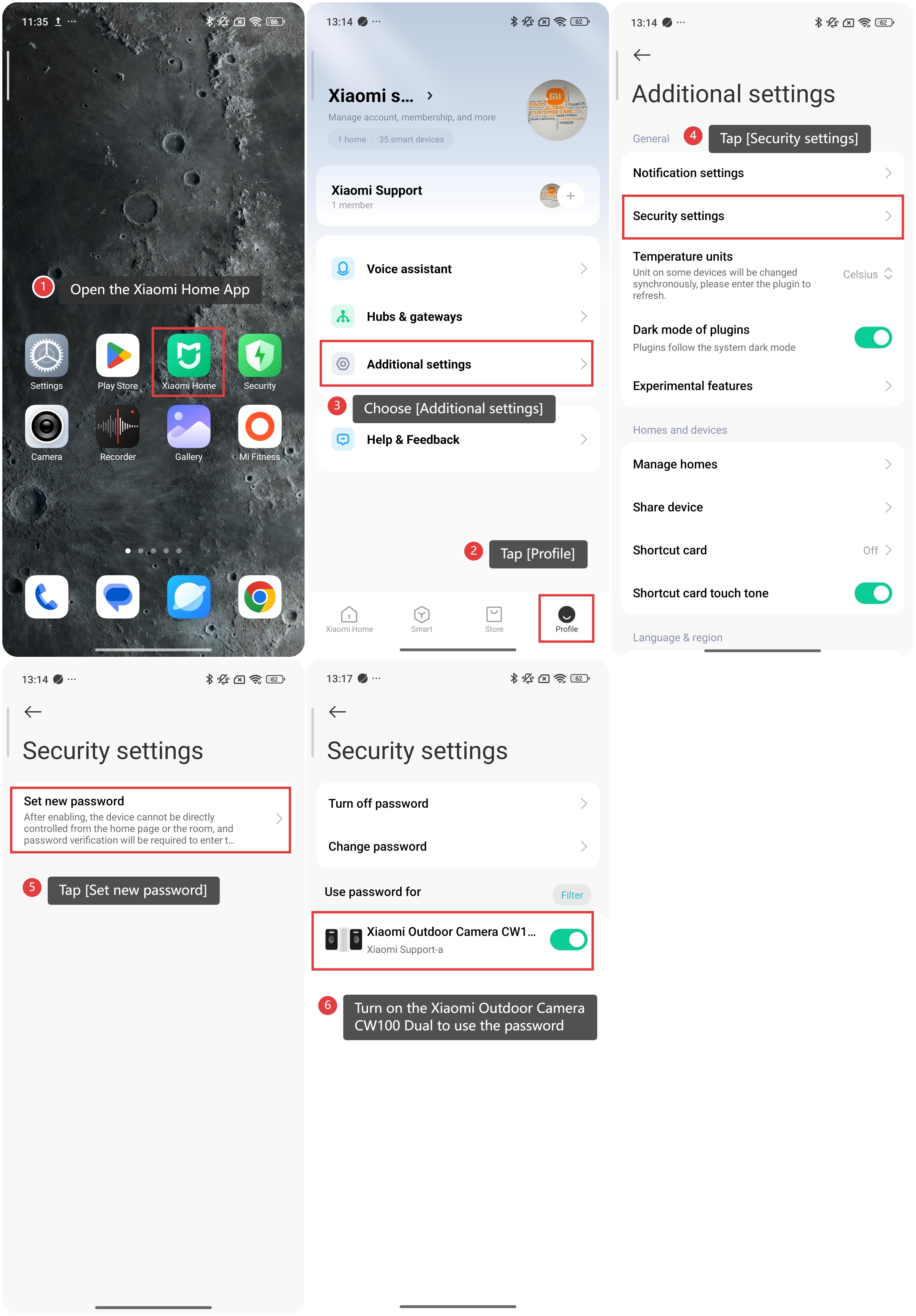
1. Open the Xiaomi Home App on your phone.
2. Tap [Profile].
3. Choose [Additional settings].
4. Tap [Security settings].
Tap [Set new password] and enter your new password.
Turn on the Xiaomi Outdoor Camera CW100 Dual toggle to use the password.
Method 2:
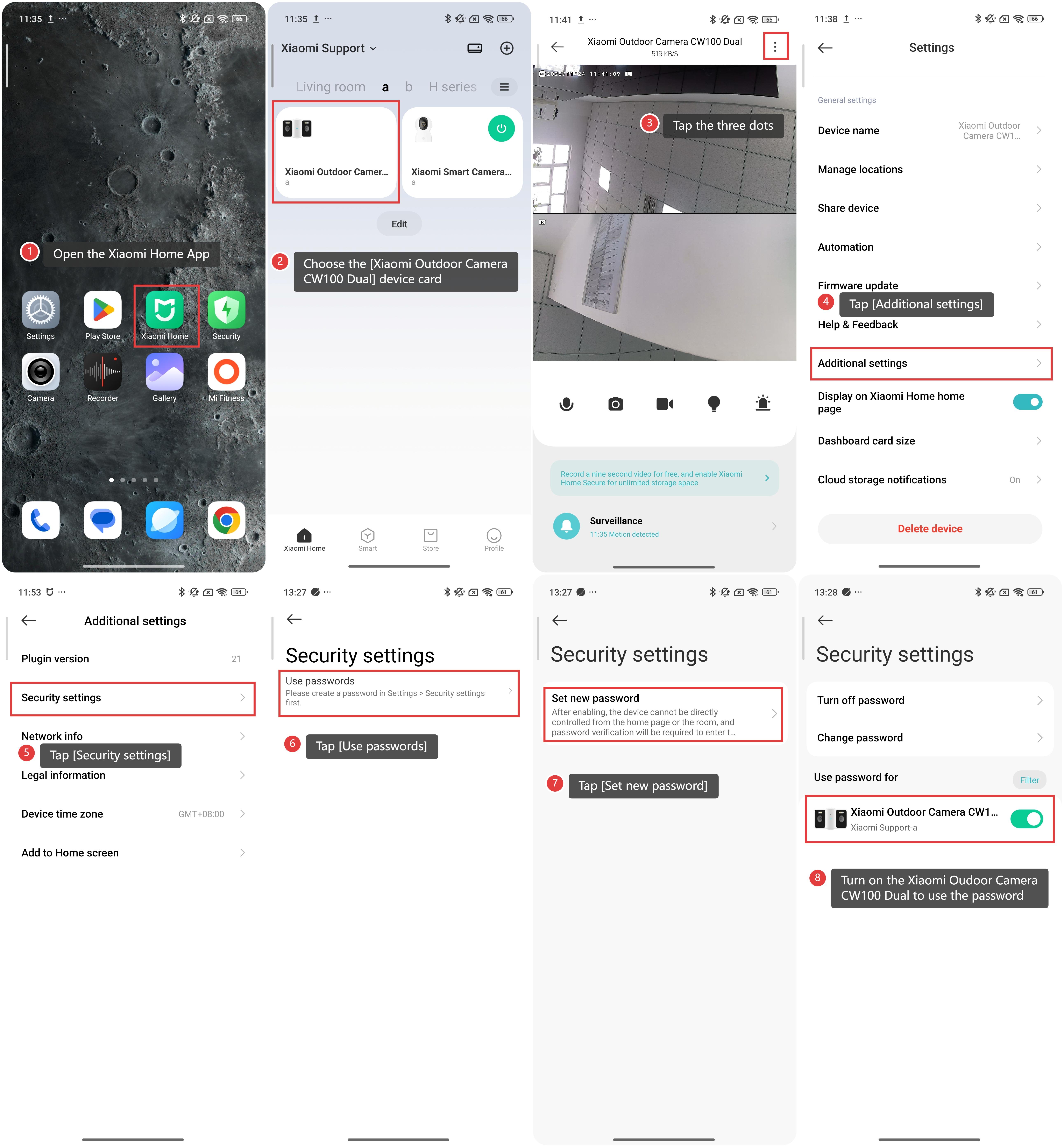
1. Open the Xiaomi Home App on your phone.
2. Choose the [Xiaomi Outdoor Camera CW100 Dual] device card.
3. Tap the three dots in the top right corner.
4. Scroll down to find and choose [Additional settings].
5. Tap [Security settings].
6. Tap [Use passwords].
7. Tap [Set new password] and enter your new password.
8. Turn on the Xiaomi Outdoor Camera CW100 Dual toggle to use the password.
Does it help?
Yes
No