

How to download a video recorded by the Xiaomi Home Secure?
Videos recorded by Xiaomi Home Secure can be downloaded directly through the Xiaomi Home App. This allows important footage to be saved locally for future reference, sharing, or backup, ensuring that recordings remain accessible even without an active internet connection.
To download a video recorded by the Xiaomi Home Secure, please refer to the following methods:
Method 1:
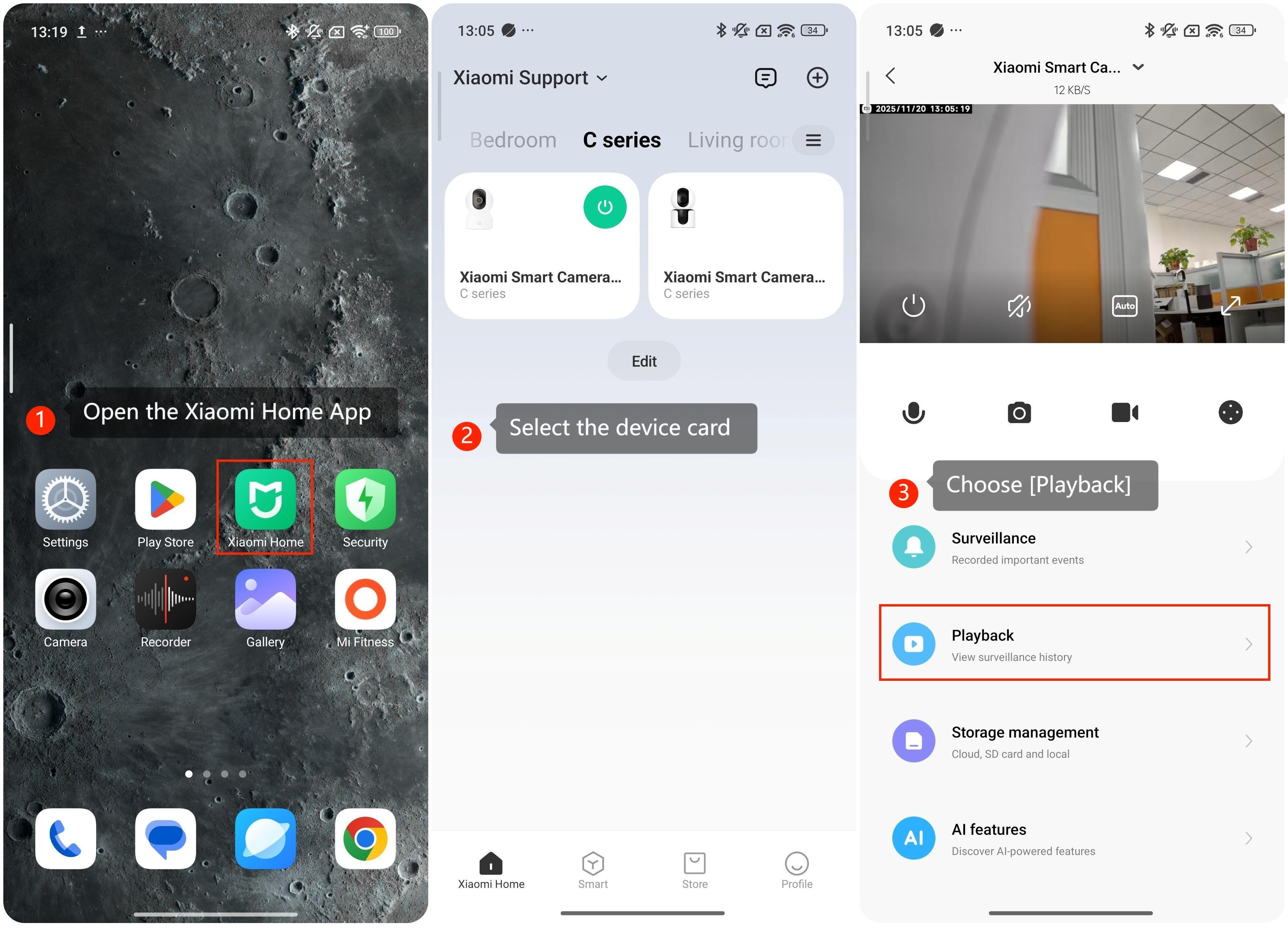
1. Open the Xiaomi Home App on your phone.
2. Select the device card.
3. Choose [Playback].
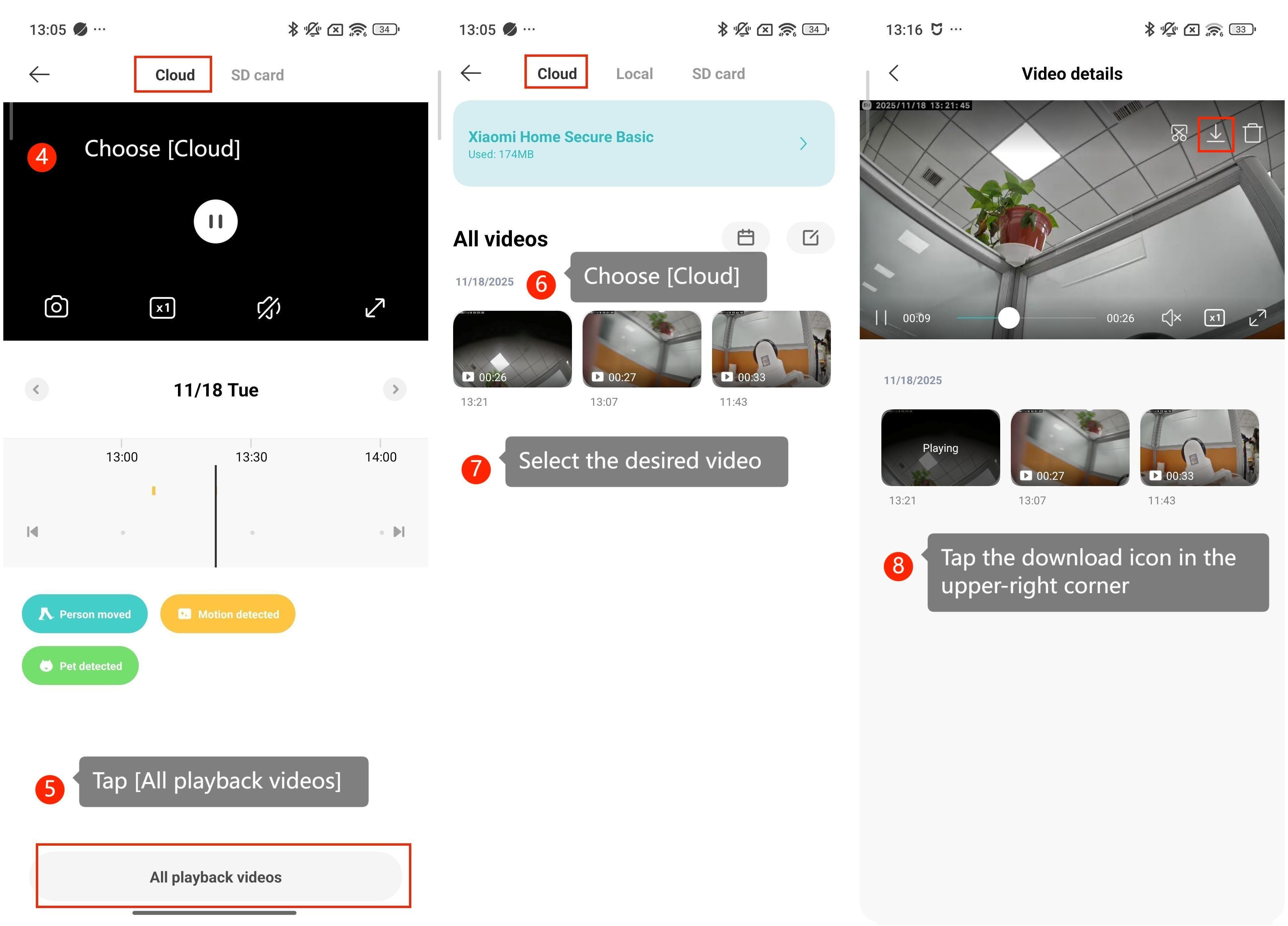
4. Choose [Cloud].
5. Tap [All playback videos].
6. Choose [Cloud].
7. Select the desired video.
8. Tap the download icon in the upper-right corner.
Method 2:
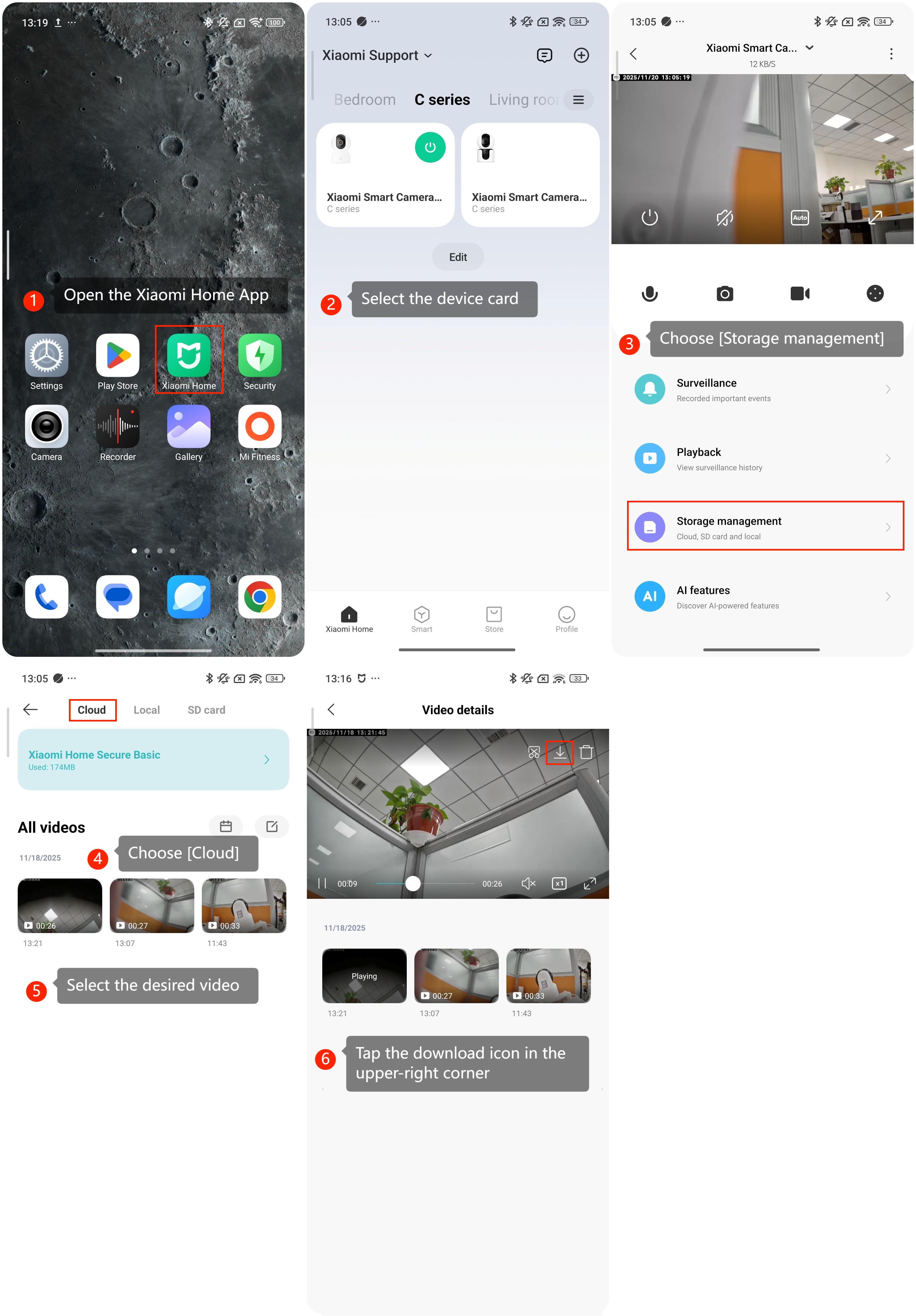
1. Open the Xiaomi Home App on your phone.
2. Select the device card.
3. Choose [Storage management].
4. Choose [Cloud].
5. Select the desired video.
6. Tap the download icon in the upper-right corner.
Does it help?
Yes
No