

How to share videos recorded by the Xiaomi Home Secure?
Sharing videos recorded by Xiaomi Home Secure offers several benefits. It allows family members or trusted individuals to view security footage, ensuring everyone stays informed about home activity. Additionally, sharing via social apps makes it easier to save and organize important recordings, enhancing both convenience and security management.
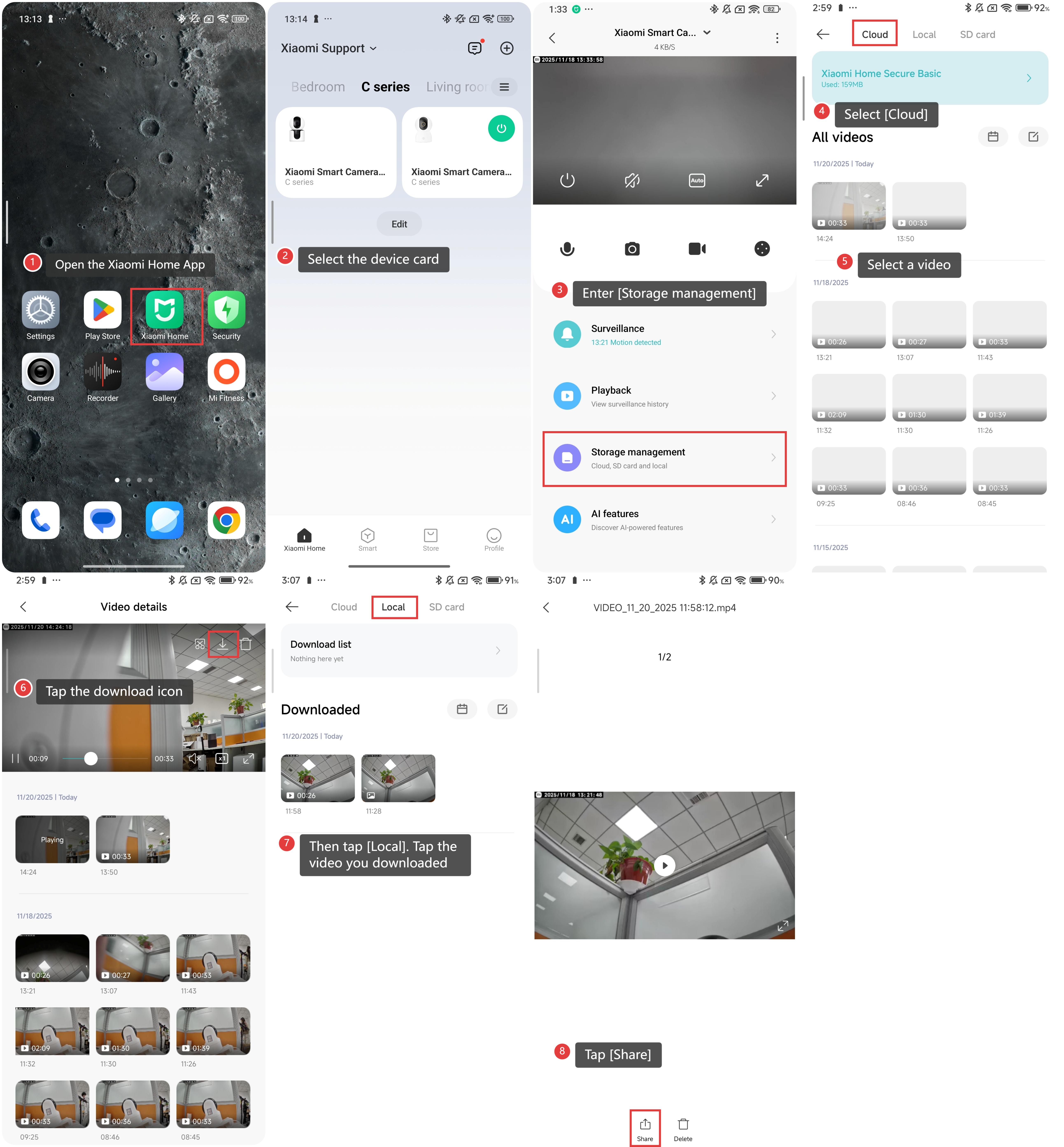
To share videos recorded by the Xiaomi Home Secure, please refer to the following steps:
1. Open the Xiaomi Home App on your phone.
2. Select the device card.
3. Enter [Storage management].
4. Select [Cloud].
5. Select a video.
6. Tap the download icon to download the video you want to share.
7. Then tap [Local]. Tap the video you downloaded.
8. Tap [Share].
Does it help?
Yes
No