

What causes the screen of the Xiaomi Pad Mini to have a color cast in sunlight?
To ensure clarity when viewing the screen outdoors, the Xiaomi Pad Mini will adjust the screen brightness and color. The color shift you see is normal.
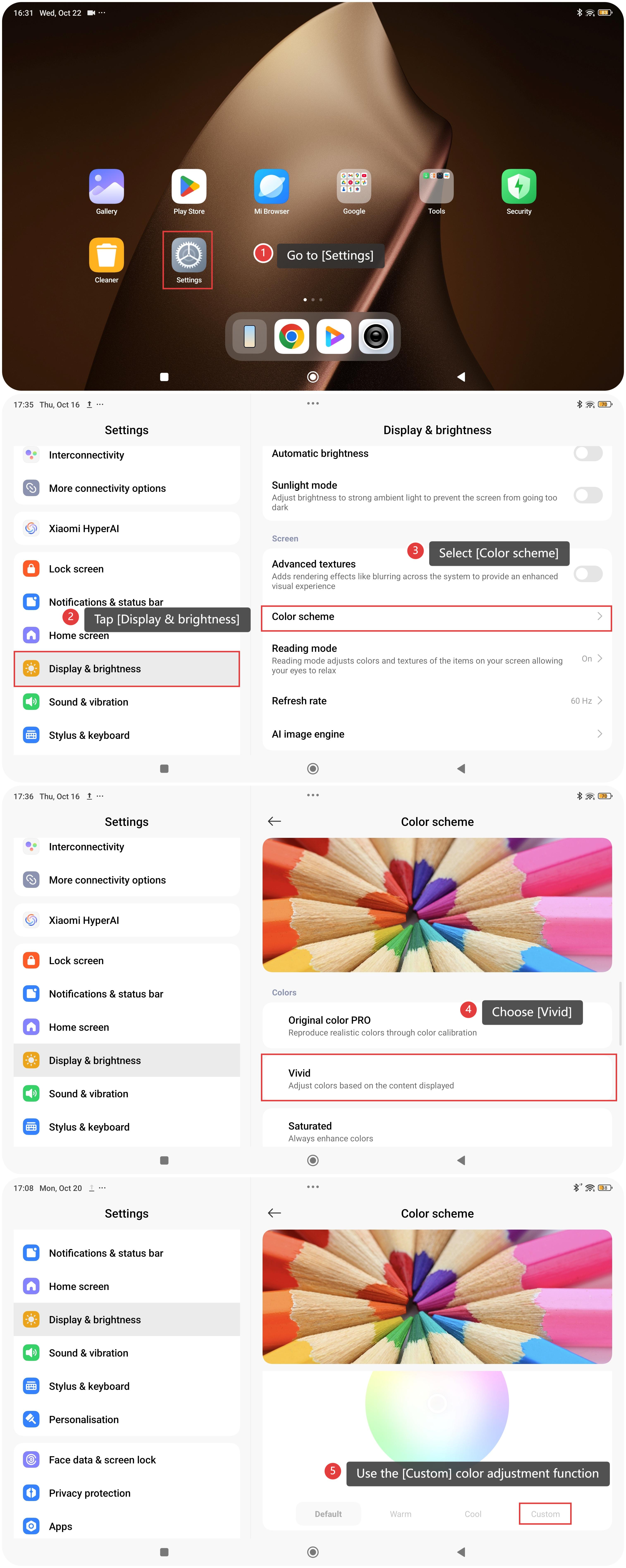
To enhance the viewing experience outdoors, you can adjust the color scheme:
- Go to [Settings].
- Tap [Display & brightness].
- Select [Color scheme].
- Choose [Vivid], or use the [Custom] color adjustment function to enhance the display experience.
Does it help?
Yes
No