

Why does the Xiaomi Pad Mini have a smearing or color cast in Dark mode?
If you notice smearing or a color on the Xiaomi Pad Mini, it is due to the screen’s color temperature settings. You can adjust the display and reduce the color cast.
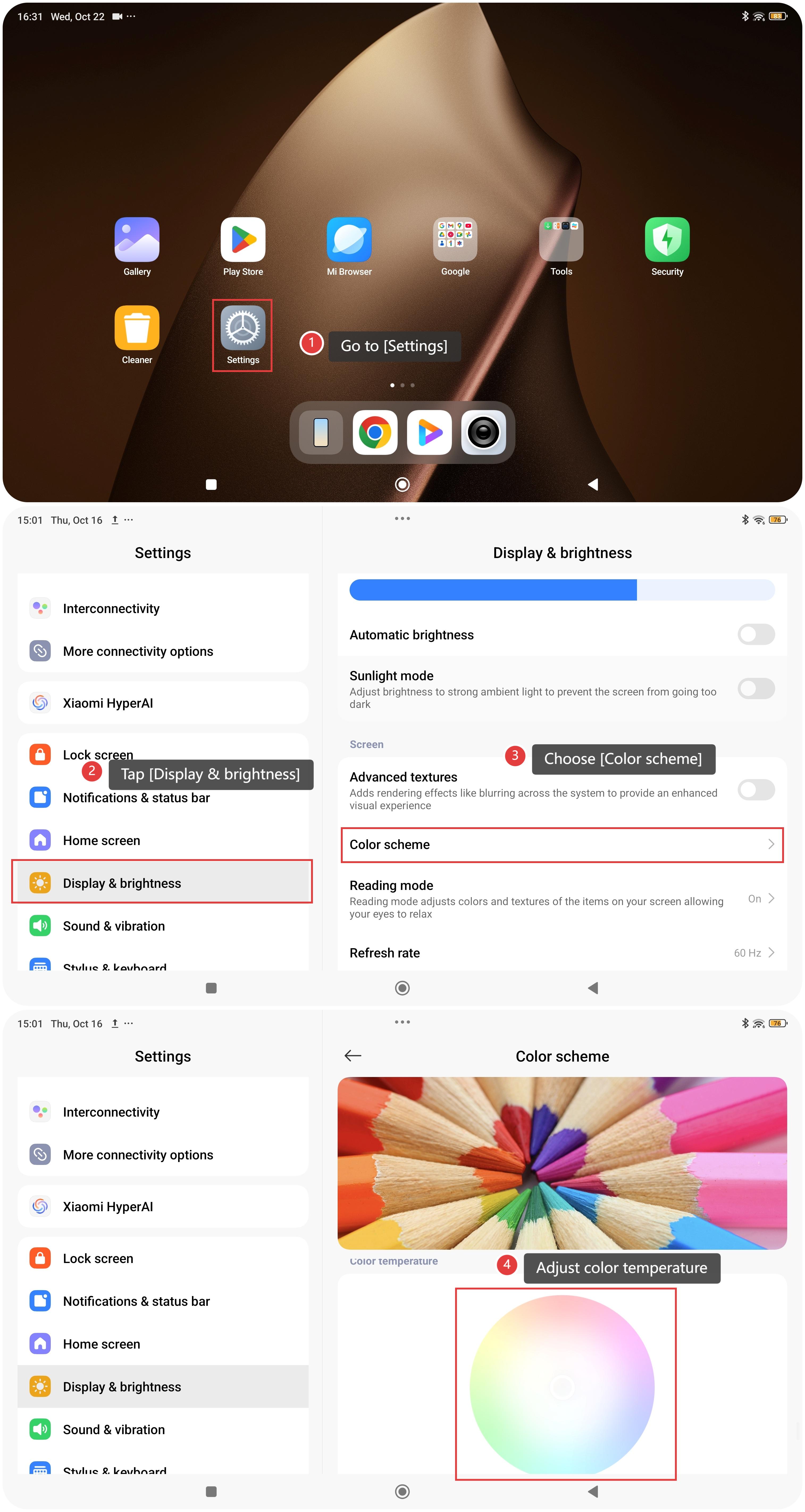
To adjust the screen color temperature, please refer to the following steps:
- Go to [Settings].
- Tap [Display & brightness].
- Choose [Color scheme].
- Swipe down to reveal the circular color temperature dial, and adjust color temperature to reduce the color cast. If you notice a color cast in Dark mode, you can try to switch to Light mode.
Does it help?
Yes
No