

Why does the Xiaomi Smart Camera C701 keep rotating on its own?
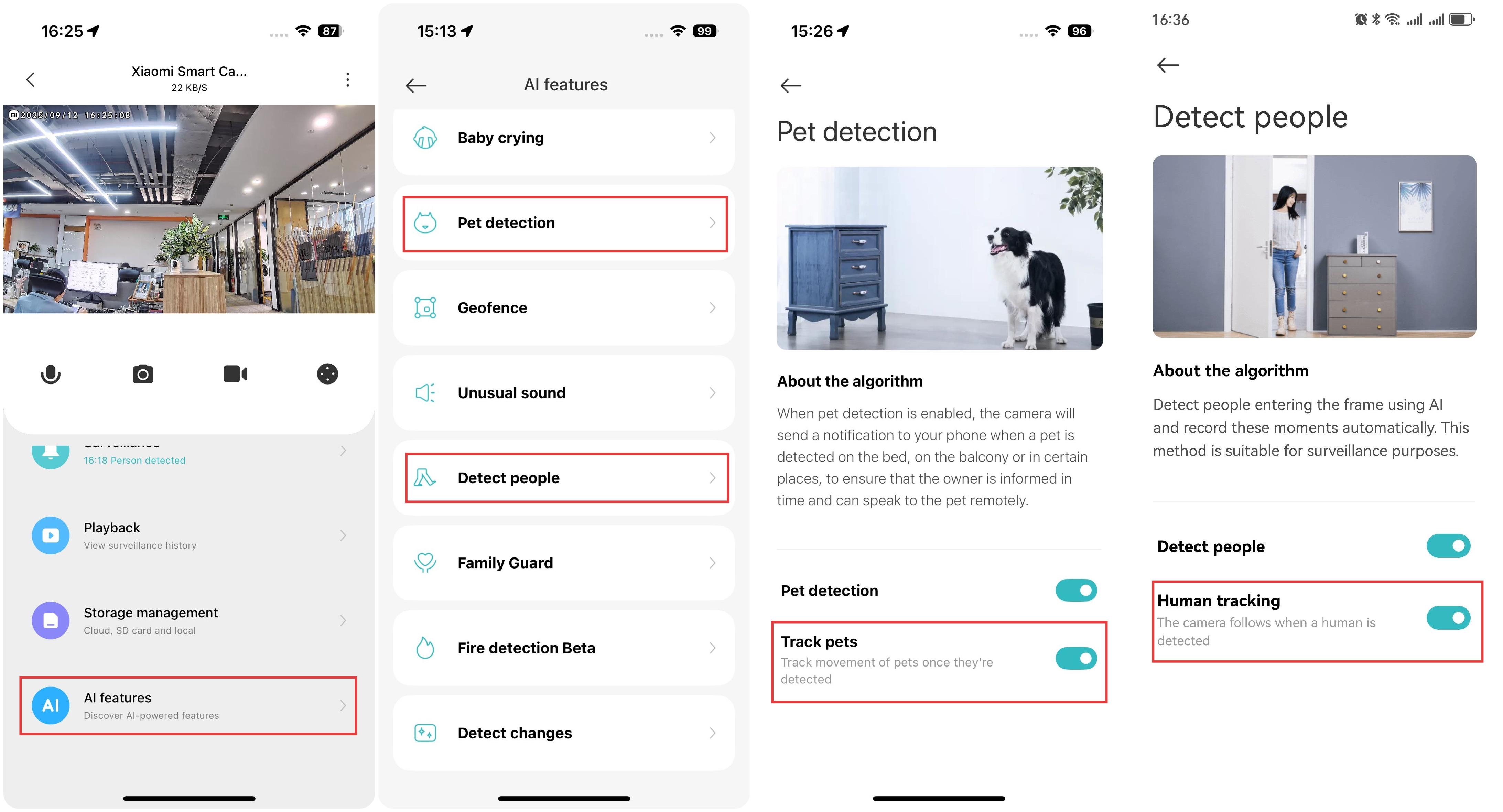
If the Xiaomi Smart Camera C701 keeps rotating on its own, please check if the human tracking and pet tracking features are enabled.
You can check it in the following path:
- Open the Xiaomi Home App.
- Select the Xiaomi Smart Camera C701.
- Tap [AI features] and disable the tracking functions in either human detection or pet detection.
When the human tracking feature is activated, the camera will follow any detected movement and return to its original position after tracking is complete to continue monitoring. Similarly, with pet tracking enabled, the camera will track any detected pets (cats or dogs) and also return to its original position after completing the tracking.
Does it help?
Yes
No