

What to do if the microSD card is not recording videos or cannot automatically delete old videos when using the Xiaomi Smart Camera C701?
If the microSD card is not recording videos or cannot automatically delete old videos on the Xiaomi Smart Camera C701, please refer to the following steps to troubleshoot:
- Check whether the Xiaomi Smart Camera C701 firmware and the Xiaomi Home App need updates.
- Check whether the storage on/off is turned off or if the recording mode is set to record only moving images.
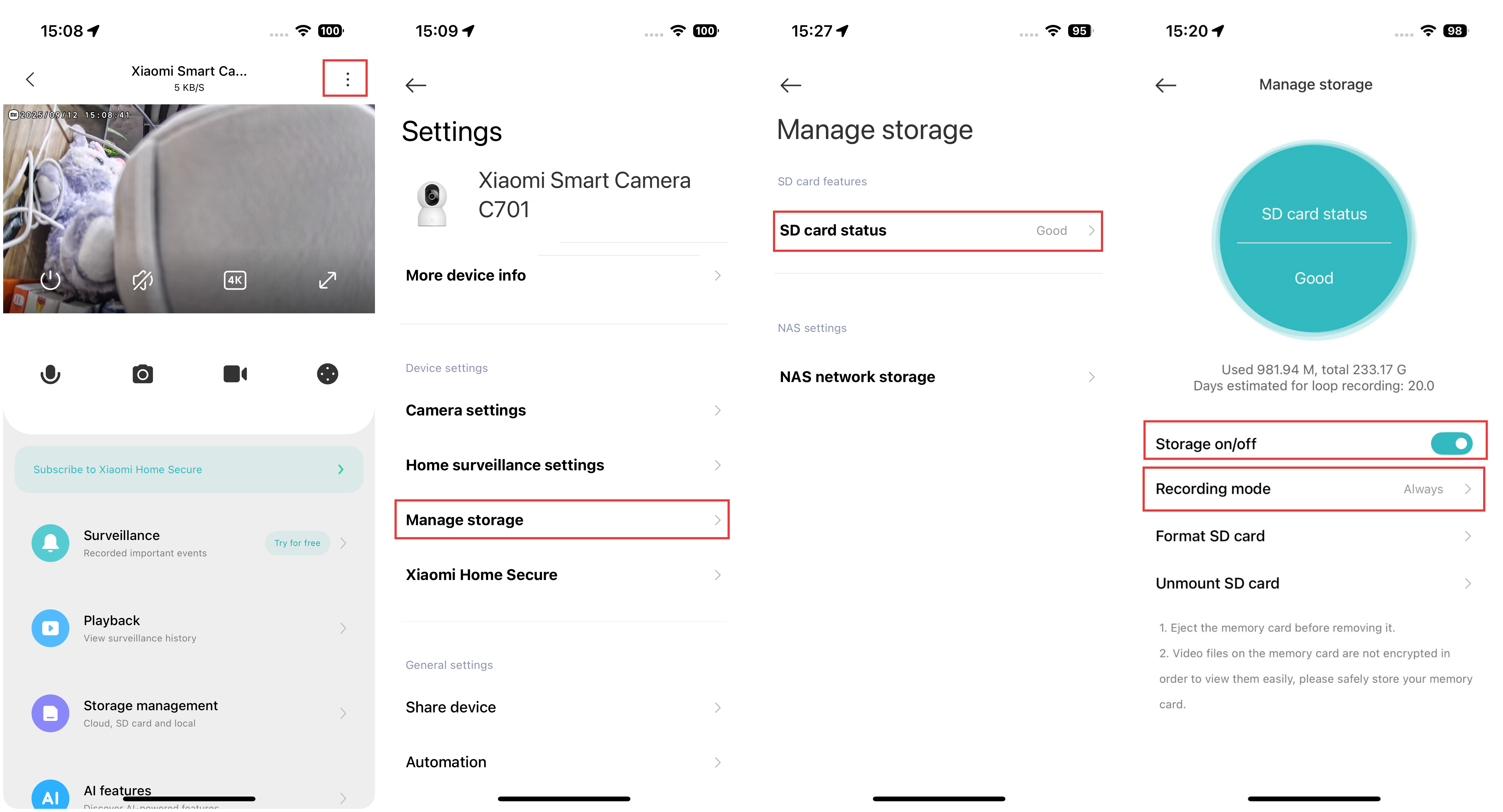
- Format the microSD card within the Xiaomi Home App.
- If the Xiaomi Home App cannot format the microSD card, use a card reader to format it on a computer. After formatting, power off the camera and reinsert the microSD card.
- If the microSD card cannot record videos, the issue can be related to the card itself. Try replacing it to see if the problem persists.
Does it help?
Yes
No