

What to do if the firmware upgrade for the Xiaomi Smart Camera C701 fails?
Upgrade failures are often caused by poor network conditions or server issues. Please try switching to a different network environment and attempting the upgrade again. If the network is functioning well, try upgrading at a different time.
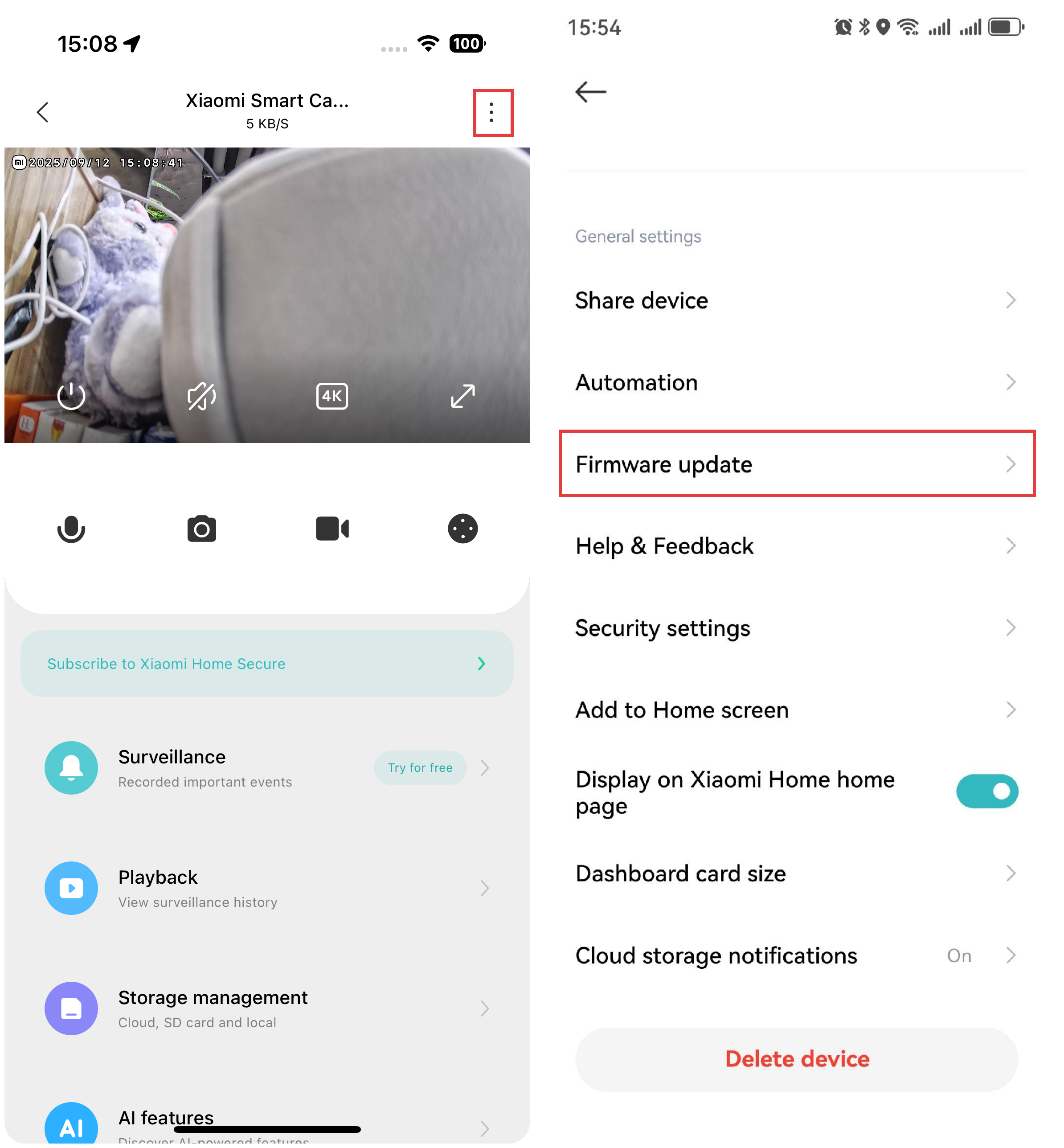
To update the firmware for the Xiaomi Smart Camera C701, please refer to the following steps:
- Open the Xiaomi Home App.
- Select the Xiaomi Smart Camera C701.
- Tap the three-dot icon at the upper right corner.
- Select [Firmware update]. If an update is available, please update the firmware promptly.
Does it help?
Yes
No