

What to do if the indicator on the Xiaomi Smart Camera C701 doesn't work?
The Xiaomi Smart Camera C701 offers the option to display or hide the status light according to your preferences. If you find that the camera indicator is not on, please first check whether this function is turned off in the settings. If you find that the indicator disrupts your work or daily life, you have the option to turn it off for a more discreet operation.
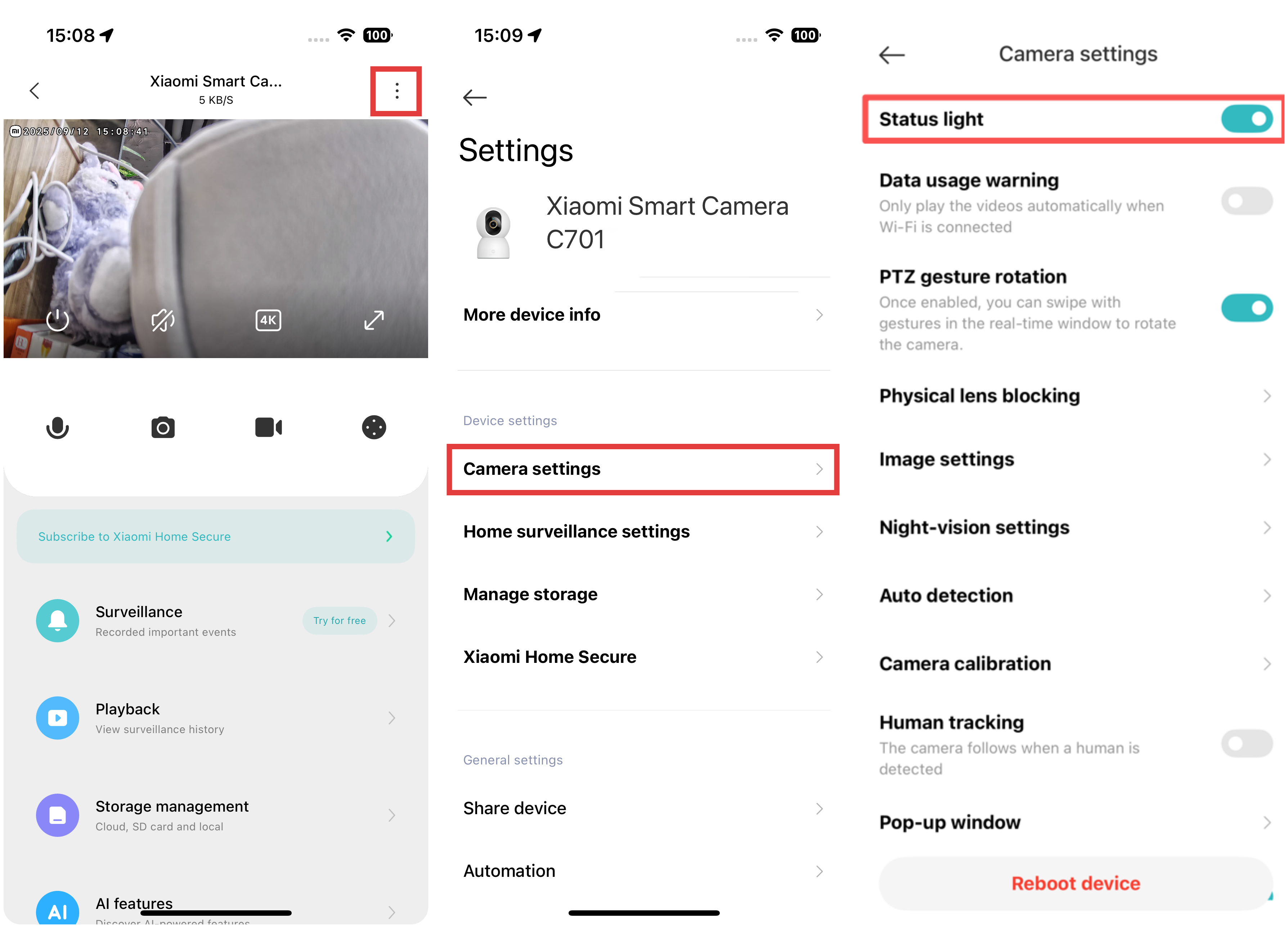
To enable the status light, please refer to the following steps:
- Open the Xiaomi Home App.
- Tap [Xiaomi Smart Camera C701].
- Tap the three-dot icon in the upper right corner.
- Enter [Camera settings].
- Enable [Status light].
Does it help?
Yes
No