

What to do if the screen color of the Xiaomi smartphone is white and black?
If your phone screen is black and white, please follow the steps below to troubleshoot:
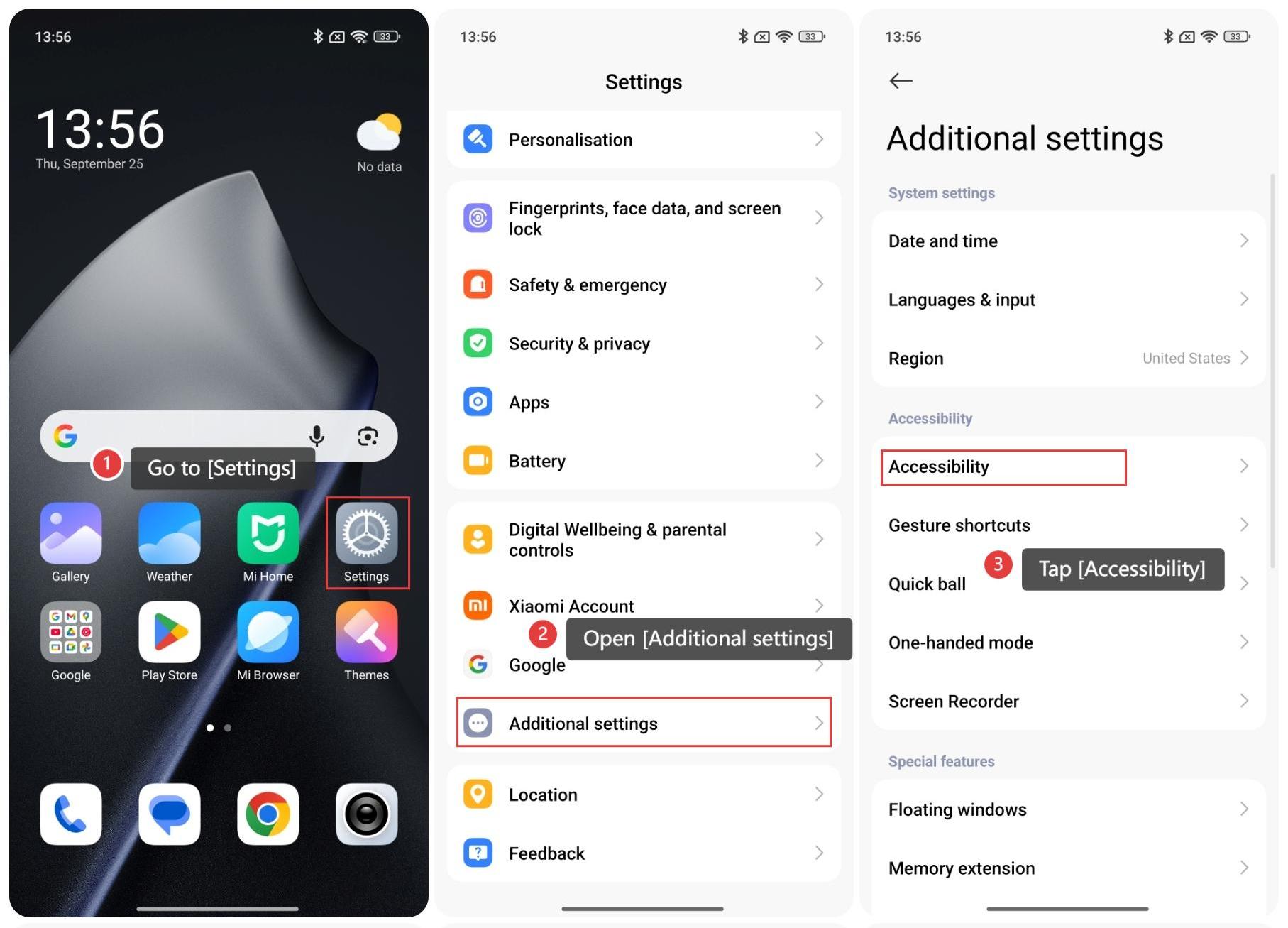
- Go to [Settings].
- Open [Additional settings].
- Tap [Accessibility].
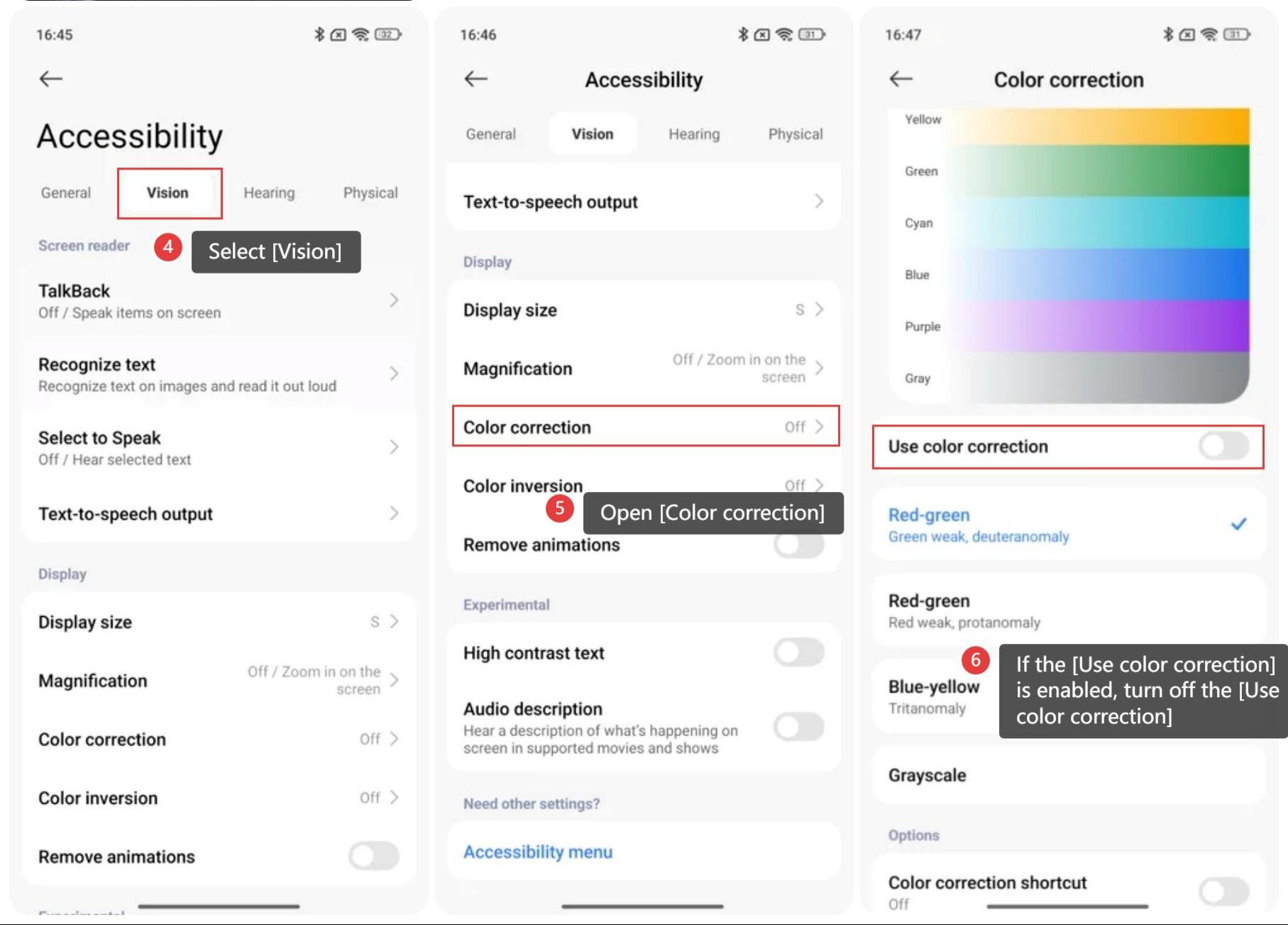
- Select [Vision].
- Open [Color correction] and check that the [Grayscale] is selected.
- If the [Use color correction] is enabled, turn off the [Use color correction].
Does it help?
Yes
No