

How to use the Super Freeze mode of the Mijia Refrigerator Cross Door 510L?
If the food placed in the freezer needs to be frozen quickly, please use the Super Freeze mode. This mode will set the freezer temperature to -24 °C.
To enable the Super Freeze mode of the Mijia Refrigerator Cross Door 510L, please refer to the following information:
- Wake up the Mijia Refrigerator Cross Door 510L screen and tap [Mode] to switch to Super Freeze mode.
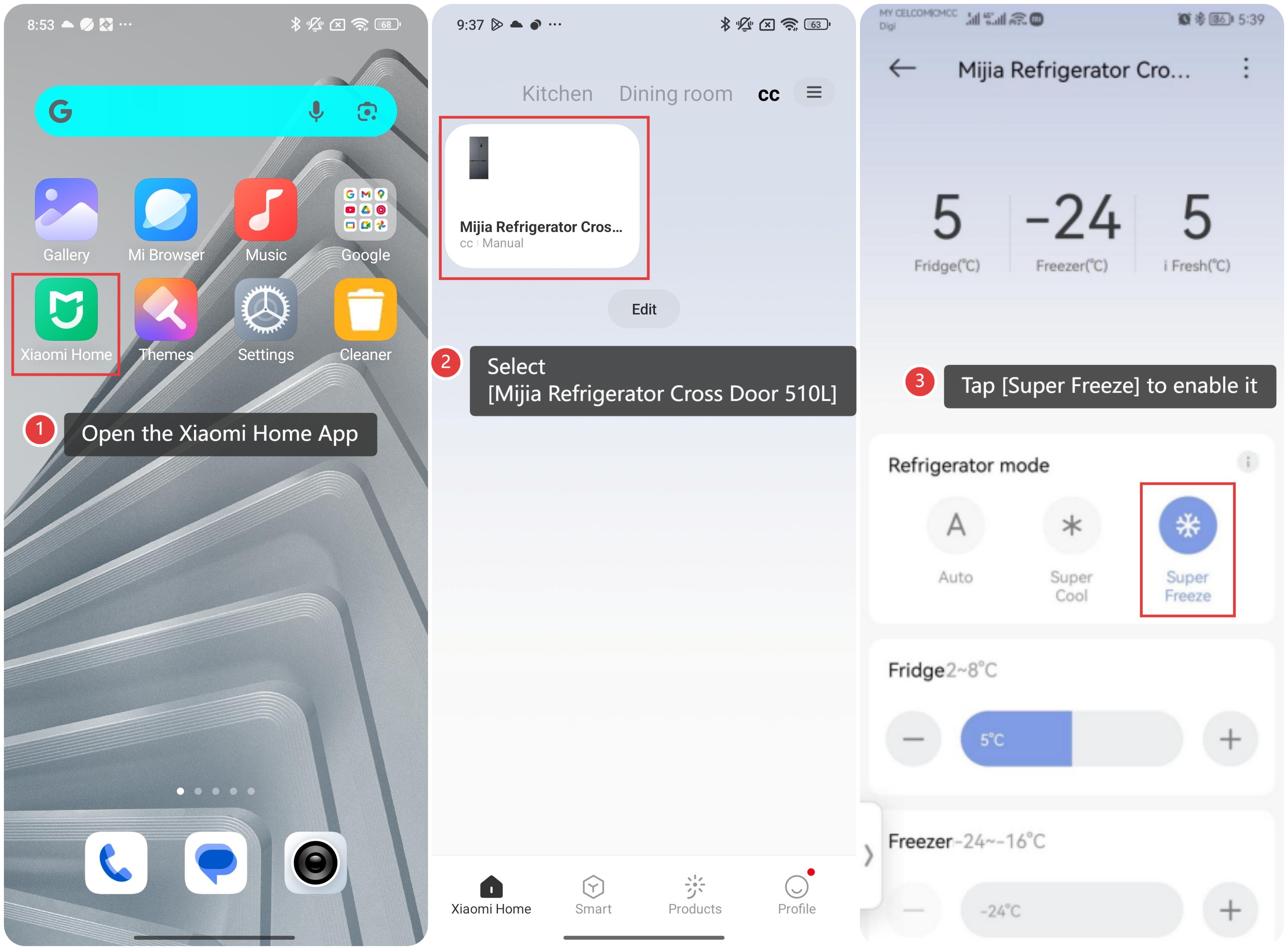
- Control through the Xiaomi Home App:
(1). Open the Xiaomi Home App on your phone.
(2). Select [Mijia Refrigerator Cross Door 510L].
- (3). Tap [Super Freeze] to enable it.
The Super Freeze mode of the Mijia Refrigerator Cross Door 510L will exit under the following conditions:
- While unlocked, you touch the Mode button to switch to another mode.
- The default duration for Super Freeze mode is 50 hours, after which it will automatically turn off.
- While unlocked, if you touch the Freezer button to adjust the temperature, the refrigerator will switch to custom mode.
Note:
- When the refrigerator switches from Super Freeze mode to Super Cool mode, custom mode, or exits Super Freeze mode automatically, the freezer temperature will return to the setting before Super Freeze mode is activated.
- If you need to place a large amount of fresh food into the freezer at once, it is recommended to enable the Super Freeze mode 24 hours in advance.
Does it help?
Yes
No